

Multimedia & graphics Windows
Qimgv for Windows
Browse image folders, crop and resize pictures, and move selected files with Qimgv, an open-source image viewer for Windows.
- Operating system
- Windows; specific supported versions not established
- Architecture
- x64
- Download package
- EXE installer
Selected qimgv-x64_1.0.2.exe is the standard package. Publisher also lists separate video-enabled and ZIP packages; installer sets up file associations.
Link checked · Download guidance
What is Qimgv?
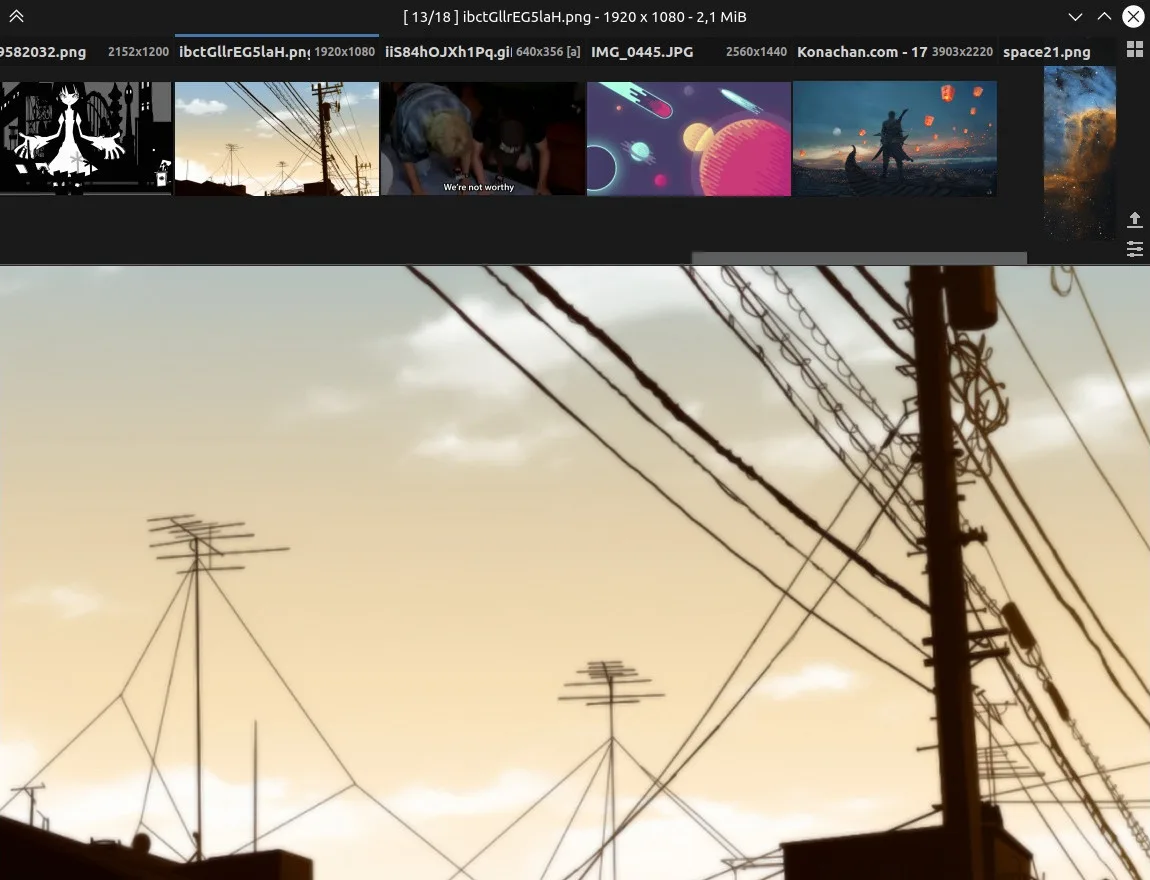
Qimgv is an image viewer for browsing a folder of pictures without keeping a large toolbar on screen. Its pull-down thumbnail panel and folder view help you choose an image, while configurable shortcuts let you move through files, zoom and switch to fullscreen. Themes and controls can be adjusted in the settings.
For small changes, Qimgv includes crop, rotate and resize tools. Quick-copy and quick-move panels let you assign destination folders and send the current image to one of them. These tools suit reviewing and sorting pictures without turning the viewer into a full editing workspace.
This entry links to the publisher's Windows x64 EXE for version 1.0.2, released on September 29, 2021. The installer also sets up file associations; the publisher describes the application files as self-contained within the install folder. Video playback is experimental and uses libmpv, and the release lists separate video-enabled packages. The selected download is the standard image-viewing package, not the video variant. The publisher screenshot illustrates the main window and thumbnail panel; its capture platform and exact application version are not established.
What it offers
- Browse images with a pull-down thumbnail panel, folder view and fullscreen mode.
- Customize themes and keyboard shortcuts in the settings.
- Crop, rotate and resize pictures with the built-in image tools.
- Assign destination folders for quick copying and moving of the current image.
Good to know
- Video playback is experimental; the selected standard EXE is distinct from the release's video-enabled packages.
- The linked version 1.0.2 release dates from September 2021; specific supported Windows versions are not established by the inspected publisher documentation.
Product images
Sources
References used for this listing. Retrieval dates do not indicate hands-on testing.
More in multimedia & graphics
View category ↗
1by1 2.17
Play music directly from folders with 1by1, a free Windows audio player with resume, gapless playback and file tools. Formats beyond MP3 need additional decoders.
3DVista Virtual Tour Pro
Build interactive 360° virtual tours from panoramas, videos and 3D models with 3DVista Virtual Tour Pro for Windows. Commercial software with a 30-day trial.


4DDiG Video Repair
Repair corrupted or unplayable videos in batches with the Video Repair tool in 4DDiG File Repair for Windows. A free trial is available; advanced features require a paid license.