
Multimedia & graphics Windows
Qt-DAB
Listen to terrestrial DAB and DAB+ radio on Windows with Qt-DAB and a supported SDR receiver, with station lists and signal-analysis displays.
- Operating system
- Windows; supported Windows versions are not specified in the cited release.
- Architecture
- Not explicitly specified for the selected installer.
- Download package
- EXE installer
Requires compatible SDR hardware for live reception. Some receivers need separate provider software; consult the publisher's device instructions.
Link checked · Download guidance
What is Qt-DAB?
Qt-DAB turns a supported software-defined radio receiver into a terrestrial DAB and DAB+ listening setup. Choose a channel and service from its station list, organise favourites, and open technical displays when you need to inspect reception rather than just hear the programme. It is aimed at listeners who already have SDR hardware or want to build a computer-based digital-radio receiver.
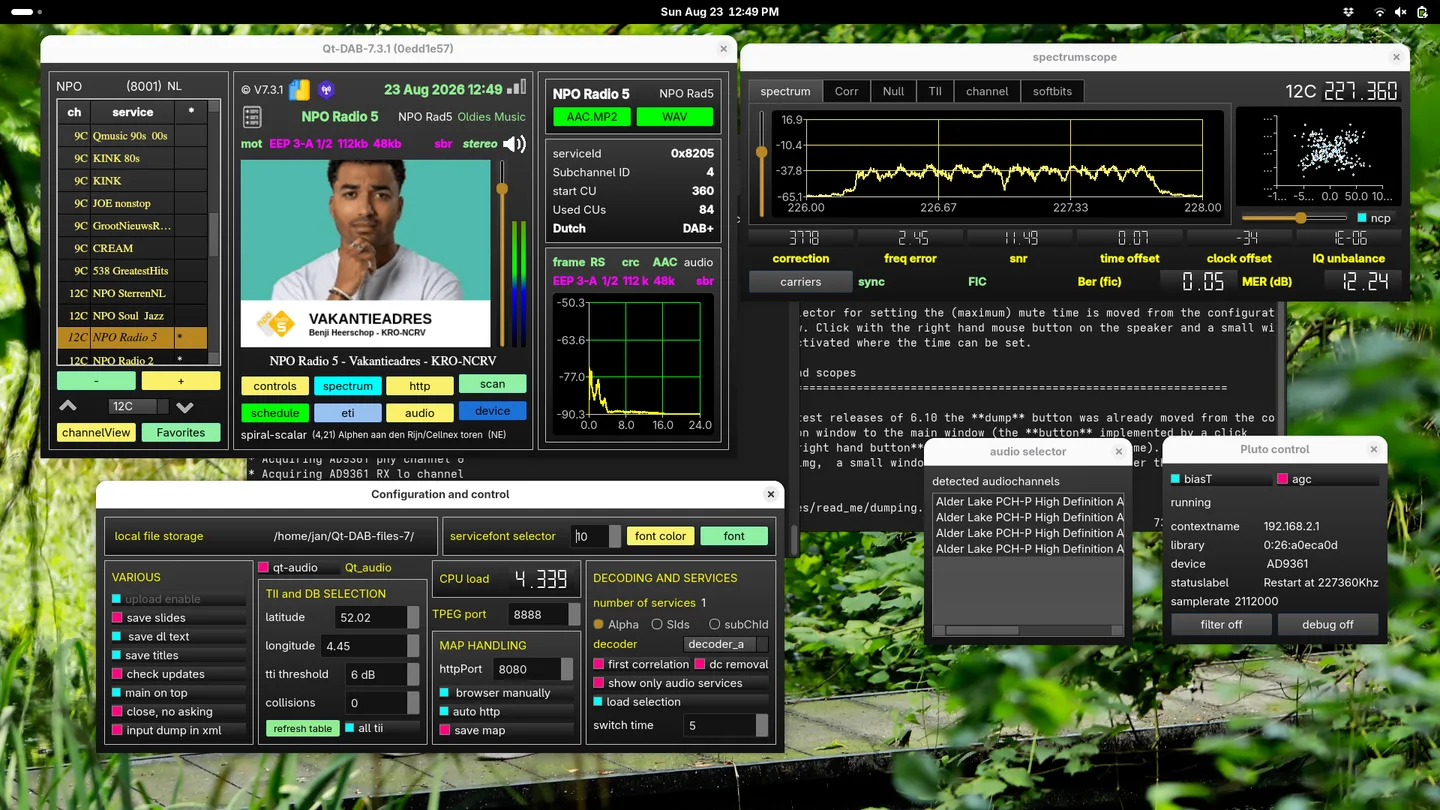
The spectrum scope, signal constellation and quality indicators expose details such as signal-to-noise ratio and frequency error. The publisher also documents network input from rtl_tcp and spyServer, plus playback of supported recorded input files. Supported hardware families include RTL-SDR sticks, SDRplay receivers, HackRF One, Airspy, LimeSDR and Adalm Pluto; check the device-specific instructions before choosing a receiver.
Live reception requires a compatible SDR device, not just this Windows download. The installer includes many device libraries, but SDRplay and Pluto support need separate provider software. Airspy HF cannot supply the sample rate required for DAB. The linked EXE is the publisher's 7.3.1.1 installer, whose release notes describe corrections to SDR dump-file handling and position settings. The screenshot is the publisher's Linux desktop example of the shared Qt-DAB interface, not a Windows installation test.
What it offers
- Receive terrestrial DAB and DAB+ audio with a supported SDR device.
- Select services from channel lists and maintain favourites.
- Inspect spectrum, constellation, signal-to-noise ratio and frequency-error displays.
- Use rtl_tcp or spyServer network input and supported recorded input files.
Good to know
- Live radio reception requires compatible SDR hardware; the application alone is not a receiver.
- SDRplay and Adalm Pluto devices require separate provider drivers or libraries on Windows.
- Airspy HF does not provide the sample rate required for DAB.
Product images
Sources
References used for this listing. Retrieval dates do not indicate hands-on testing.
More in multimedia & graphics
View category ↗
1by1 2.17
Play music directly from folders with 1by1, a free Windows audio player with resume, gapless playback and file tools. Formats beyond MP3 need additional decoders.
3DVista Virtual Tour Pro
Build interactive 360° virtual tours from panoramas, videos and 3D models with 3DVista Virtual Tour Pro for Windows. Commercial software with a 30-day trial.


4DDiG Video Repair
Repair corrupted or unplayable videos in batches with the Video Repair tool in 4DDiG File Repair for Windows. A free trial is available; advanced features require a paid license.