

Multimedia & graphics Windows
QuickImageViewer for Windows
Browse photo folders with thumbnail strips, inspect image metadata and run slideshows in QuickImageViewer, a portable Windows image viewer.
- Operating system
- Windows 10 and 11
- Architecture
- 64-bit; AVX2 required for this executable
- Download package
- Portable EXE
No installer. A separate LegacyCPU executable is available for older 64-bit processors; some image formats require additional Windows codecs.
Link checked · Download guidance
What is QuickImageViewer?
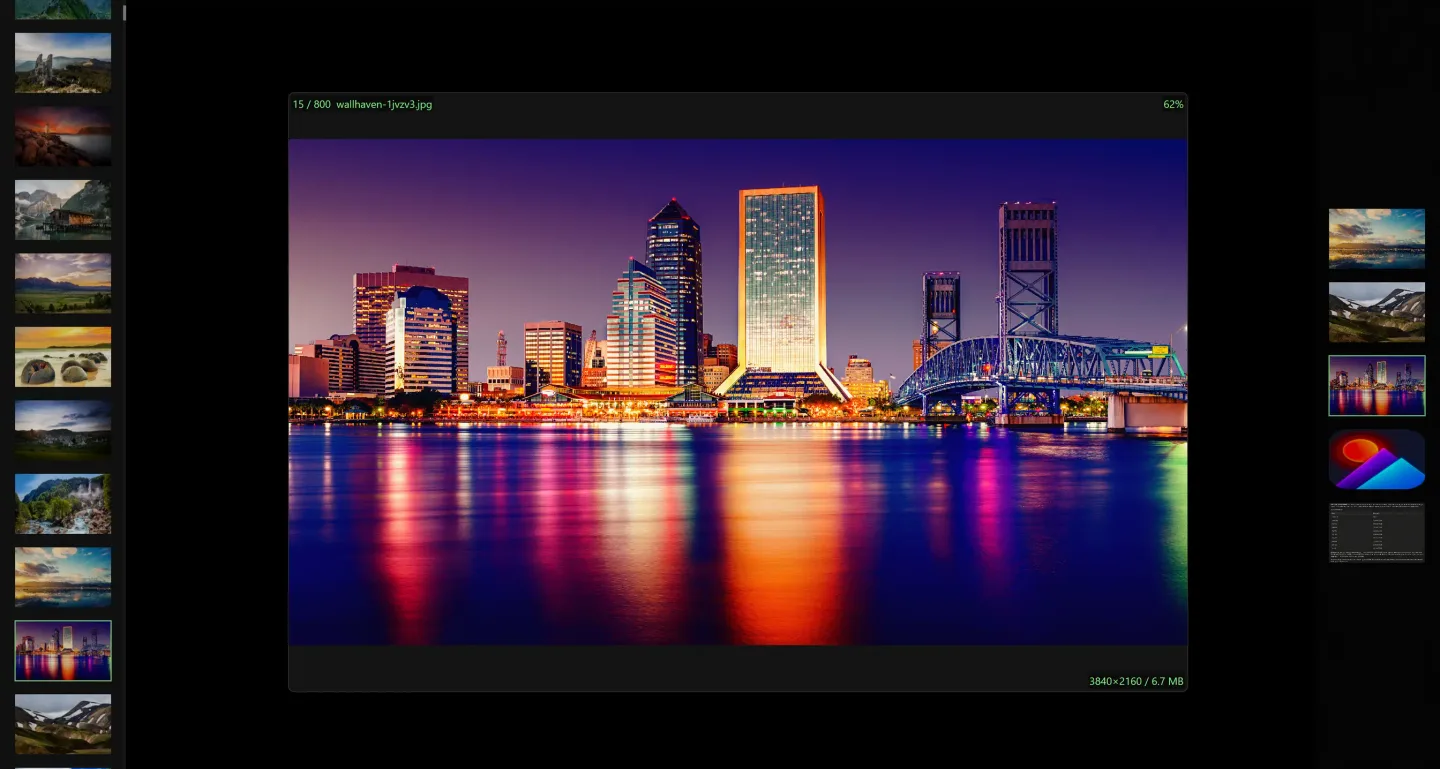
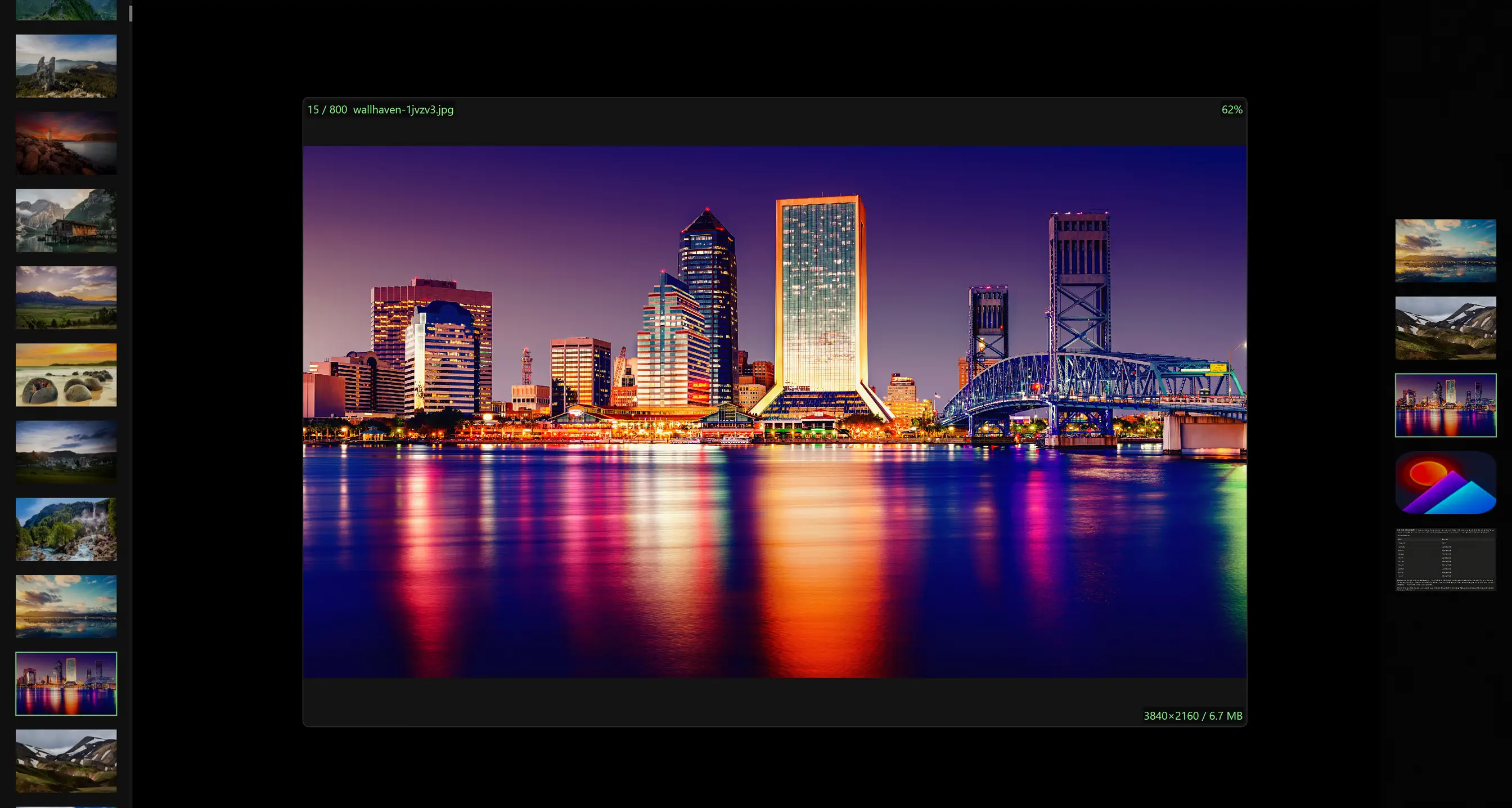
QuickImageViewer (qIV) opens images from local folders in a GPU-accelerated Windows viewer. Thumbnail strips let you move between pictures while keeping the main image visible, and its information panels expose EXIF and GPS metadata. It suits reviewing a photo collection, checking individual files or showing a folder as a slideshow. The Windows application is distributed as a single portable EXE rather than an installer.
The viewer supports common formats such as JPEG, PNG, GIF and WebP, plus SVG and other specialist formats. Some support depends on Windows codecs: HEIC needs Microsoft's HEIF Extensions and camera RAW needs the Raw Image Extension. The publisher lists native AVIF support on Windows 11 and JPEG XL on Windows 11 24H2 or later.
This download is version 3.2.0.452 of the standard Windows executable, which requires an AVX2-capable processor. The publisher provides a separate LegacyCPU executable for older 64-bit processors. qIV is primarily a viewer: it offers display effects, but not crop, paint or resize editing, batch conversion or batch renaming.
What it offers
- Browse folders using thumbnail strips alongside the main image.
- Inspect EXIF and GPS metadata in the image information panel.
- View JPEG, PNG, animated GIF, WebP and SVG images; additional formats depend on the installed Windows codecs.
- Run slideshows with loop, shuffle and GPU transitions.
- Open multiple windows and synchronize navigation, zoom, pan, rotation and flipping between them.
Good to know
- The linked standard executable requires AVX2; older 64-bit processors need the publisher's separate LegacyCPU edition.
- HEIC and camera RAW require Microsoft codec extensions; AVIF and JPEG XL availability also depends on the Windows version.
- No crop, paint or resize editing, batch conversion or batch renaming.
Product images
Sources
References used for this listing. Retrieval dates do not indicate hands-on testing.
More in multimedia & graphics
View category ↗
1by1 2.17
Play music directly from folders with 1by1, a free Windows audio player with resume, gapless playback and file tools. Formats beyond MP3 need additional decoders.
3DVista Virtual Tour Pro
Build interactive 360° virtual tours from panoramas, videos and 3D models with 3DVista Virtual Tour Pro for Windows. Commercial software with a 30-day trial.

4DDiG Video Repair
Repair corrupted or unplayable videos in batches with the Video Repair tool in 4DDiG File Repair for Windows. A free trial is available; advanced features require a paid license.