
Multimedia & graphics Windows
RadioBOSS for Windows
Schedule music, jingles and commercial breaks with RadioBOSS, a Windows radio automation application with playlist generation and Internet streaming. Paid licenses are available alongside a trial.
- Operating system
- Windows 11, 10, 8.1, 7 (SP1+); Windows Server 2019, 2016 and 2012 R2
- Architecture
- x64 (64-bit)
- Download package
- EXE installer
Selected download is Windows 64-bit; publisher also provides a separate 32-bit installer. Minimum listed hardware: 2 GHz dual-core CPU, 1 GB RAM and 1 GB disk space.
Link checked · Download guidance
What is RadioBOSS?
RadioBOSS organizes audio playback for radio stations and background music in venues such as shops, bars and gyms. Its player brings playlists, scheduled events and audio controls together, while the Music Library helps organize tracks and the Playlist Generator builds programming from reusable templates.
For a planned broadcast, you can schedule tracks, playlists and commercials at a precise time or after the current song finishes. Automatic crossfading and volume leveling help manage transitions, and integrated streaming supports services such as Icecast and Shoutcast. The advertisement scheduler handles commercial breaks, and playback reports provide a record of the music played.
RadioBOSS is commercial software, not a free unlimited application. The publisher offers Standard, Advanced and Ultimate editions; remote voice tracking and the virtual mixer board require Ultimate. A perpetual purchase includes one year of updates and support, with renewal needed for subsequent updates and support rather than continued use of the purchased software.
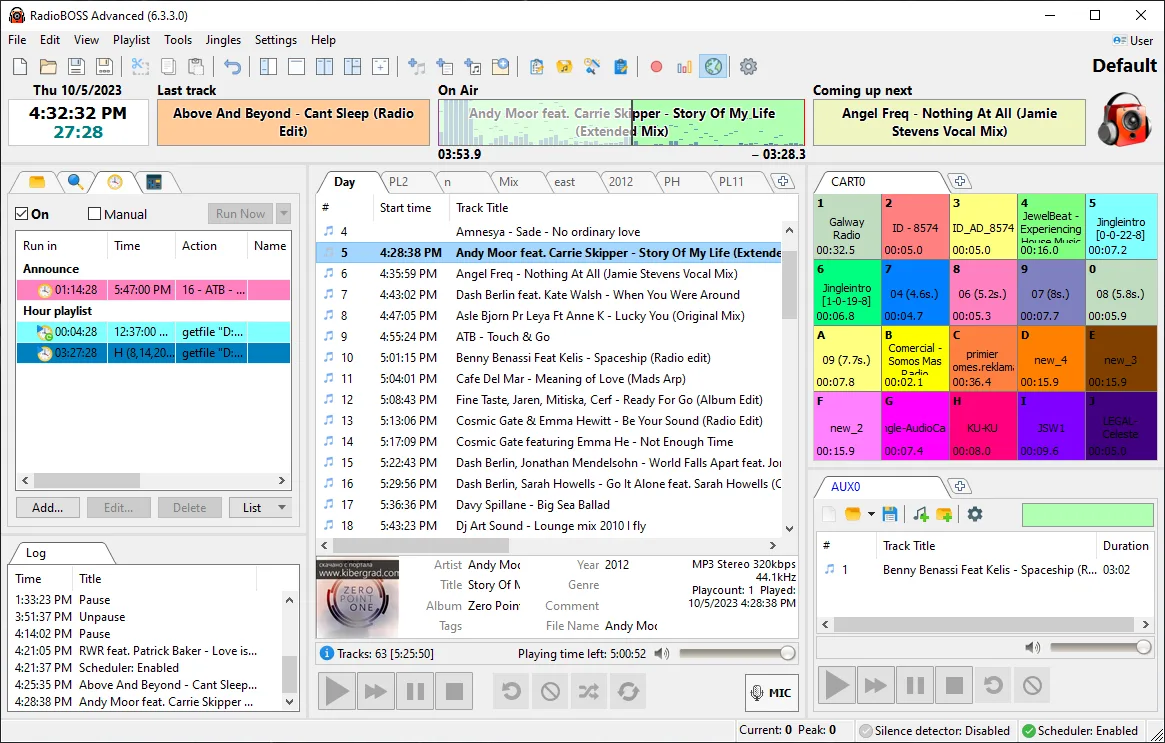
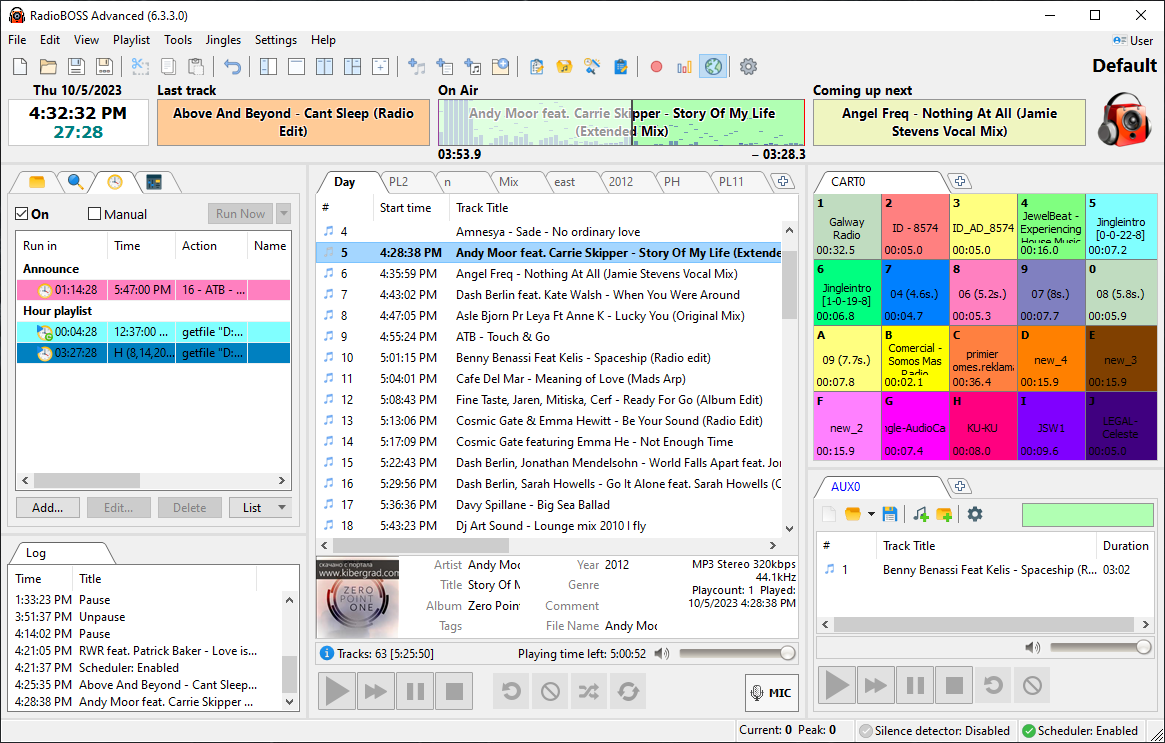
This entry links to the publisher's Windows 64-bit EXE installer for the 7.2.5 release listed on its download page. A separate 32-bit installer is available from the publisher. The screenshot is the publisher's older RadioBOSS Advanced 6.3.3.0 interface and illustrates the player layout, not the exact appearance of version 7.2.5.
What it offers
- Generate playlists from templates and organize tracks in the Music Library.
- Schedule music, playlists, jingles and commercial breaks for timed playback.
- Use automatic crossfading, volume leveling, microphone input and line input.
- Stream through integrated encoders to Icecast, Shoutcast and other supported servers.
- Create playback reports and manage advertising schedules.
Good to know
- The download is a trial of commercial software; purchasing a license removes trial limitations.
- Remote voice tracking and the virtual mixer board are restricted to the Ultimate edition.
- A purchase includes one year of updates and support; renewal is required for later updates and support, but the purchased license does not expire.
Product images
Sources
References used for this listing. Retrieval dates do not indicate hands-on testing.
- RadioBOSS - Download ↗Retrieved
- Download RadioBOSS, RadioLogger, RadioCaster, plugins, time announcement voices, sound processing ↗Retrieved
- RadioBOSS – Software For Radio Station Automation ↗Retrieved
- Purchase RadioBOSS Radio Automation Software ↗Retrieved
- RadioBOSS Editions — publisher comparison ↗Retrieved
More in multimedia & graphics
View category ↗
1by1 2.17
Play music directly from folders with 1by1, a free Windows audio player with resume, gapless playback and file tools. Formats beyond MP3 need additional decoders.
3DVista Virtual Tour Pro
Build interactive 360° virtual tours from panoramas, videos and 3D models with 3DVista Virtual Tour Pro for Windows. Commercial software with a 30-day trial.

4DDiG Video Repair
Repair corrupted or unplayable videos in batches with the Video Repair tool in 4DDiG File Repair for Windows. A free trial is available; advanced features require a paid license.