

Multimedia & graphics macOS
REAPER for macOS
Record, edit and mix multitrack audio and MIDI on Mac with REAPER. The publisher offers a fully functional 60-day evaluation and a Universal DMG for Intel and Apple silicon.
- Operating system
- macOS 10.15–26 for the selected Universal download
- Architecture
- Universal: Intel and ARM64 (Apple silicon)
- Download package
- DMG disk image
Publisher recommends Universal for macOS 10.15 and 11 or later; separate 64-bit and 32-bit Intel downloads serve macOS 10.5–10.14.
Link checked · Download guidance
What is REAPER?
REAPER is a digital audio workstation for recording, arranging, editing, mixing and mastering audio and MIDI projects. Tracks can hold audio or MIDI, with routing, automation and effects processing for building a session from recorded takes or imported material. It suits musicians and audio editors who need a multitrack workspace rather than a single-file recorder.
The editing tools include trimming, crossfades, time stretching and pitch shifting. Take lanes and comping help assemble a performance from multiple recordings, while the render tools export tracks, regions or media items. On macOS, REAPER supports Audio Units alongside formats such as VST3 and CLAP; its layouts, shortcuts and scripting tools can also be customized.
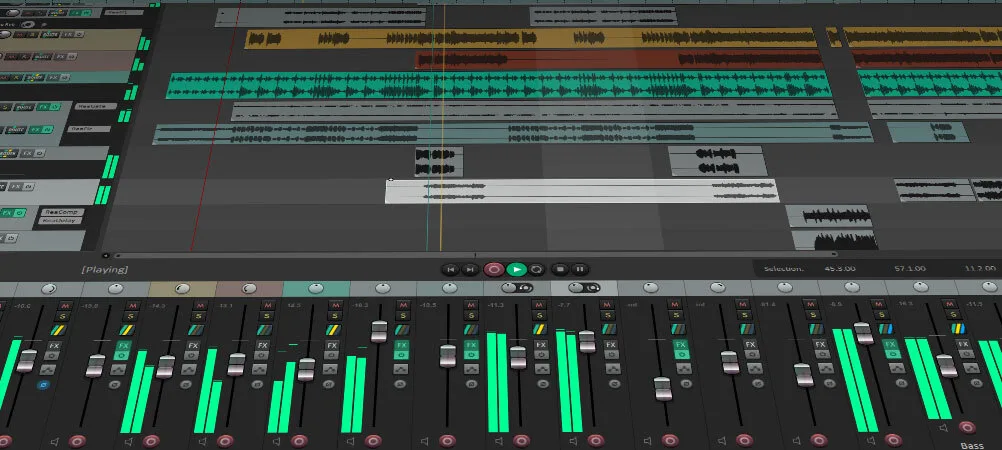
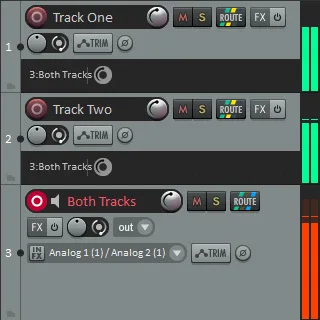
This download is the publisher's macOS Universal DMG for Intel and ARM64, recommended for macOS 10.15 and later. Older Macs need the separate legacy Intel downloads listed by the publisher. REAPER is paid software with a fully functional 60-day evaluation, not a permanently free edition. The screenshots illustrate the publisher's shared REAPER interface; they are not captures of a locally installed Mac copy or proof of this exact release.
What it offers
- Record and overdub audio and MIDI, including multiple takes and loop recording.
- Arrange clips with trimming, crossfades, time stretching and pitch shifting; use track lanes for comping.
- Apply effects and virtual instruments using Audio Units on macOS, VST3, CLAP and other supported plug-in formats.
- Automate track and plug-in controls, route multichannel audio, and render tracks, regions or media items.
- Customize layouts and keyboard shortcuts, or extend workflows with Lua, EEL or Python scripts.
Good to know
- The free evaluation lasts 60 days; REAPER is paid software, not freeware.
- The selected Universal DMG is recommended for macOS 10.15 and later. Use the publisher's separate legacy Intel packages for macOS 10.5–10.14.
Product images
Sources
References used for this listing. Retrieval dates do not indicate hands-on testing.
- Reaper for Mac - Download ↗Retrieved
- REAPER | Download ↗Retrieved
- REAPER | About ↗Retrieved
- REAPER | Purchase ↗Retrieved
- REAPER | Audio Production Without Limits ↗Retrieved
More in multimedia & graphics
View category ↗
1by1 2.17
Play music directly from folders with 1by1, a free Windows audio player with resume, gapless playback and file tools. Formats beyond MP3 need additional decoders.
3DVista Virtual Tour Pro
Build interactive 360° virtual tours from panoramas, videos and 3D models with 3DVista Virtual Tour Pro for Windows. Commercial software with a 30-day trial.

4DDiG Video Repair
Repair corrupted or unplayable videos in batches with the Video Repair tool in 4DDiG File Repair for Windows. A free trial is available; advanced features require a paid license.