

Multimedia & graphics Windows
Remove Logo Now for Windows
Select logos, watermarks and text overlays in video files with Remove Logo Now, a Windows editor with automatic detection, manual selection and batch processing.
- Operating system
- Windows 11, 10, 8.1, 8 and 7, as listed by the publisher
- Architecture
- Publisher lists 32-bit and 64-bit Windows; download architecture not independently identified
- Download package
- EXE download
Publisher lists 4 GB RAM, 1 GB free disk space and 1280 × 768 display resolution. The download URL is unversioned; version 11.3 is a publisher-page listing, not a binary inspection.
Link checked · Download guidance
What is Remove Logo Now?
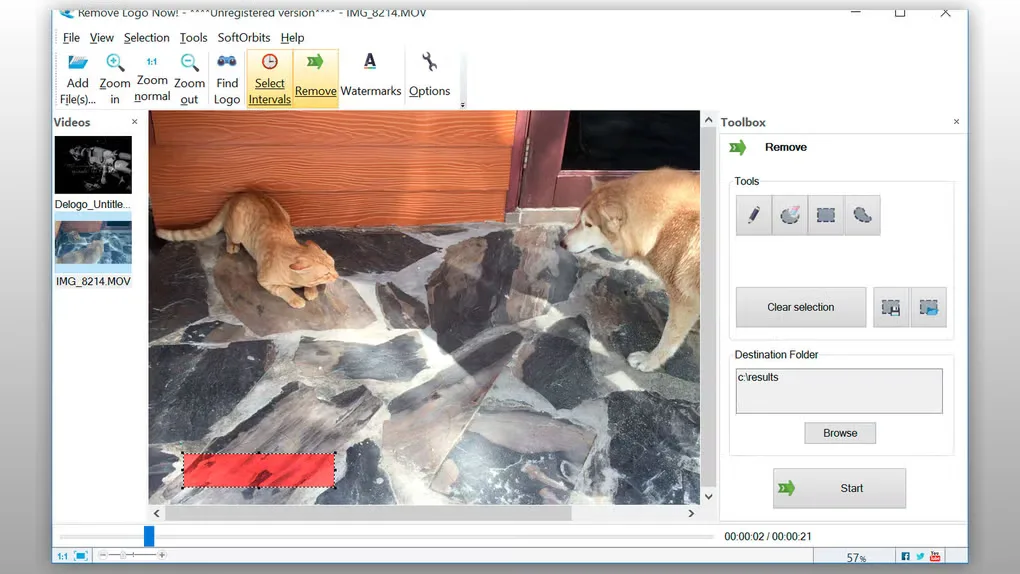
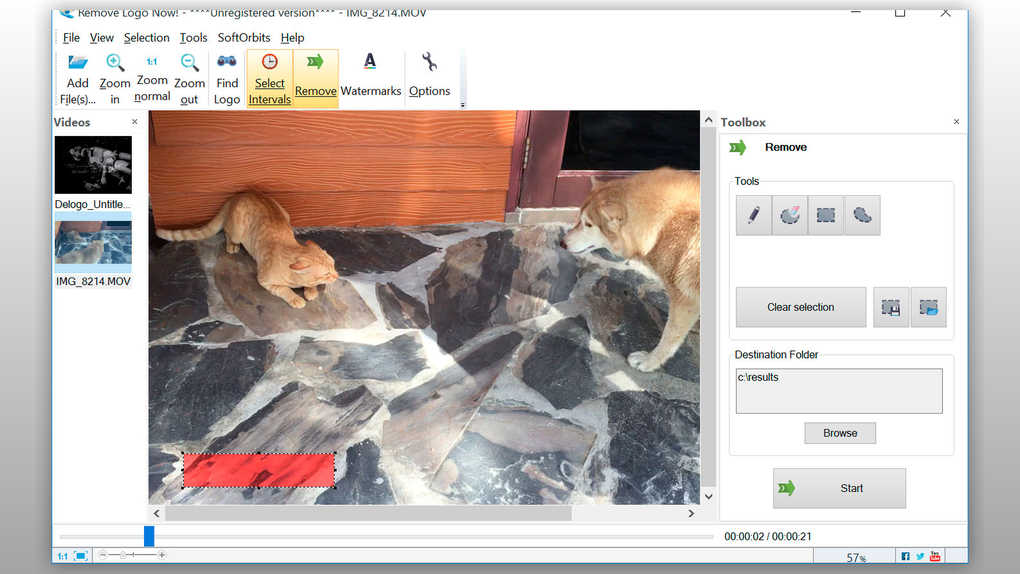
Remove Logo Now targets logos, watermarks and text already embedded in video files. Add a clip, use automatic logo detection or mark an area manually, then process the video to a destination folder. It is a focused option for editing footage you own or have permission to modify, rather than a general-purpose video editor.
The publisher describes batch processing for multiple files and time intervals for overlays that appear only during part of a clip. It lists MP4, AVI, MOV, MKV and WMV among supported video containers. The Windows desktop application is separate from the browser-based tool promoted on the same website; this download links to the desktop trial.
Removal is not a guarantee of an undamaged background. The publisher says stubborn marks are currently hidden with controlled blur, while other sections describe background reconstruction. Assess the result on your own footage before buying, especially where a logo covers motion or detailed scenery. The publisher page lists version 11.3, but its unversioned download URL does not independently identify the delivered build.
What it offers
- Find logos automatically or select the affected area with manual tools.
- Set time intervals to target overlays that appear only in parts of a video.
- Queue multiple video files for batch processing.
- Work with video containers listed by the publisher, including MP4, AVI, MOV, MKV and WMV.
Good to know
- Commercial software with a free trial; a free download is not a permanent free license.
- The publisher says stubborn marks can be hidden with controlled blur. Busy or moving backgrounds may retain a visible softened patch.
- Only edit footage you own or have permission to modify; removing an overlay does not grant rights to the underlying video.
Product images
Sources
References used for this listing. Retrieval dates do not indicate hands-on testing.
More in multimedia & graphics
View category ↗
1by1 2.17
Play music directly from folders with 1by1, a free Windows audio player with resume, gapless playback and file tools. Formats beyond MP3 need additional decoders.
3DVista Virtual Tour Pro
Build interactive 360° virtual tours from panoramas, videos and 3D models with 3DVista Virtual Tour Pro for Windows. Commercial software with a 30-day trial.

4DDiG Video Repair
Repair corrupted or unplayable videos in batches with the Video Repair tool in 4DDiG File Repair for Windows. A free trial is available; advanced features require a paid license.