

Multimedia & graphics Windows
Renoise for Windows
Compose music with Renoise's tracker-based sequencer, sample editor and effects. This Windows download is the restricted 64-bit demo, not the full licensed application.
- Operating system
- Windows 10 or later, 64-bit
- Architecture
- 64-bit
- Download package
- EXE installer
Publisher minimum window size: 990 × 550 pixels. This link is the restricted Windows demo; ASIO support is unavailable in the demo.
Link checked · Download guidance
What is Renoise?
Renoise is a digital audio workstation built around a music-tracker workflow. Its pattern editor arranges notes and effect commands in vertical tracks, while the integrated sample editor, mixer and automation controls support composing and shaping a track inside one application. It suits musicians who want to sequence samples and instruments through a keyboard-oriented interface.
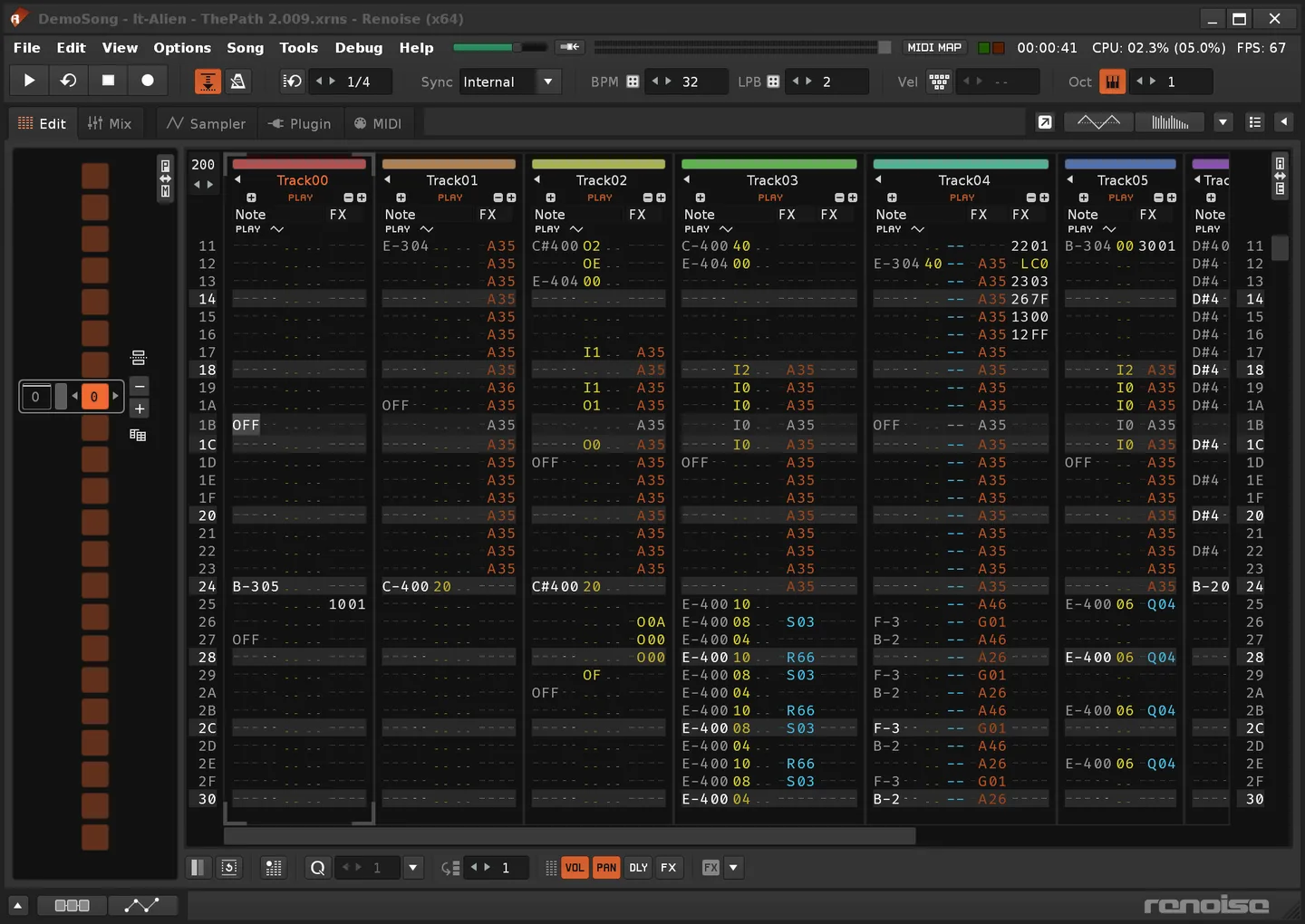
The workstation includes native audio effects, graphical automation envelopes and MIDI connections to hardware or plug-in instruments. Track groups and send routing let you share effects across parts of a project. The publisher's screenshot shows the tracker editor in use; it is an interface illustration, not proof of the pictured release version.
The linked Windows package is the Renoise 3.5.4 demo for 64-bit systems. The demo has no ASIO support on Windows and cannot render to WAV, render or resample selections, or render and freeze plug-in instruments into samples. It also displays nag screens. Use it to explore the workflow, not as an unrestricted way to export finished audio; the full application requires a paid license.
What it offers
- Compose with a tracker-based pattern editor and keyboard-oriented workflow.
- Edit and audition samples in the integrated Sample Editor.
- Shape sound with native effects and graphical automation envelopes.
- Send and receive MIDI notes and controller changes with hardware or plug-in instruments.
- Organize tracks into groups and share processing through send routing.
Good to know
- The Windows demo does not support ASIO.
- The demo disables WAV rendering, rendering or resampling selections, and rendering or freezing plug-in instruments to samples.
- The demo displays nag screens; the unrestricted application requires a paid license.
Product images
Sources
References used for this listing. Retrieval dates do not indicate hands-on testing.
More in multimedia & graphics
View category ↗
1by1 2.17
Play music directly from folders with 1by1, a free Windows audio player with resume, gapless playback and file tools. Formats beyond MP3 need additional decoders.
3DVista Virtual Tour Pro
Build interactive 360° virtual tours from panoramas, videos and 3D models with 3DVista Virtual Tour Pro for Windows. Commercial software with a 30-day trial.

4DDiG Video Repair
Repair corrupted or unplayable videos in batches with the Video Repair tool in 4DDiG File Repair for Windows. A free trial is available; advanced features require a paid license.