
Multimedia & graphics Windows
Screenify
Record your Windows screen, webcam and audio with Screenify, a free recorder with live annotations, noise reduction and basic video trimming.
- Operating system
- Windows 11, 10, 8.1, 8 and 7; publisher recommends Windows 11 or 10
- Architecture
- Not specified in the inspected publisher sources
- Download package
- Windows EXE installer
Publisher lists Intel i3 10th generation or newer and NVIDIA 1650 graphics or newer as recommended hardware. Its ambiguous “8G internal storage” wording is not treated as a RAM requirement.
Link checked · Download guidance
What is Screenify?
Screenify records a full screen, a selected area or an application window, with webcam, system audio and microphone options for narrated demonstrations. It suits showing a troubleshooting step, explaining a presentation or capturing a lesson without needing a separate audio recorder. iMobie advertises free recording without a time limit or a required watermark, with capture settings up to 4K at 60 fps. Those are publisher specifications, not results from a performance test.
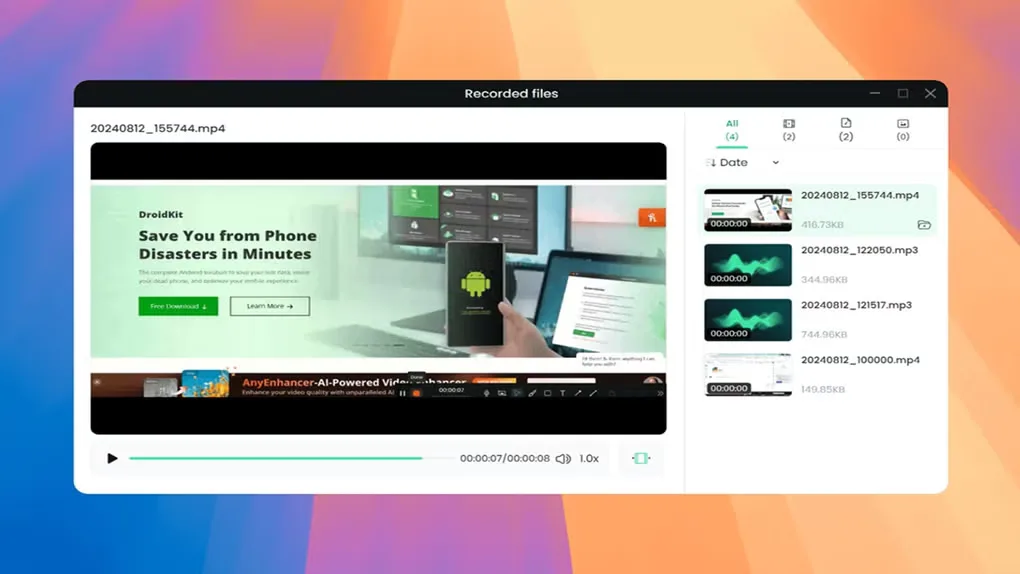
During a recording, annotations can draw attention to the part of the screen being explained. Afterward, the recorded-files view provides a place to preview and manage clips; the built-in trim tool removes unwanted opening or closing footage. Export options include MP4, GIF and MOV video, plus MP3, AAC and OGG audio.
Editing is the main boundary: Screenify offers basic trimming rather than an advanced editing workflow. For a project that needs more elaborate editing, plan to use a separate editor. The linked Windows EXE is the publisher’s Screenify installer, not the separately promoted FocuSee product. CPU architecture and the exact version inside that installer were not established by the HEAD-only check.
What it offers
- Capture a full screen, selected area or application window.
- Record webcam, system sound and microphone together or separately.
- Add real-time annotations and a custom text watermark to Windows recordings.
- Use noise reduction and recording start, pause, resume and stop shortcuts.
- Preview and trim recordings; export video or audio in supported formats.
Good to know
- Editing tools are limited to basic tasks such as trimming; advanced editing may require a separate editor.
- The publisher advertises up to 4K at 60 fps, but recording performance was not independently tested.
- The selected installer’s CPU architecture and internal build version are unconfirmed.
Product images
Sources
References used for this listing. Retrieval dates do not indicate hands-on testing.
- Screenify - Free Screen Recorder for Windows & Mac ↗Retrieved
- Screenify Tech Specs & Update History ↗Retrieved
- Screenyfy - Download ↗Retrieved
More in multimedia & graphics
View category ↗
1by1 2.17
Play music directly from folders with 1by1, a free Windows audio player with resume, gapless playback and file tools. Formats beyond MP3 need additional decoders.
3DVista Virtual Tour Pro
Build interactive 360° virtual tours from panoramas, videos and 3D models with 3DVista Virtual Tour Pro for Windows. Commercial software with a 30-day trial.

4DDiG Video Repair
Repair corrupted or unplayable videos in batches with the Video Repair tool in 4DDiG File Repair for Windows. A free trial is available; advanced features require a paid license.