
Multimedia & graphics Windows
Sharp IMG Viewer
View and convert images, inspect metadata and extract pictures from archives or Windows resources with Sharp IMG Viewer, a Windows desktop application with a 15-day trial.
- Operating system
- Windows 10 and Windows 11; publisher also lists older Windows and Windows Server versions
- Architecture
- Installer architecture not established by the cited sources
- Download package
- MSI trial installer
Requires .NET Framework 2.0 or later. Publisher compatibility claims only; no installer was downloaded or run.
Link checked · Download guidance
What is Sharp IMG Viewer?
Sharp IMG Viewer is an image viewer and resource explorer for Windows. The publisher calls the desktop product Sharp IMG Viewer 2008. It opens images in separate tabs, displays image metadata and can extract pictures from sources such as archives, Windows executables and disk images. This makes it useful when the picture you need is inside another file rather than already available as a standalone image.
Its image tools include rotation, flipping, resampling and bit-depth conversion. It also supports working with individual frames in multiframe images and importing or exporting formats such as multipage TIFF and PDF. The publisher distinguishes formats it can read from formats it can write; do not assume every supported input format is also an export format.
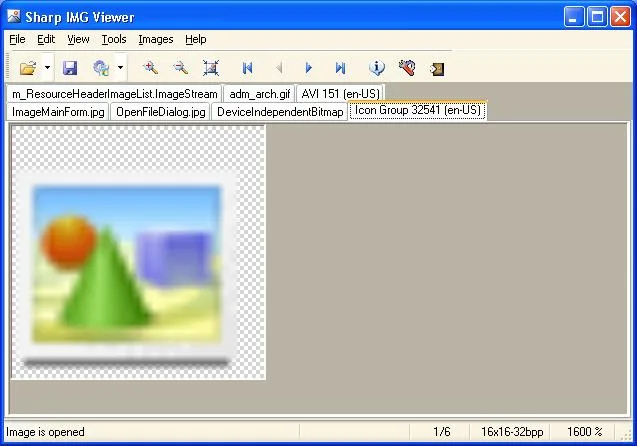
The linked MSI is the publisher's desktop trial installer. The trial expires 15 days after first installation, after which a purchased license and activation are required to continue using the application. The publisher lists Windows 10 and Windows 11 among supported systems and requires .NET Framework 2.0 or later. Its homepage additionally specifies the Microsoft Visual C++ 2010 Redistributable Package (x86) for PDF viewing when using .NET Framework 4.0. These are publisher requirements, not results of an installation or compatibility test. The screenshot comes from the desktop documentation and shows a historical Windows interface, not a new Windows 11 capture.
What it offers
- Open images in separate tabs and inspect image properties and metadata.
- Extract images from archives, Windows executables, resources and supported disk images.
- Rotate, flip and resample images or convert their bit depth.
- Access individual frames in multiframe images and import or export multipage TIFF and PDF.
Good to know
- The trial expires 15 days after first installation; continued use requires purchasing and activating a license.
- Requires .NET Framework 2.0 or later. For PDF viewing under .NET Framework 4.0, the homepage specifies Microsoft Visual C++ 2010 Redistributable Package (x86).
- Read and write format support differ; a supported input format is not necessarily an available output format.
Product images
Sources
References used for this listing. Retrieval dates do not indicate hands-on testing.
More in multimedia & graphics
View category ↗
1by1 2.17
Play music directly from folders with 1by1, a free Windows audio player with resume, gapless playback and file tools. Formats beyond MP3 need additional decoders.
3DVista Virtual Tour Pro
Build interactive 360° virtual tours from panoramas, videos and 3D models with 3DVista Virtual Tour Pro for Windows. Commercial software with a 30-day trial.

4DDiG Video Repair
Repair corrupted or unplayable videos in batches with the Video Repair tool in 4DDiG File Repair for Windows. A free trial is available; advanced features require a paid license.