
Multimedia & graphics Windows
SharpCap
Capture astronomy camera images and build live stacks with SharpCap for Windows. Free tools cover capture and basic stacking; advanced alignment and automation require Pro.
- Operating system
- Windows 11, 10, 8.1 and 7 with Service Pack 1
- Architecture
- x64 (64-bit)
- Download package
- EXE installer
This is the 64-bit SharpCap 4.1 download. A separate 32-bit package is available; some ASCOM drivers may require Device Hub. Windows XP is not supported.
Link checked · Download guidance
What is SharpCap?
SharpCap controls supported astronomy cameras, webcams and USB frame grabbers for lunar, planetary, solar and deep-sky imaging. It puts the camera preview, capture controls, histogram and focus aids in one Windows application. You can record video in formats such as SER and AVI or save still images as FITS, PNG and TIFF.
For electronically assisted astronomy, live stacking aligns successive exposures and displays the accumulated image while you observe. Basic histogram stretching and frame filters help control the view. The publisher also provides plate-solving tools and ASCOM hardware integration for compatible equipment.
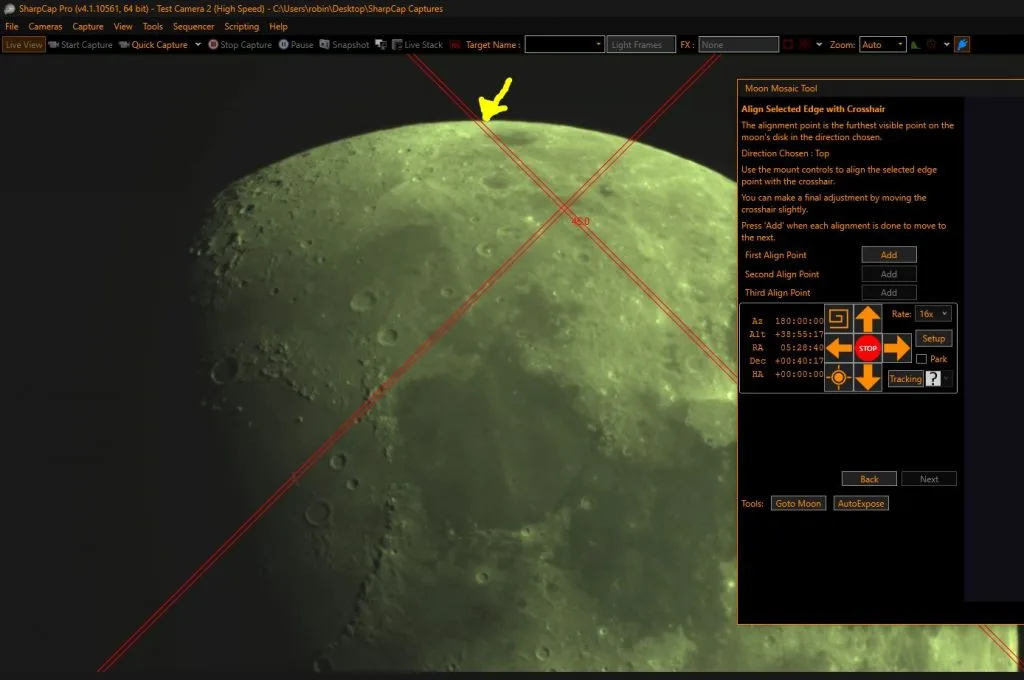
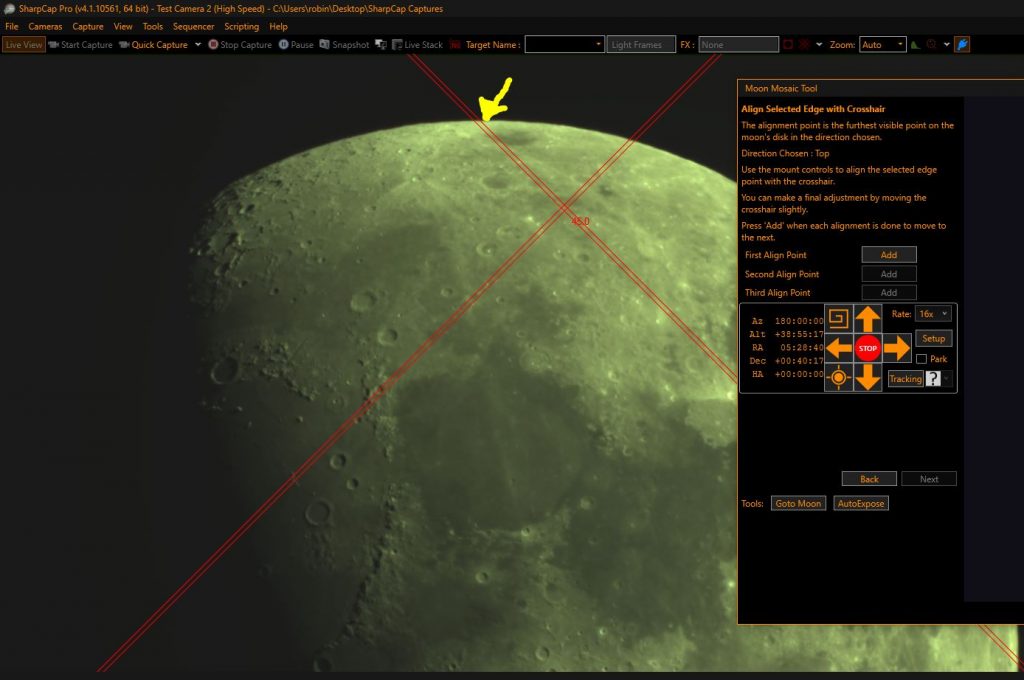
The free edition and SharpCap Pro use the same installer. Pro unlocks capabilities including guided polar-alignment adjustment, automated imaging sequences, dark subtraction and flat-frame correction. The publisher's lunar mosaic screenshot illustrates a Pro workflow in an earlier 4.1 build, not a capture from the specific installer linked here. Check the feature comparison and your camera or ASCOM driver's compatibility before choosing a workflow.
This entry links to the publisher's 64-bit EXE for version 4.1.14310.0, dated July 10, 2026. The separate 4.2 beta is not the selected download.
What it offers
- Capture video to SER and AVI and save still images to FITS, PNG or TIFF.
- Build live deep-sky stacks with frame alignment, histogram stretching and frame-quality filters.
- Measure focus using contrast and star-width tools.
- Use supported astronomy cameras, webcams and ASCOM-connected telescope hardware.
- Unlock guided polar alignment, imaging sequences and calibration processing with a paid Pro license.
Good to know
- Guided polar-alignment adjustment, automated imaging sequences, dark subtraction and flat-frame correction require SharpCap Pro; they are not included in the free edition.
- Some ASCOM drivers do not support 64-bit SharpCap. The publisher suggests the ASCOM Device Hub as a possible workaround and offers a separate 32-bit installer.
- Live-stack alignment needs enough detectable stars; the publisher recommends a camera capable of exposures around one second or longer. High incoming frame rates can exceed the PC's stacking capacity.
Product images
Sources
References used for this listing. Retrieval dates do not indicate hands-on testing.
- SharpCap - Download — normal browser product page ↗Retrieved
- Downloads — SharpCap ↗Retrieved
- SharpCap — astronomy camera capture and features ↗Retrieved
- Feature Comparison — SharpCap Free and Pro ↗Retrieved
- Live Stacking — SharpCap ↗Retrieved
- What's New in SharpCap 4.1 — publisher UI screenshot ↗Retrieved
More in multimedia & graphics
View category ↗
1by1 2.17
Play music directly from folders with 1by1, a free Windows audio player with resume, gapless playback and file tools. Formats beyond MP3 need additional decoders.
3DVista Virtual Tour Pro
Build interactive 360° virtual tours from panoramas, videos and 3D models with 3DVista Virtual Tour Pro for Windows. Commercial software with a 30-day trial.

4DDiG Video Repair
Repair corrupted or unplayable videos in batches with the Video Repair tool in 4DDiG File Repair for Windows. A free trial is available; advanced features require a paid license.