
Multimedia & graphics Windows
Shefware Video Converter Tool
Convert videos to MP4, MKV, AVI and other formats, extract audio, or process a batch of files on Windows. The free trial limits saved video to 15 seconds.
- Operating system
- Windows 11, 10, 8.1, 8 and 7 (publisher-listed)
- Architecture
- Publisher lists 32-bit and 64-bit Windows; installer architecture not independently verified
- Download package
- EXE installer
Publisher requires 500 MB disk space, at least 4 GB RAM (8 GB recommended), and an Intel Core i3-4160 at 3.60 GHz or above. Version is publisher-listed, not inspected in the binary.
Link checked · Download guidance
What is Shefware Video Converter Tool?
Shefware Video Converter Tool converts video files between formats and extracts their audio tracks. It suits preparing clips for another player or device, creating an audio-only copy, or applying conversion settings to several files. The publisher lists MP4, MKV, AVI, MOV and WebM among its video formats, with MP3, WAV, AAC and FLAC among its audio options.
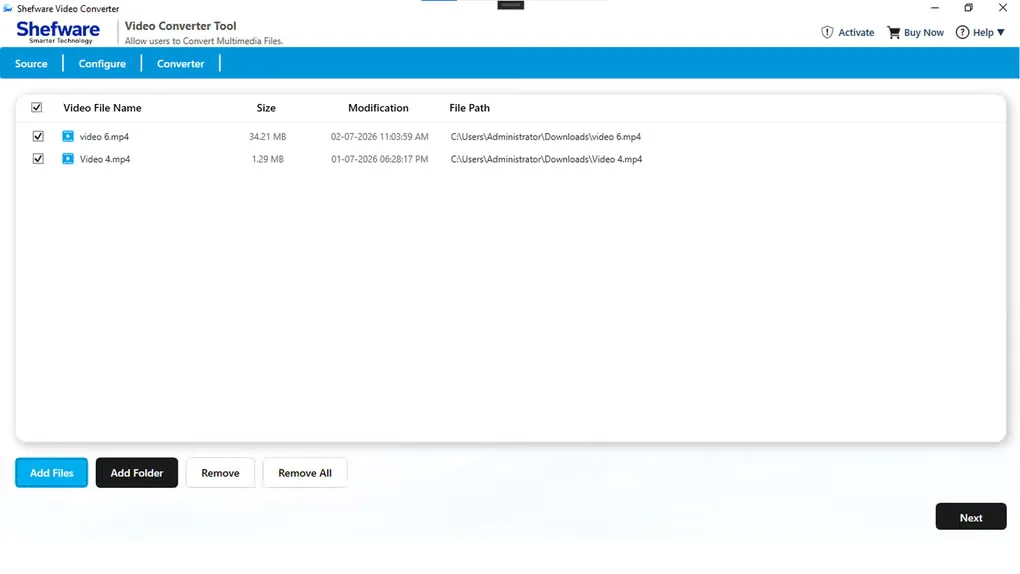
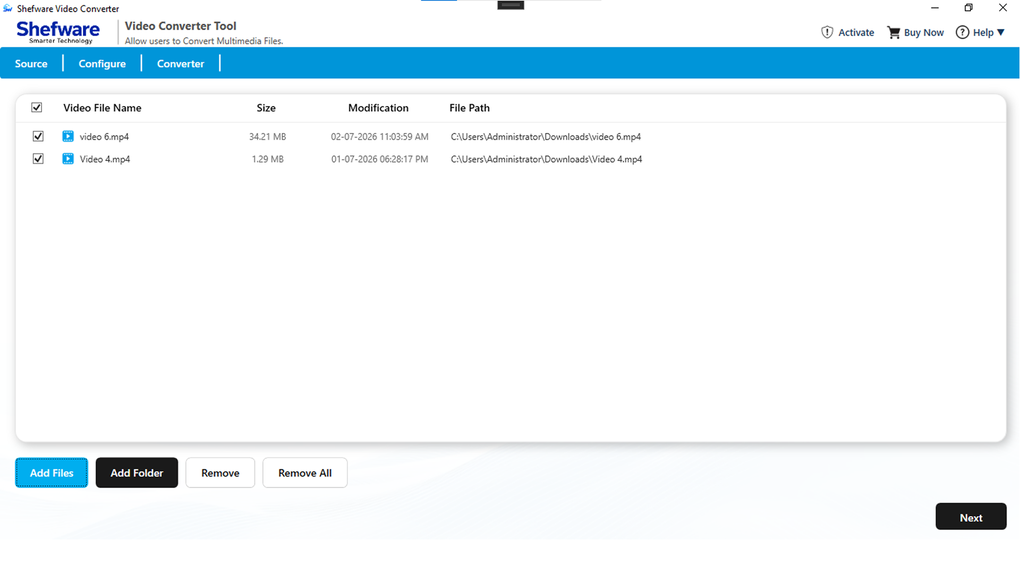
The workflow starts by adding files or a folder, then choosing video, audio or device conversion. Output settings include resolution up to 3840 × 2160 and adjustable audio bitrate. The supplied screenshot shows the Windows source-file list with file sizes and paths, plus Add Files and Add Folder controls.
This is a trial download, not an unrestricted free converter: the publisher caps saved video at 15 seconds in the free version and offers a paid upgrade. Features and system requirements below are publisher descriptions; the application has not been installed or its conversion output tested for this entry.
What it offers
- Convert between publisher-listed video formats including MP4, MKV, AVI, MOV and WebM.
- Extract audio to formats including MP3, WAV, AAC and FLAC.
- Add files or folders and convert multiple videos in a batch.
- Choose output resolution from Original through 3840 × 2160, with adjustable audio bitrate.
- Use device-oriented conversion options for Apple, Android, Smart TVs and gaming consoles.
Good to know
- The free trial saves video only up to 15 seconds; unrestricted use requires a paid upgrade.
Product images
Sources
References used for this listing. Retrieval dates do not indicate hands-on testing.
More in multimedia & graphics
View category ↗
1by1 2.17
Play music directly from folders with 1by1, a free Windows audio player with resume, gapless playback and file tools. Formats beyond MP3 need additional decoders.
3DVista Virtual Tour Pro
Build interactive 360° virtual tours from panoramas, videos and 3D models with 3DVista Virtual Tour Pro for Windows. Commercial software with a 30-day trial.

4DDiG Video Repair
Repair corrupted or unplayable videos in batches with the Video Repair tool in 4DDiG File Repair for Windows. A free trial is available; advanced features require a paid license.