
Multimedia & graphics Windows
Shefware Video Repair
Repair damaged MP4, MOV, AVI and other video files on Windows with quick or reference-video repair modes. The demo saves up to 30 seconds of repaired video.
- Operating system
- Windows 11, 10, 8.1, 8, 7 and Windows Server 2025, as listed by the publisher
- Architecture
- Publisher lists 32-bit and 64-bit Windows support; installer architecture not independently verified
- Download package
- EXE installer
Publisher requires .NET Framework 4.8 or higher, at least 8 GB RAM and 1 GB disk space. Compatibility is publisher-reported, not installation-tested.
Link checked · Download guidance
What is Shefware Video Repair?
Shefware Video Repair is a Windows desktop tool for working on damaged or unplayable video files. It offers Quick Repair for minor corruption and Reference Video Repair for more severe damage. The reference mode uses a working video from the same recording device. Supported input formats include MP4, MOV, AVI, MKV, WMV and MPEG.
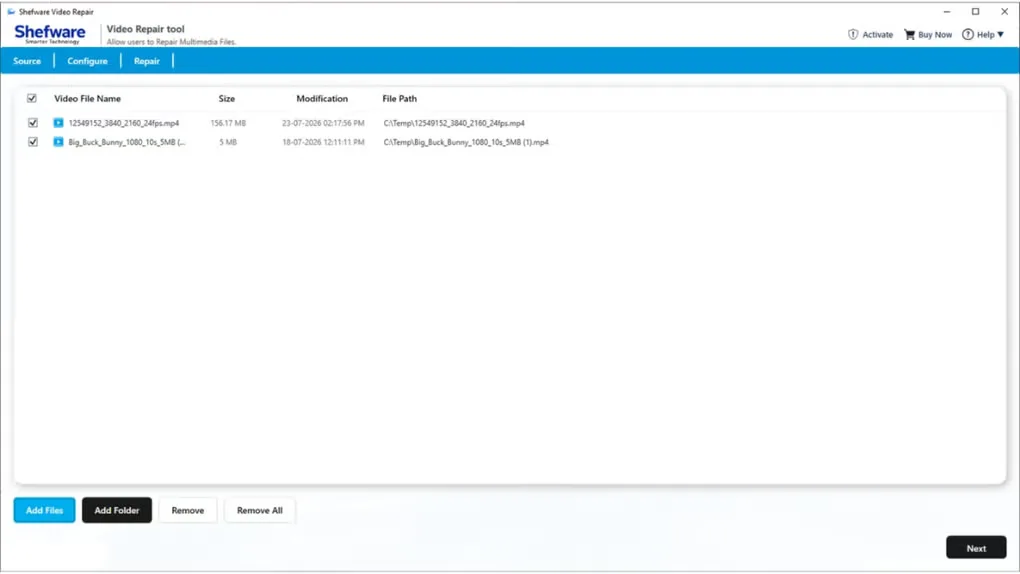
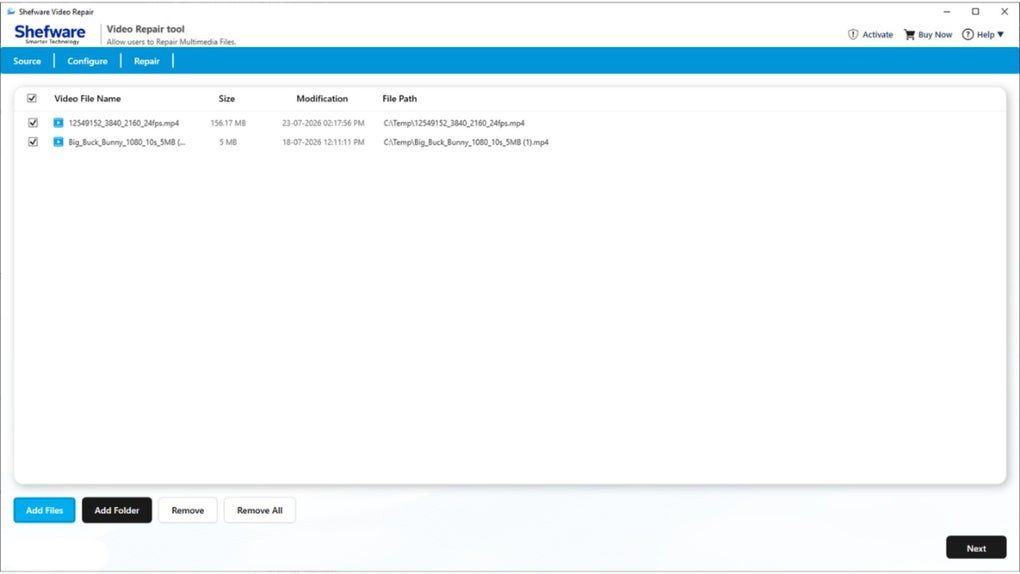
The workflow starts by adding files or a folder, reviewing the selected videos and choosing a repair mode and destination. The application also offers repair history so users can revisit previous repair records. These are publisher-described capabilities, not independently tested recovery results.
The free demo limits saved repaired video to 30 seconds; full-length saving requires a paid license. The publisher's purchase comparison reserves batch repair for Business and Enterprise licenses, so adding multiple files does not mean every license can repair them as a batch. Check the short demo output against the original problem before choosing a license.
What it offers
- Quick Repair and Reference Video Repair modes for different levels of video corruption.
- Support for MP4, MOV, AVI, MKV, M4V, WMV, FLV, MPEG and other publisher-listed video formats.
- Add individual video files or a folder and choose a destination for repaired output.
- Repair history for reviewing previous repair records.
Good to know
- The demo saves up to 30 seconds of repaired video; full-length saving requires a paid license.
- Batch repair is included in Business and Enterprise licenses, not the Personal license, according to the publisher's purchase comparison.
- Reference Video Repair requires a working reference video from the same recording device.
Product images
Sources
References used for this listing. Retrieval dates do not indicate hands-on testing.
More in multimedia & graphics
View category ↗
1by1 2.17
Play music directly from folders with 1by1, a free Windows audio player with resume, gapless playback and file tools. Formats beyond MP3 need additional decoders.
3DVista Virtual Tour Pro
Build interactive 360° virtual tours from panoramas, videos and 3D models with 3DVista Virtual Tour Pro for Windows. Commercial software with a 30-day trial.

4DDiG Video Repair
Repair corrupted or unplayable videos in batches with the Video Repair tool in 4DDiG File Repair for Windows. A free trial is available; advanced features require a paid license.