

Multimedia & graphics Windows
Shotcut for Windows
Edit video on a multitrack timeline with Shotcut, a free, open-source editor for Windows with color correction, audio mixing, subtitles and export presets.
- Operating system
- Windows 10 (build 1809 or later) and Windows 11
- Architecture
- x64 (Intel or AMD)
- Download package
- EXE installer — Shotcut 26.9.27
This is the x64 installer, not the separate ARM installer or portable ZIP. Direct3D 11 is required on Windows. Publisher RAM guidance: 4 GB for SD, 8 GB for HD and 16 GB for 4K.
Link checked · Download guidance
What is Shotcut?
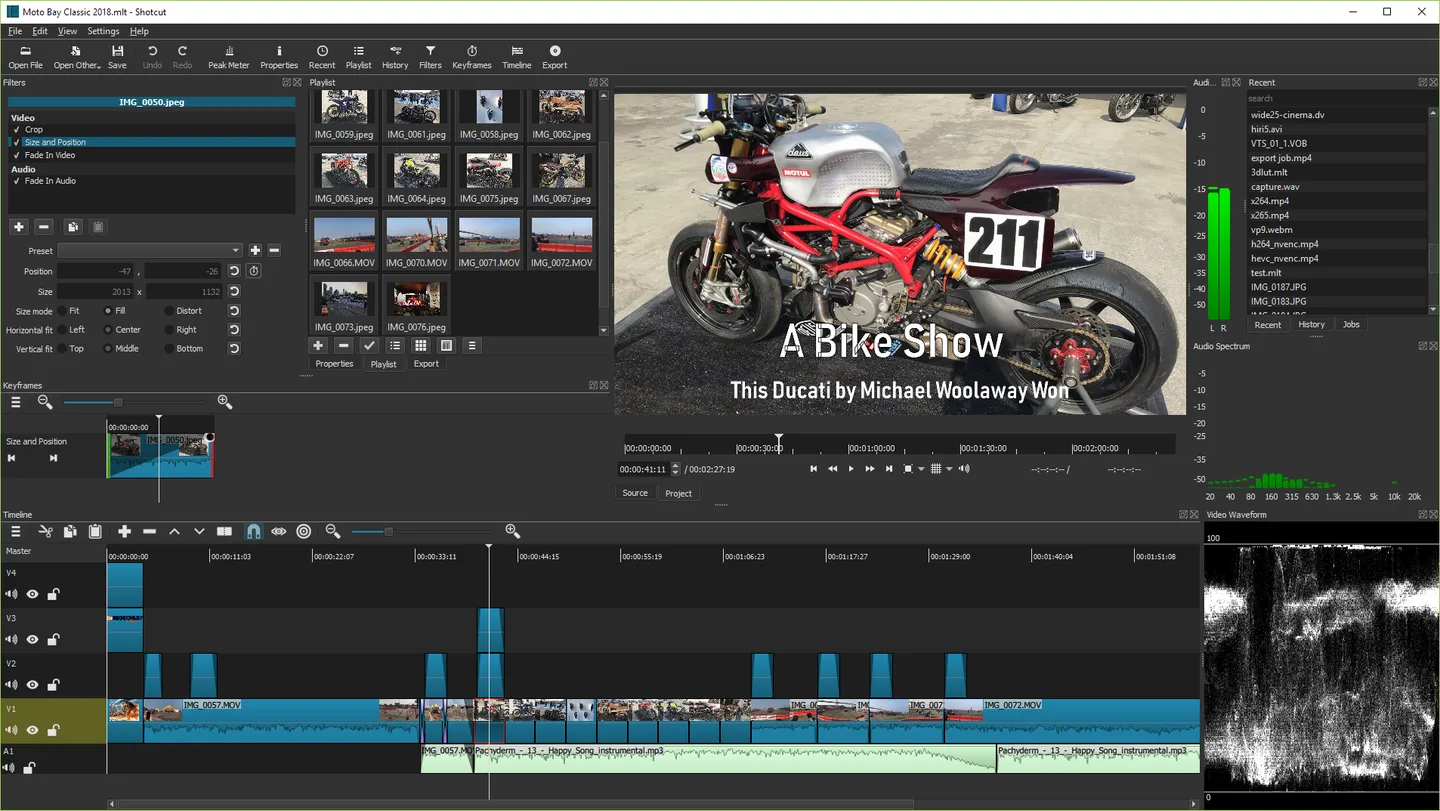
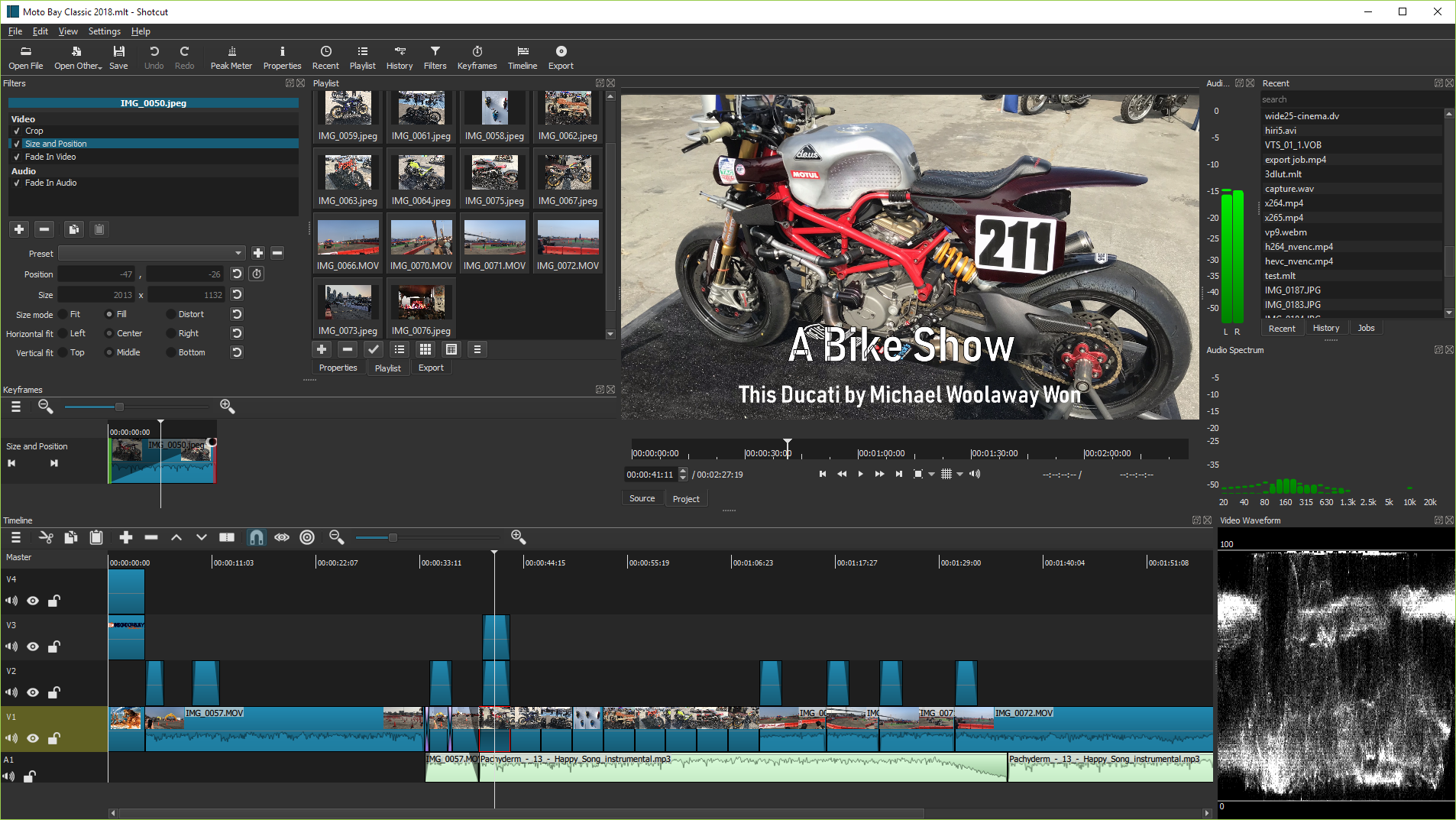
Shotcut combines video clips, still images and audio on a multitrack timeline. Trim and rearrange shots, overlap clips for dissolves, add text, and adjust color with grading filters. Native timeline editing lets you work with supported media without first converting it to a single editing format; the timeline can mix resolutions and frame rates.
For projects with narration or music, Shotcut provides audio mixing, voiceover recording and filters such as equalization and noise reduction. Filter keyframes let adjustments change over time, while subtitle tools support importing, editing and exporting captions. Proxy editing and preview scaling can reduce preview lag on less powerful hardware.
Saving a project creates an MLT XML editing document, not a finished video to share. Use video export to render the result with an appropriate preset. Shotcut is also not a frame-accurate lossless cutter: its Extract Sub-clip operation avoids transcoding but is not frame accurate.
The download here is the Windows x64 EXE installer for version 26.9.27, intended for Intel or AMD PCs running Windows 10 build 1809 or later, or Windows 11. It is not the separate Windows ARM package or the portable ZIP. Shotcut is released under GPLv3, including permission for commercial use.
What it offers
- Trim, split and rearrange clips on a multitrack timeline; mix resolutions and frame rates within one project.
- Apply color grading, text and other video filters, with keyframes for filter parameters.
- Mix audio tracks, record voiceover, and use equalization and noise-reduction filters.
- Import SRT, VTT, ASS and SSA subtitles, then edit and export captions.
- Use low-resolution proxies and preview scaling to ease demanding editing sessions.
Good to know
- Extract Sub-clip can avoid transcoding, but it is not frame accurate; use export when the extraction result is unsuitable.
- Saving an MLT XML project does not create a shareable rendered video; video export is a separate step.
- Some filters are incompatible with GPU processing, and some cannot be applied to a track or the entire timeline.
Product images
Sources
References used for this listing. Retrieval dates do not indicate hands-on testing.
- Shotcut — publisher download page ↗Retrieved
- Shotcut publisher repository — release v26.9.27 asset metadata ↗Retrieved
- Shotcut — full list of features ↗Retrieved
- Shotcut — requirements, licensing and editing limitations ↗Retrieved
- Shotcut — publisher website icon ↗Retrieved
- Shotcut — publisher homepage and historical interface screenshot ↗Retrieved
More in multimedia & graphics
View category ↗
1by1 2.17
Play music directly from folders with 1by1, a free Windows audio player with resume, gapless playback and file tools. Formats beyond MP3 need additional decoders.
3DVista Virtual Tour Pro
Build interactive 360° virtual tours from panoramas, videos and 3D models with 3DVista Virtual Tour Pro for Windows. Commercial software with a 30-day trial.


4DDiG Video Repair
Repair corrupted or unplayable videos in batches with the Video Repair tool in 4DDiG File Repair for Windows. A free trial is available; advanced features require a paid license.