

Multimedia & graphics Windows
Shutter Encoder for Windows
Convert and compress video, audio and images with Shutter Encoder, a free, open-source FFmpeg-based tool with batch queues, trimming and subtitle controls.
- Operating system
- Windows 7, 8, 10 and 11 (publisher-listed)
- Architecture
- 64-bit
- Download package
- EXE installer
A portable ZIP is offered separately. Compatibility is publisher-stated; the software was not installed or run.
Link checked · Download guidance
What is Shutter Encoder?
Shutter Encoder turns video, audio and image files into formats needed for delivery or further editing. Its graphical interface exposes FFmpeg encoding options, from H.264, H.265 and AV1 to editing codecs such as Apple ProRes and DNxHR. Batch processing and reusable presets help apply the same settings across a collection of files.
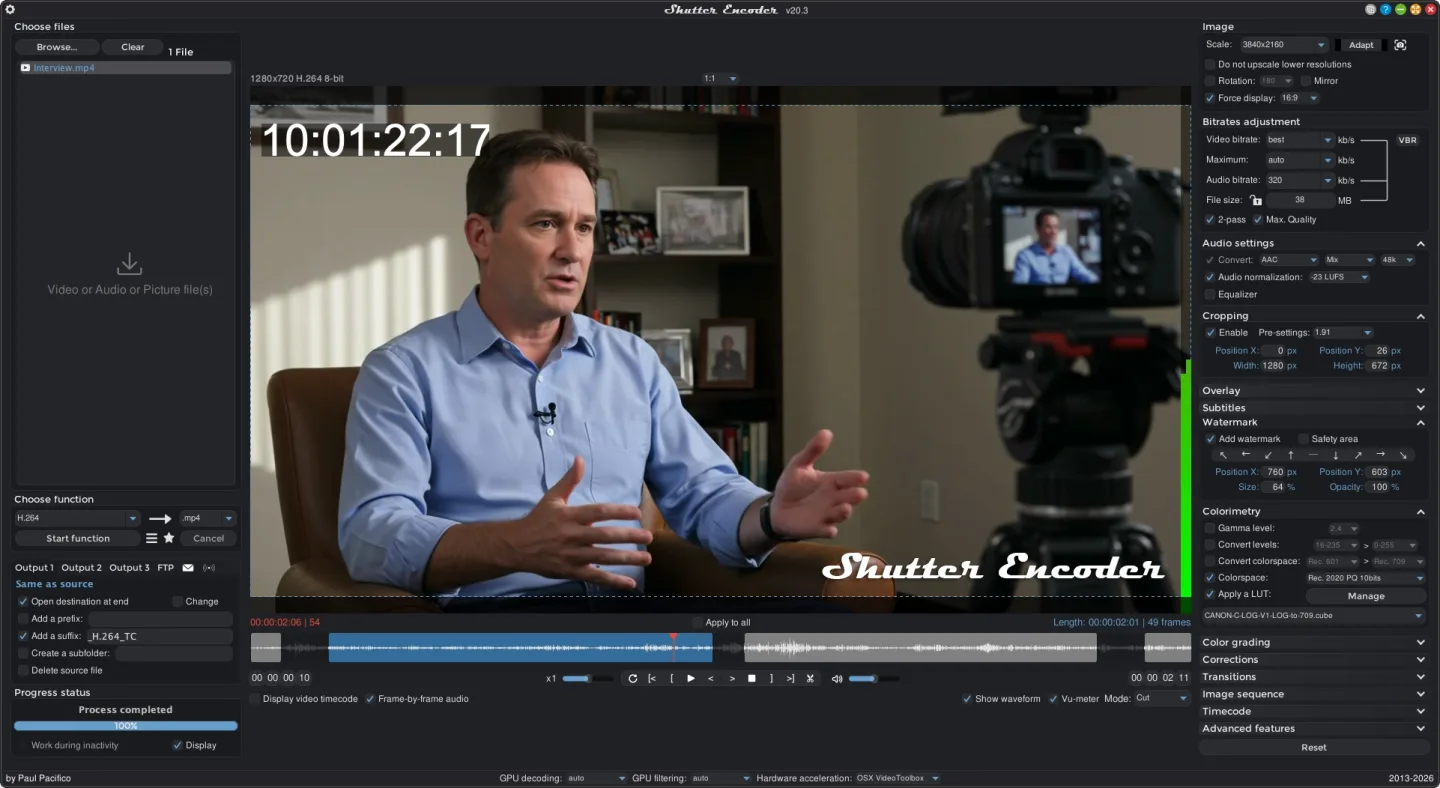
Alongside conversion, it offers rewrapping, audio replacement, cropping, color adjustments and subtitle editing or burn-in. The preview player helps set the portion of a clip to include. Cutting without re-encoding is available with some codecs; it is not a promise of lossless cutting for every input. The publisher also notes that the Max. Quality option can considerably increase encoding time.
This entry links to the publisher's 64-bit Windows EXE installer. A portable ZIP is available separately on the publisher site. The illustrated interface is the publisher's v20.3 macOS screenshot, not a capture of the linked Windows 20.4 package.
What it offers
- Convert video, audio and images using FFmpeg, including H.264, H.265, AV1, Apple ProRes and DNxHR workflows.
- Queue batch conversions and save or share encoding presets.
- Trim clips with a preview player, rewrap media and replace audio without a full conversion where supported.
- Edit, embed or burn in subtitles, including SRT, VTT and ASS files.
- Crop and scale pictures, adjust colors, apply LUTs and add image or video overlays.
Good to know
- Cutting without re-encoding is supported with some codecs, not every input format.
- The Max. Quality encoding option can considerably increase processing time, according to the publisher's FAQ.
Product images
Sources
References used for this listing. Retrieval dates do not indicate hands-on testing.
- Shutter Encoder — official features, screenshots and downloads ↗Retrieved
- Thanks — publisher direct download links ↗Retrieved
- Paul Pacifico — official Shutter Encoder source repository ↗Retrieved
- Shutter Encoder source license — GPL version 3 ↗Retrieved
- Shutter Encoder — FAQ and tips ↗Retrieved
- Shutter Encoder for Windows — Softonic product page ↗Retrieved
More in multimedia & graphics
View category ↗
1by1 2.17
Play music directly from folders with 1by1, a free Windows audio player with resume, gapless playback and file tools. Formats beyond MP3 need additional decoders.
3DVista Virtual Tour Pro
Build interactive 360° virtual tours from panoramas, videos and 3D models with 3DVista Virtual Tour Pro for Windows. Commercial software with a 30-day trial.

4DDiG Video Repair
Repair corrupted or unplayable videos in batches with the Video Repair tool in 4DDiG File Repair for Windows. A free trial is available; advanced features require a paid license.