
Multimedia & graphics Windows
Silhouette Studio
Create designs, trace images into cut-ready shapes and send projects to a Silhouette cutting machine with Silhouette Studio for Windows.
- Operating system
- Windows 11
- Architecture
- 64-bit Intel/AMD; ARM processors not supported
- Download package
- EXE installer
Publisher minimums: 8 GB RAM, 2.50 GHz processor and 4 GB storage; 16 GB RAM recommended. Requirements are publisher statements, not installation-test results.
Link checked · Download guidance
What is Silhouette Studio?
Silhouette Studio is a desktop design application for preparing craft projects and sending them to Silhouette cutting machines. Use its design and text tools to create artwork, adjust a layout or personalize a purchased design. The built-in tracing tool turns imported images into shapes for cutting, while move, rotate, scale, align and replicate controls help arrange the project.
The Basic Edition is free. Designer, Designer Plus and Business editions are paid upgrades that unlock additional features; downloading the application does not include every edition's tools or paid Design Store content. The publisher offers the software upgrades as one-time purchases rather than requiring a software subscription.
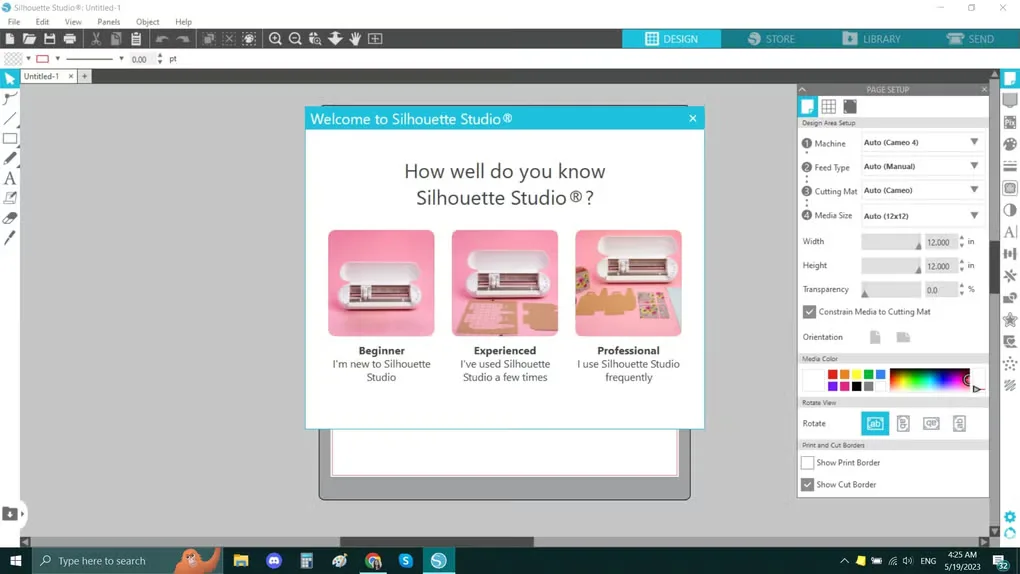
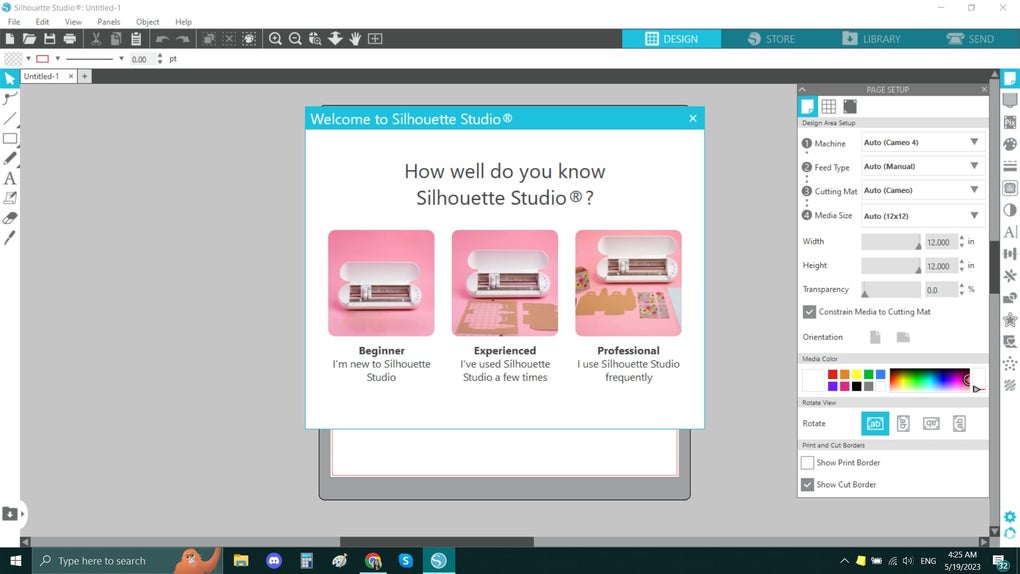
This entry links to the publisher's Windows 64-bit EXE for version 5.0.539. The current publisher requirements list Windows 11 and exclude ARM-based processors. Previously downloaded and synced content can be used offline, but downloads, updates, upgrade activation and access to new store purchases require an internet connection. The screenshot shows a Windows workspace with the welcome dialog and page-setup panel; it illustrates the interface rather than confirming the appearance of this release.
What it offers
- Create designs with drawing and text tools, then send projects to a Silhouette cutting machine.
- Trace imported images into cut-ready designs using the built-in tracing tool.
- Move, rotate, scale, align and replicate artwork when arranging a project.
- Browse and purchase designs from the Silhouette Design Store for use or customization.
- Use previously downloaded and synced content offline.
Good to know
- Advanced features require a paid Designer, Designer Plus or Business edition; the free Basic Edition does not include every tool.
- The publisher currently lists Windows 11 and does not support ARM-based processors.
- Downloading and updating the software, activating upgrades and accessing new Design Store purchases require internet access.
Product images
Sources
References used for this listing. Retrieval dates do not indicate hands-on testing.
More in multimedia & graphics
View category ↗
1by1 2.17
Play music directly from folders with 1by1, a free Windows audio player with resume, gapless playback and file tools. Formats beyond MP3 need additional decoders.
3DVista Virtual Tour Pro
Build interactive 360° virtual tours from panoramas, videos and 3D models with 3DVista Virtual Tour Pro for Windows. Commercial software with a 30-day trial.

4DDiG Video Repair
Repair corrupted or unplayable videos in batches with the Video Repair tool in 4DDiG File Repair for Windows. A free trial is available; advanced features require a paid license.