
Multimedia & graphics Windows
Silo
Build polygon meshes, work with subdivision surfaces and unwrap UVs in Nevercenter's focused 3D modeler. This Windows download is Silo 2026.1.2, an older release with a seven-day trial.
- Operating system
- Windows 10 or newer, 64-bit
- Architecture
- 64-bit; publisher does not specify the CPU instruction set in the cited requirements
- Download package
- EXE installer, Silo 2026.1.2
Older verified installer. Current Silo is listed as 2026.2.0. Milo is separate and currently requires Windows 11 or newer, 64-bit, DirectX 12.
Link checked · Download guidance
What is Silo?
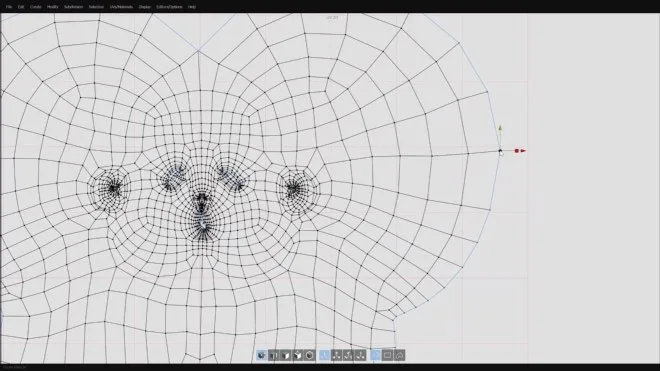
Silo is a standalone polygonal modeler and UV mapper for shaping 3D assets rather than managing an entire animation or rendering pipeline. Its modeling tools cover extrusion, beveling, symmetry, subdivision surfaces and drawing new topology over a reference object. A live LSCM UV workflow lets you unwrap a mesh alongside the modeling work, while configurable hotkeys, mouse controls and interface buttons let you adapt the workspace to your habits.
It can fit between other tools: create a base mesh for ZBrush through GoZ, exchange models through formats such as OBJ and FBX, or use the Blender Bridge introduced in Silo 2026.0. The publisher's 2026.1 notes also document glTF import and export. Rendering is a separate part of the workflow: Nevercenter bundles its standalone Milo renderer with Silo purchases rather than describing Silo as an all-in-one rendering suite.
The linked EXE is the older Silo 2026.1.2 Windows installer, released on May 29, 2026. Nevercenter now lists Silo 2026.2.0, but its current download selectors returned HTML to the HEAD check, so this entry does not label the older verified file as the newest build. Silo requires 64-bit Windows 10 or newer. The seven-day trial is time-limited; continued use requires a paid license. A license includes one year of updates, with later update-period extensions sold separately. Milo has its own requirements: its current Windows release needs Windows 11 and DirectX 12, so Silo compatibility alone does not establish Milo compatibility.
What it offers
- Create and refine polygon meshes with extrusion, beveling, symmetry and subdivision-surface tools.
- Draw topology over a reference object with the topology brush.
- Unwrap UVs with live LSCM tools, UV seams and pinned UV vertices.
- Exchange assets using OBJ, FBX and glTF; connect modeling work with Blender Bridge or ZBrush GoZ.
- Customize keyboard shortcuts, mouse assignments, interface colors and buttons.
Good to know
- The free trial lasts seven days; continued use requires a paid license.
- This verified download is Silo 2026.1.2, not the currently listed 2026.2.0 release.
- Requires 64-bit Windows 10 or newer; the separately downloaded Milo renderer has higher Windows requirements.
- The purchase includes one year of updates, not all future upgrades; update-period extensions are separate.
Product images
Sources
References used for this listing. Retrieval dates do not indicate hands-on testing.
More in multimedia & graphics
View category ↗
1by1 2.17
Play music directly from folders with 1by1, a free Windows audio player with resume, gapless playback and file tools. Formats beyond MP3 need additional decoders.
3DVista Virtual Tour Pro
Build interactive 360° virtual tours from panoramas, videos and 3D models with 3DVista Virtual Tour Pro for Windows. Commercial software with a 30-day trial.

4DDiG Video Repair
Repair corrupted or unplayable videos in batches with the Video Repair tool in 4DDiG File Repair for Windows. A free trial is available; advanced features require a paid license.