

Multimedia & graphics Windows
Siril for Windows
Calibrate, align and stack astronomical images with Siril, a free, open-source image processor. This entry links to the 64-bit UCRT64 Windows installer.
- Operating system
- Windows
- Architecture
- 64-bit (UCRT64 build)
- Download package
- EXE installer
Selected publisher-linked installer; a portable UCRT64 ZIP is offered separately. The manual recommends at least 8 GB RAM and an SSD.
Link checked · Download guidance
What is Siril?
Siril processes astronomical image sequences into a combined image that can be enhanced and analyzed. It can calibrate raw captures with bias, dark and flat master frames, register images and stack them to improve the signal-to-noise ratio. Color calibration, deconvolution and histogram stretching help prepare the result for export. Work manually when you need control over individual stages, or use scripts for a repeatable workflow.
Automation still depends on your input data: the publisher says its official scripts assume dark, flat and flat-dark frames, so a different capture set may require an adapted script. The on-screen Auto-stretch preview is also not the same as changing the saved pixel values; an exported image can remain dark unless you apply an appropriate histogram transformation.
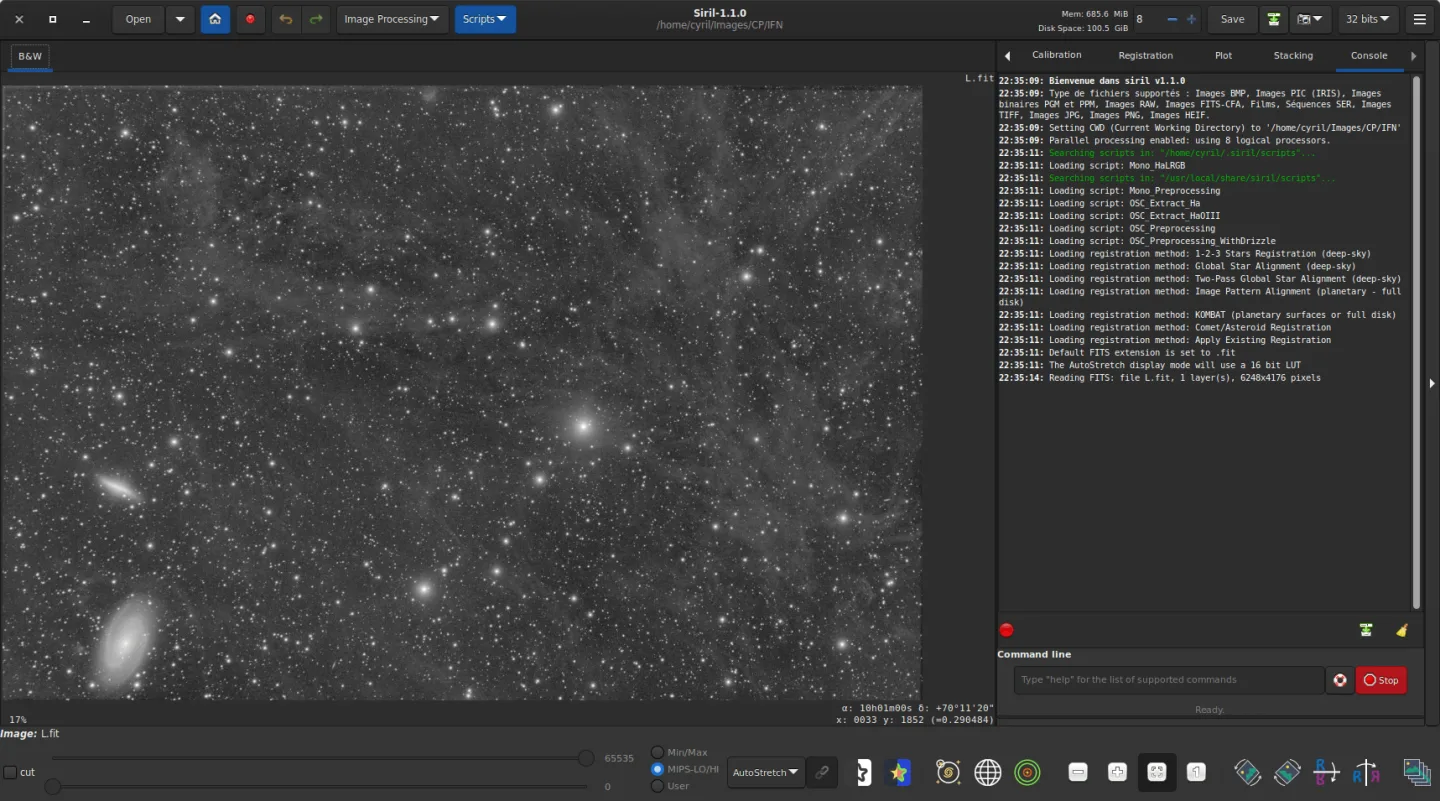
The download below is the publisher-linked Siril 1.4.5 Windows UCRT64 installer. The screenshot is an older Linux interface example from the official manual, with Siril 1.1.0 visible in its title bar; it does not depict this Windows release.
What it offers
- Calibrate astronomical captures using bias, dark and flat master frames.
- Register and stack multiple images to improve the signal-to-noise ratio.
- Enhance results with color calibration, deconvolution and histogram transformations.
- Process image sequences including SER and FITS cube files, manually or through scripts.
- Analyze astronomical images with astrometry and photometry tools.
Good to know
- Official processing scripts assume particular calibration frames; adapt the script if your data set lacks dark, flat or flat-dark frames.
- Auto-stretch changes the display preview, not the exported pixel values; apply a histogram transformation when preparing a stretched export.
- Large image sequences can use substantial memory and CPU resources; the manual recommends at least 8 GB RAM and an SSD.
Product images
Sources
References used for this listing. Retrieval dates do not indicate hands-on testing.
- Siril - Download — normally observed Windows product page ↗Retrieved
- Siril — official homepage and downloads ↗Retrieved
- Siril - Siril 1.4.5 ↗Retrieved
- Siril - FAQ ↗Retrieved
- Welcome to Siril’s documentation! — Siril 1.4.4 documentation ↗Retrieved
- Installation — Siril documentation ↗Retrieved
More in multimedia & graphics
View category ↗
1by1 2.17
Play music directly from folders with 1by1, a free Windows audio player with resume, gapless playback and file tools. Formats beyond MP3 need additional decoders.
3DVista Virtual Tour Pro
Build interactive 360° virtual tours from panoramas, videos and 3D models with 3DVista Virtual Tour Pro for Windows. Commercial software with a 30-day trial.

4DDiG Video Repair
Repair corrupted or unplayable videos in batches with the Video Repair tool in 4DDiG File Repair for Windows. A free trial is available; advanced features require a paid license.