
Multimedia & graphics Windows
Sketsa SVG Editor
Draw SVG artwork visually or edit its XML source with Sketsa SVG Editor, a commercial vector editor for Windows that requires Java 11.0.4 or higher.
- Operating system
- Microsoft Windows; exact supported Windows versions not confirmed
- Architecture
- Not specified in the inspected publisher product information
- Download package
- ZIP archive
Java 11.0.4 or higher required. Publisher-hosted archive identified through Soft112 catalog source; contents and runtime bundling not inspected.
Link checked · Download guidance
What is Sketsa SVG Editor?
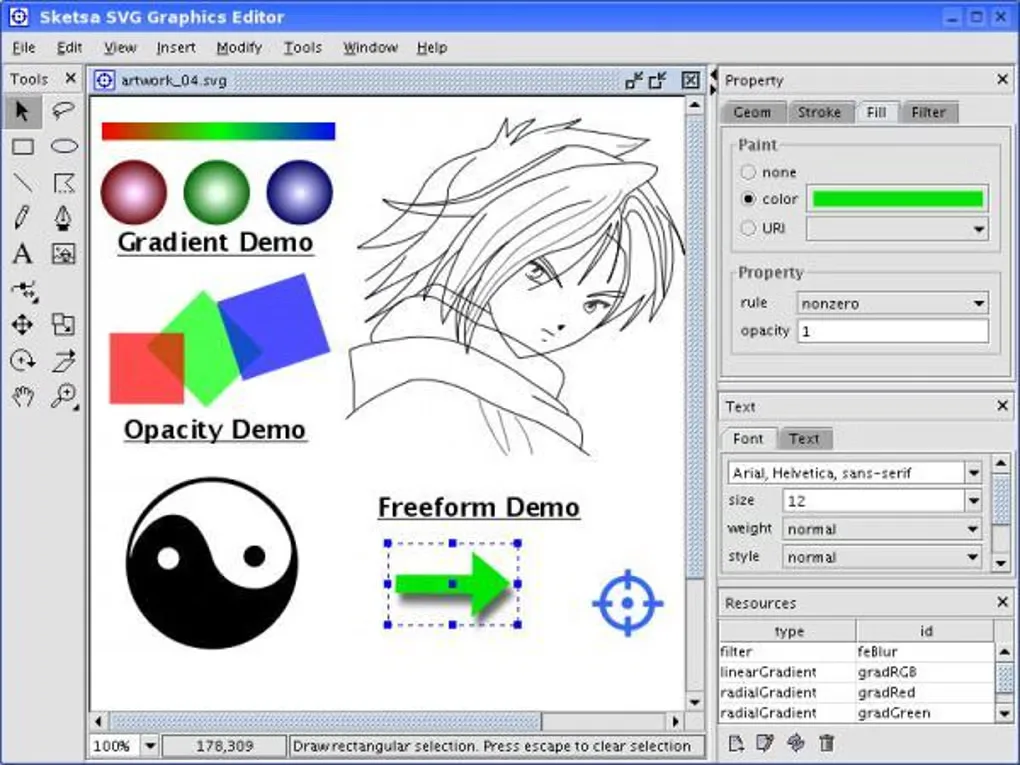
Sketsa SVG Editor combines a drawing canvas with direct access to SVG source code. Use its shape, Pencil and Pen tools to create vector artwork, then adjust geometry, stroke, fill and filter properties in the property panels. Its gradient and filter editors manage reusable document resources rather than requiring every effect to be written by hand.
For work that needs XML-level control, the integrated source editor provides syntax highlighting and SVG validation. SVG is the native document format, while JPEG and PNG export produce raster copies for other uses. PDF export is available through a plugin, not listed as a built-in export format.
The publisher identifies version 9.1 and lists Microsoft Windows among supported systems, with Java 11.0.4 or higher required. The linked download is a publisher-hosted ZIP archive exposed by a software catalog; its response was checked using HEAD only. The archive was not downloaded or inspected, so its internal launcher, bundled Java, processor architecture and exact Windows-version support are not confirmed.
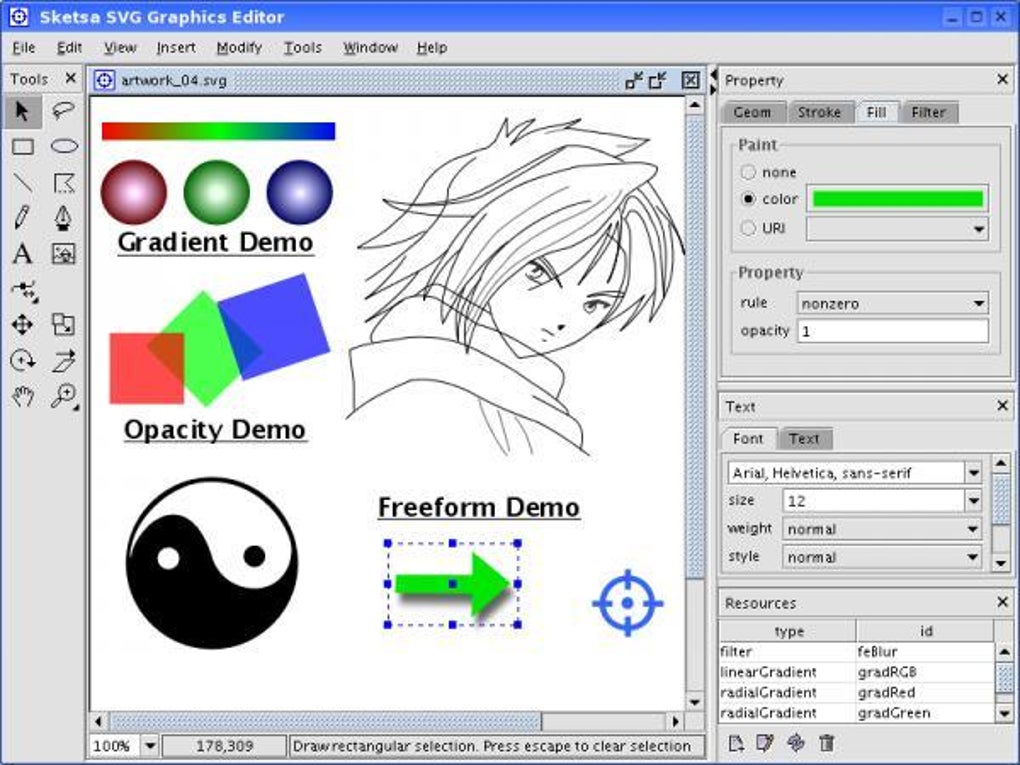
Sketsa is commercial software offered as a trial, not a free editor. The publisher also notes that not every SVG feature is implemented and that SVG Tiny and Basic profiles lack formal support. The screenshot is a historical Windows interface image from the source gallery; it is not evidence of the version 9.1 interface or a hands-on compatibility test.
What it offers
- Create SVG artwork with shape tools, a freeform Pencil tool and a Pen tool for curves.
- Rotate, skew, scale and translate objects, and edit their geometry, stroke, fill and filter properties.
- Manage linear gradients, radial gradients and filters in the document's defs editor.
- Edit SVG XML with syntax highlighting and built-in SVG validation.
- Export JPEG and PNG images; extend functionality with plugins, including PDF export.
Good to know
- Requires Java 11.0.4 or higher; the available source evidence does not confirm a bundled runtime or exact supported Windows builds.
- Commercial trial software; a paid license is required for licensed use. Trial duration and trial feature restrictions are not confirmed.
- The publisher says not all SVG features are implemented, and SVG Tiny and Basic profiles are not formally supported.
- The publisher FAQ requires absolute outer SVG width and height values during editing; percentage dimensions can leave the canvas empty.
- The linked ZIP was verified by response headers only, not downloaded, installed or inspected.
Product images
Sources
References used for this listing. Retrieval dates do not indicate hands-on testing.
- Sketsa SVG Editor - Download ↗Retrieved
- KIYUT - Sketsa SVG Editor ↗Retrieved
- KIYUT - Sketsa SVG Editor Features ↗Retrieved
- KIYUT - Sketsa SVG Editor FAQ ↗Retrieved
- KIYUT - Purchase - Solution For Creative Minds ↗Retrieved
- Sketsa SVG Editor 9.1 Free Download ↗Retrieved
More in multimedia & graphics
View category ↗
1by1 2.17
Play music directly from folders with 1by1, a free Windows audio player with resume, gapless playback and file tools. Formats beyond MP3 need additional decoders.
3DVista Virtual Tour Pro
Build interactive 360° virtual tours from panoramas, videos and 3D models with 3DVista Virtual Tour Pro for Windows. Commercial software with a 30-day trial.

4DDiG Video Repair
Repair corrupted or unplayable videos in batches with the Video Repair tool in 4DDiG File Repair for Windows. A free trial is available; advanced features require a paid license.