
Multimedia & graphics Windows
SlideDog
Arrange PowerPoint decks, PDFs, videos and web pages into a Windows presentation playlist. SlideDog coordinates existing viewers; its free edition has a watermark and Pro adds presenter and audience tools.
- Operating system
- Windows 7 or later, according to the publisher
- Architecture
- Not specified for the linked installer
- Download package
- EXE installer
Publisher lists 2 GB RAM minimum and 8 GB recommended. Requirements wording is dated; viewer requirements also apply. No current-build or architecture testing performed.
Link checked · Download guidance
What is SlideDog?
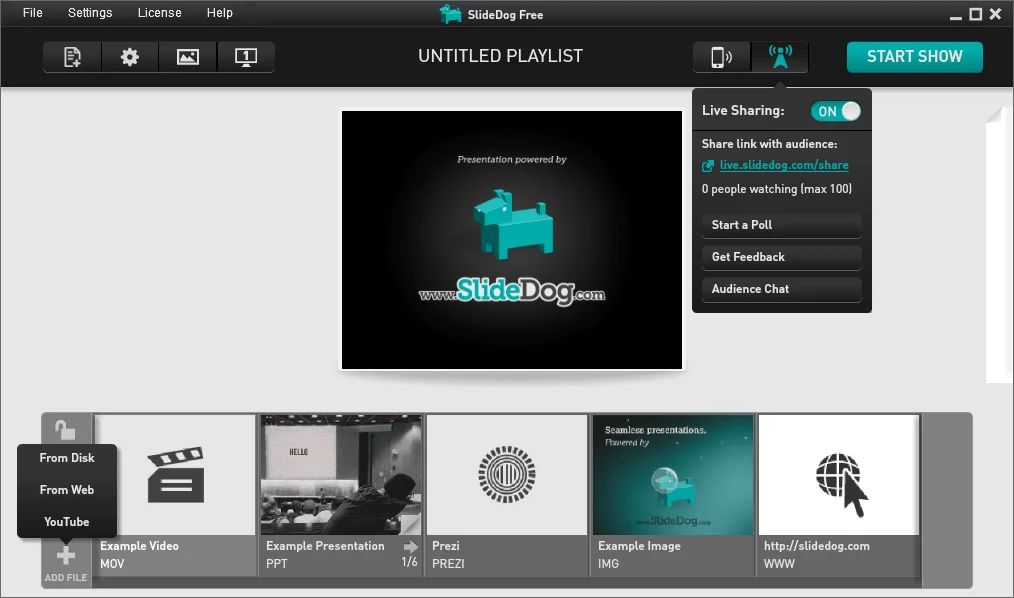
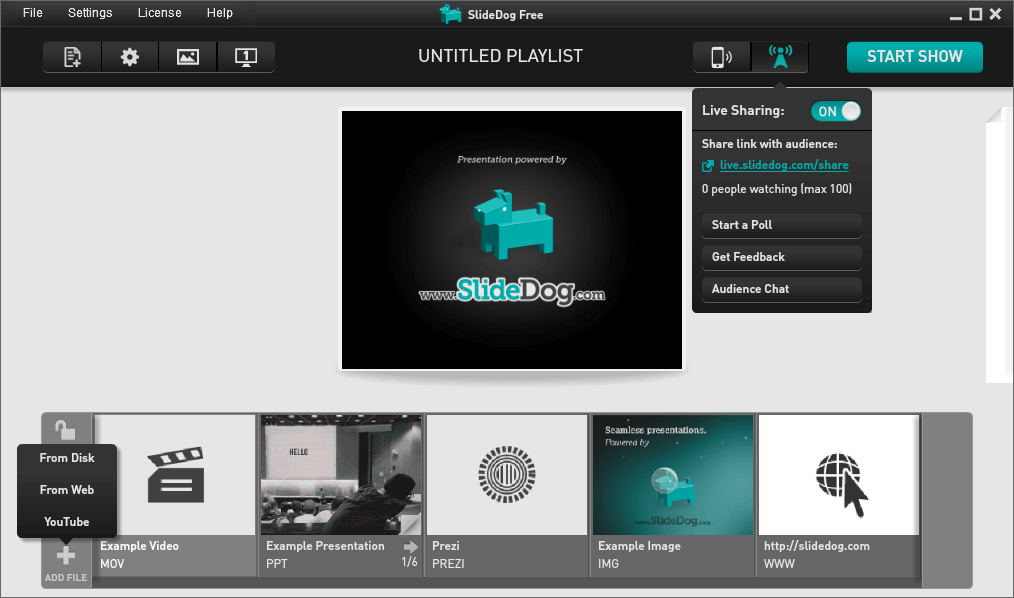
SlideDog is a Windows presentation launchpad for sessions that mix file types or speakers. Drag presentation files into a playlist, arrange their order, save the playlist and start the show. This puts a slide deck, a video and a website behind one set of presentation controls instead of requiring separate manual switches between programs.
It uses installed applications to display much of that content: Microsoft PowerPoint for slide decks, Adobe Acrobat Reader or Acrobat Pro for PDFs, and VLC for video. Common bitmap images use a built-in viewer. That dependency matters when preparing another PC: a playlist is not a substitute for the appropriate viewers.
The free edition includes a watermark. The publisher lists presenter view and dual-screen control, live sharing, polling and feedback, custom backgrounds, looping and auto-advance as Pro features. For a conference playlist or an unattended display, check the edition requirements before relying on those functions. The linked EXE is the publisher’s Windows installer; it was checked with HEAD only, not downloaded or executed.
What it offers
- Create, reorder and save playlists containing presentation files and media.
- Combine PowerPoint decks, PDFs, videos, images and web pages through one presentation interface.
- Return to a previously shown file at the slide, page or position where you left it.
- Use Pro presenter view to keep playlist controls and notes on the PC while the audience sees the presentation.
- Pro adds live sharing, polling and feedback, plus looping and automatic advancement.
Good to know
- The free edition displays a watermark; presenter view, live sharing, polling, looping and auto-advance are listed as paid Pro features.
- PowerPoint, PDF and video playback depend on suitable third-party viewers installed on the presentation PC.
- The publisher lists Windows 7 or later, but its requirements page contains dated Windows-version wording; exact current build and installer architecture support are not established here.
Product images
Sources
References used for this listing. Retrieval dates do not indicate hands-on testing.
- SlideDog: Powerful Presentation Software | Interactive Presentation Tool ↗Retrieved
- Features | SlideDog ↗Retrieved
- System Requirements | SlideDog ↗Retrieved
- Pricing | SlideDog ↗Retrieved
- Press Kit | SlideDog ↗Retrieved
More in multimedia & graphics
View category ↗
1by1 2.17
Play music directly from folders with 1by1, a free Windows audio player with resume, gapless playback and file tools. Formats beyond MP3 need additional decoders.
3DVista Virtual Tour Pro
Build interactive 360° virtual tours from panoramas, videos and 3D models with 3DVista Virtual Tour Pro for Windows. Commercial software with a 30-day trial.

4DDiG Video Repair
Repair corrupted or unplayable videos in batches with the Video Repair tool in 4DDiG File Repair for Windows. A free trial is available; advanced features require a paid license.