
Multimedia & graphics Windows
SoftOrbits Icon Maker for Windows
Create Windows icons from PNGs and other images, edit individual pixels, and convert folders of graphics into ICO files with SoftOrbits Icon Maker.
- Operating system
- Windows 11, 10, 8.1, 8 and 7 (publisher-listed)
- Architecture
- 32-bit and 64-bit Windows support listed by publisher
- Download package
- EXE installer
Publisher requirements list 4 GB RAM, 1 GB free disk space and a 1280 × 768 display. Installer architecture and version were not inspected.
Link checked · Download guidance
What is SoftOrbits Icon Maker?
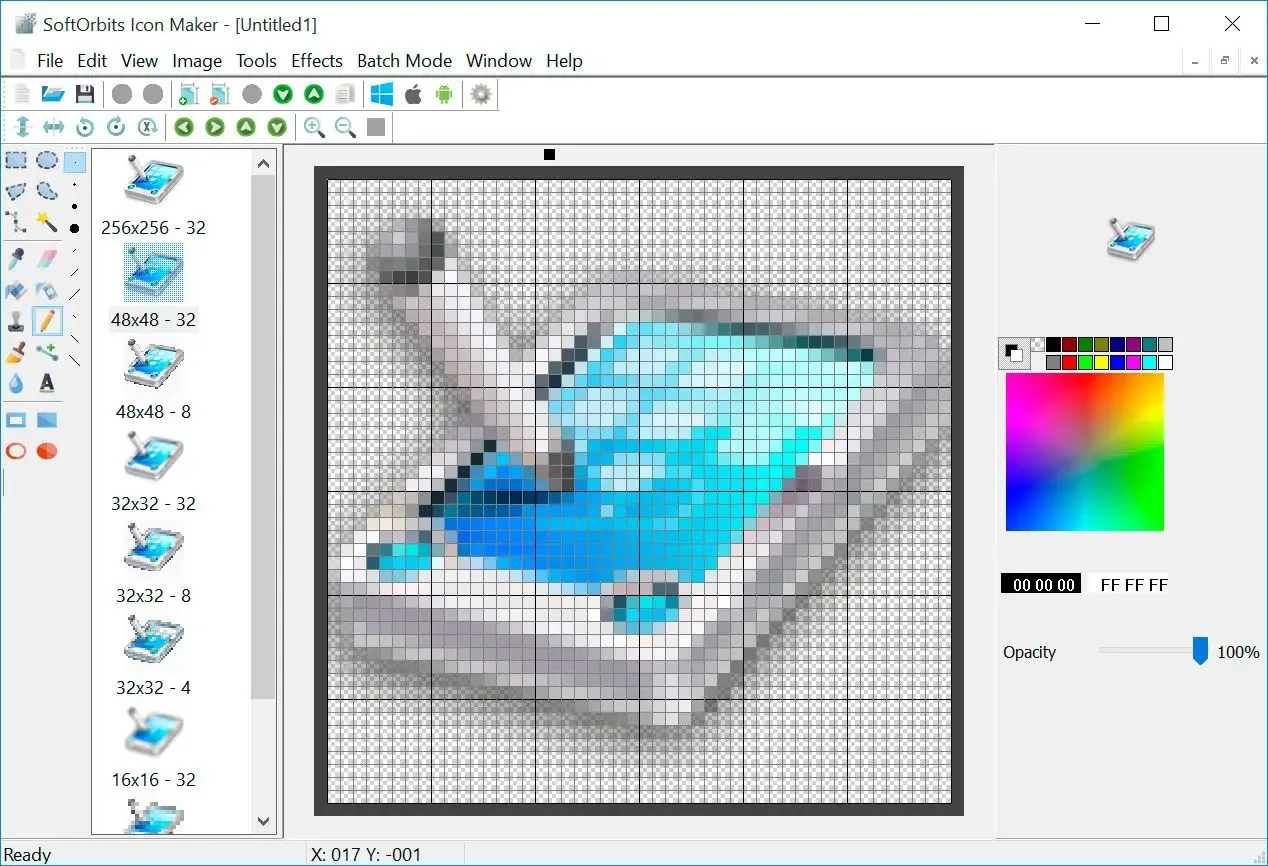
SoftOrbits Icon Maker is a Windows desktop editor for making application, folder and shortcut icons. Start with an existing image or draw in the pixel editor, then build an ICO file containing multiple sizes. Batch conversion handles sets of PNG, BMP and TIFF images when you need more than one icon.
The editor also extracts icons from EXE, DLL and ICL files, offers drawing tools and effects, and creates cursor graphics. The publisher describes local, offline image processing; Android and iOS icon exports are output options, not evidence of native apps for those systems.
This is commercial software with a trial, not an unrestricted free icon editor. The publisher says saving requires a free extended trial license requested from the trial window, and saving remains available only until that extended period ends. Check that trial condition before preparing a batch you need to export.
What it offers
- Convert PNG, BMP and TIFF images to ICO, including batch conversion of folders.
- Store multiple Windows icon sizes in one ICO file, with a customizable size set.
- Edit pixels with drawing tools, palettes, gradient fills and effects.
- Extract existing icons from EXE, DLL and ICL files.
- Create CUR cursor files and export icon sets for Android and iOS from the Windows editor.
Good to know
- The basic trial does not include saving: the publisher requires a free extended trial license for exports, and that saving access expires with the extended trial.
- Android and iOS exports do not make this a native mobile application; this download is for Windows.
Product images
Sources
References used for this listing. Retrieval dates do not indicate hands-on testing.
More in multimedia & graphics
View category ↗
1by1 2.17
Play music directly from folders with 1by1, a free Windows audio player with resume, gapless playback and file tools. Formats beyond MP3 need additional decoders.
3DVista Virtual Tour Pro
Build interactive 360° virtual tours from panoramas, videos and 3D models with 3DVista Virtual Tour Pro for Windows. Commercial software with a 30-day trial.

4DDiG Video Repair
Repair corrupted or unplayable videos in batches with the Video Repair tool in 4DDiG File Repair for Windows. A free trial is available; advanced features require a paid license.