

Multimedia & graphics Windows
SoftOrbits Photo Retoucher for Windows
Restore scanned photos on Windows with scratch removal, face restoration, noise reduction and black-and-white colorization in SoftOrbits Photo Retoucher, a paid editor with a trial.
- Operating system
- Windows 11, 10, 8.1, 8 and 7, as listed by the publisher
- Architecture
- Publisher lists 32-bit and 64-bit Windows; installer architecture not independently inspected
- Download package
- EXE installer (SORetoucher.exe)
Publisher lists at least 4 GB RAM, 1 GB free disk space and a 1280 × 768 display. The desktop program is separate from its online restoration service.
Link checked · Download guidance
What is SoftOrbits Photo Retoucher?
SoftOrbits Photo Retoucher repairs digital copies of old photographs on a Windows PC. Its restoration tools target scratches, dust, fading, blurred faces and image noise; colorization adds color to black-and-white pictures. Batch processing applies selected corrections to multiple scans, while manual retouching tools let you work on marks the automatic pass leaves behind. Softonic lists this desktop product under the name Old Photo Restoration Software.
The publisher describes restoration as local processing, rather than uploading your family pictures to its separate online tool. This card links to the Windows desktop installer, not the browser service. Softonic describes an initial AI-model download, so local processing should not be read as a promise of internet-free first-run setup.
Prepare scans before opening them: Photo Retoucher does not control a scanner. Severely damaged or missing areas may still need manual corrections, according to the publisher. It is a trial of paid software, not a free unrestricted restoration editor; Softonic states that unregistered users can preview restored images but cannot save them. The publisher lists version 14.1, while Softonic still lists 14.0.0; the installer was checked by HTTP headers only, not installed or inspected for its internal version.
What it offers
- Repair scratches, dust and other small defects in scanned photographs with automated restoration tools.
- Restore facial detail and reduce noise or blur in old images.
- Colorize black-and-white photos and make manual retouching adjustments.
- Apply selected restoration operations to multiple photos with batch processing.
- Enlarge images with the publisher's AI upscaling tool, advertised up to 800%.
Good to know
- Paid software with a trial: Softonic states that the unregistered version previews results but does not save images.
- Large missing areas or severe damage may require manual retouching; automatic restoration is not a guarantee of recovering the original detail.
- Does not operate a scanner; create digital scans separately before restoration.
- Softonic describes an initial AI-model download; offline restoration does not establish offline installation or first-run setup.
Product images
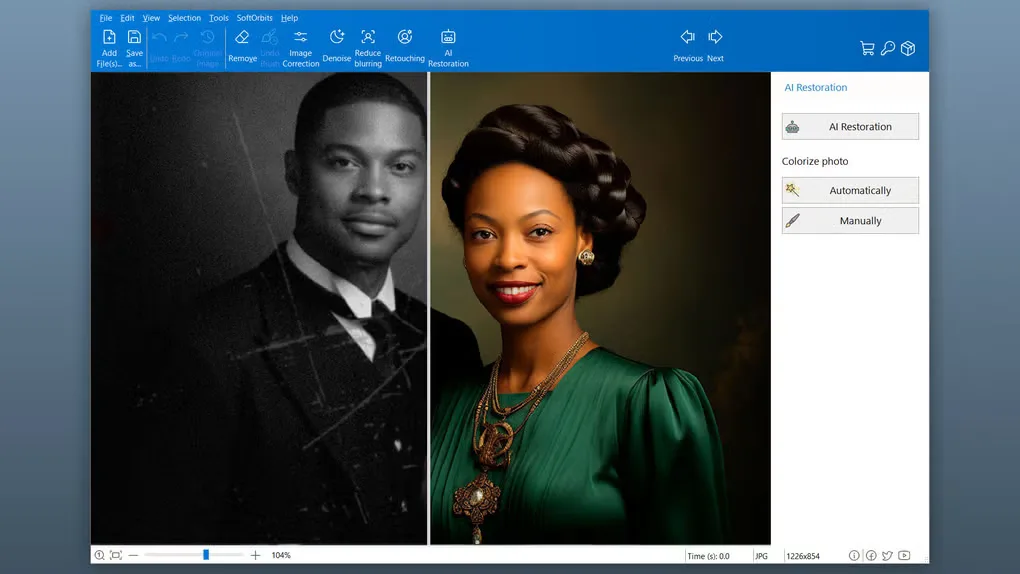
Sources
References used for this listing. Retrieval dates do not indicate hands-on testing.
More in multimedia & graphics
View category ↗
1by1 2.17
Play music directly from folders with 1by1, a free Windows audio player with resume, gapless playback and file tools. Formats beyond MP3 need additional decoders.
3DVista Virtual Tour Pro
Build interactive 360° virtual tours from panoramas, videos and 3D models with 3DVista Virtual Tour Pro for Windows. Commercial software with a 30-day trial.

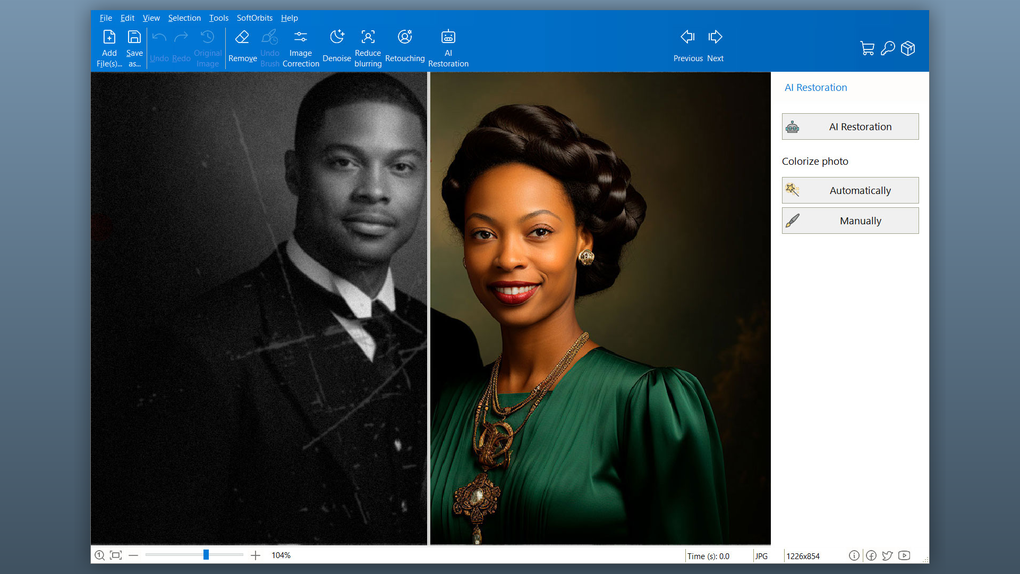
4DDiG Video Repair
Repair corrupted or unplayable videos in batches with the Video Repair tool in 4DDiG File Repair for Windows. A free trial is available; advanced features require a paid license.