
Multimedia & graphics Windows
SolveigMM Video Splitter
Trim unwanted scenes, split recordings into parts and join compatible clips with this Windows video editor. A restricted free edition is available; higher limits and automation require paid editions.
- Operating system
- Windows 7, 8, 10 and 11, as listed by the publisher
- Architecture
- Not specified by the cited publisher pages
- Download package
- EXE installer
Preview requires appropriate video/audio decoders and DirectX 8.0 or higher. WMV features have Windows Media Format runtime requirements. No installation or compatibility testing performed.
Link checked · Download guidance
What is SolveigMM Video Splitter?
SolveigMM Video Splitter focuses on cutting and joining existing video and audio rather than building effects-heavy productions. It suits removing commercial breaks from recordings, keeping selected scenes or dividing a long file into smaller parts. The publisher describes its editing engine as smart rendering: this is a product capability claim, not an independently measured quality or speed result.
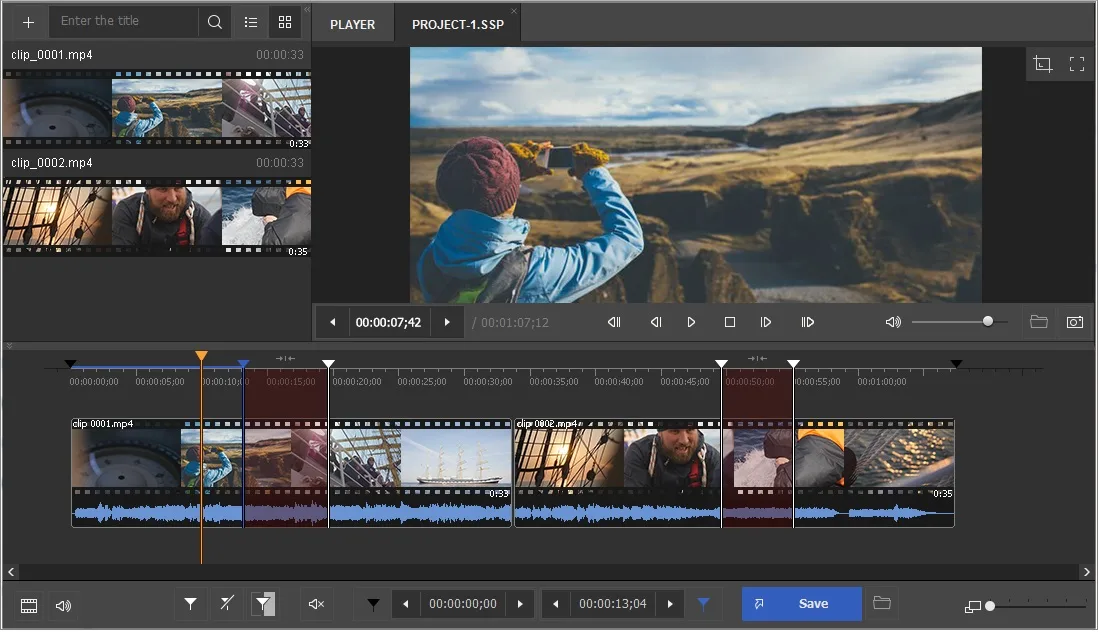
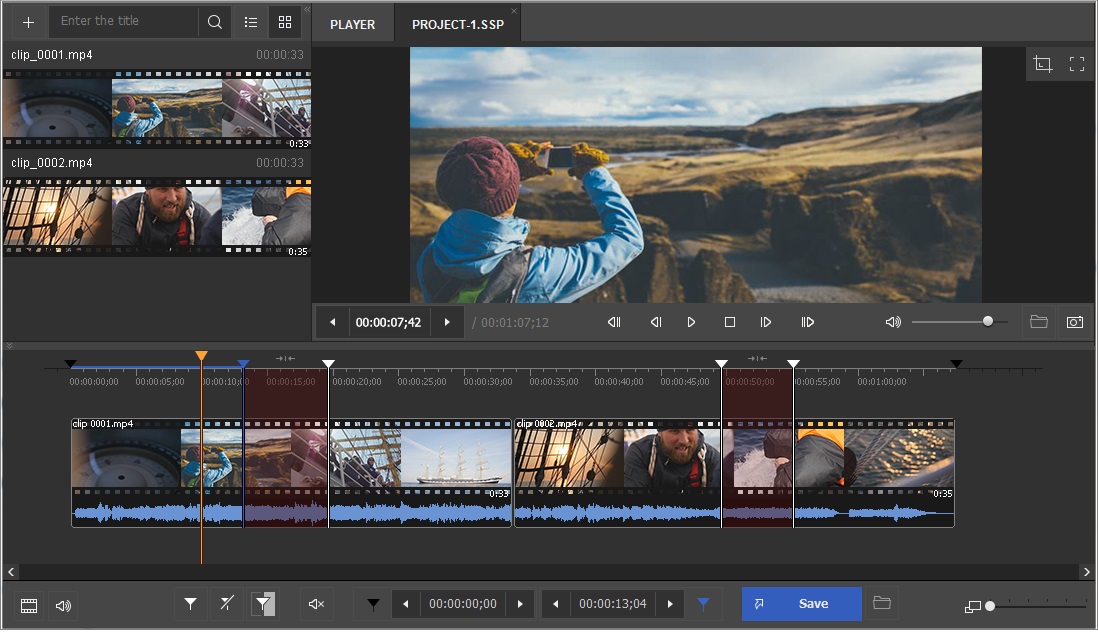
Use timeline markers to define the intervals to keep or remove. Slicing can divide a file by duration, file size or number of equal parts. The Join Manager combines compatible files, but it does not convert mismatched inputs: frame dimensions and audio/video compression parameters must agree. The documentation says the original source remains unchanged while the edited result is written to a destination file.
Choose the edition before planning a larger job. The free edition is limited to HD (720p), restricted output duration and joining two files, and adds Solveig logo watermarks. Home supports up to 4K; Business adds Batch Manager and command-line processing, while Broadcast adds MXF support. The linked EXE is the publisher-hosted Windows installer, not a paid license or a promise of unrestricted use.
What it offers
- Mark multiple intervals to keep or remove from a recording.
- Split files by duration, file size or number of equal parts.
- Join clips with matching video dimensions and audio/video compression parameters.
- Edit multiple audio tracks and embedded or external subtitles in supported containers such as MP4, MKV and TS.
- Use batch processing and the command-line interface with a Business-tier license.
Good to know
- The free edition is restricted to HD (720p), limited output duration and two files for joining, and adds Solveig logo watermarks.
- Joining requires compatible input parameters; it is not a way to convert clips with different frame dimensions or compression types.
- Batch Manager and command-line processing require Business-tier functionality; MXF support is a Broadcast feature.
Product images
Sources
References used for this listing. Retrieval dates do not indicate hands-on testing.
- ᐈ SolveigMM Video Splitter MOV MP4 MPEG-2 ➠ Download video editor ↗Retrieved
- Requirements (Video Splitter) - Solveig Multimedia ↗Retrieved
- Video Splitter Common Edition version history ↗Retrieved
- Features and functions Video Splitter ↗Retrieved
- ᐈ How to register Video Splitter Portable ↗Retrieved
- SolveigMM Video Splitter - Download ↗Retrieved
More in multimedia & graphics
View category ↗
1by1 2.17
Play music directly from folders with 1by1, a free Windows audio player with resume, gapless playback and file tools. Formats beyond MP3 need additional decoders.
3DVista Virtual Tour Pro
Build interactive 360° virtual tours from panoramas, videos and 3D models with 3DVista Virtual Tour Pro for Windows. Commercial software with a 30-day trial.

4DDiG Video Repair
Repair corrupted or unplayable videos in batches with the Video Repair tool in 4DDiG File Repair for Windows. A free trial is available; advanced features require a paid license.