
Multimedia & graphics Windows
Sonicfire Pro
Fit SmartSound music to your video with Sonicfire Pro for Windows, using custom track lengths, beat alignment and instrument-mix changes.
- Operating system
- Windows 10 or later
- Architecture
- Not specified in the publisher requirements
- Download package
- EXE installer
Publisher specifies Intel Core i5 or comparable AMD CPU, 8 GB RAM and 1 GB free storage; SSD recommended. Trial duration not established.
Link checked · Download guidance
What is Sonicfire Pro?
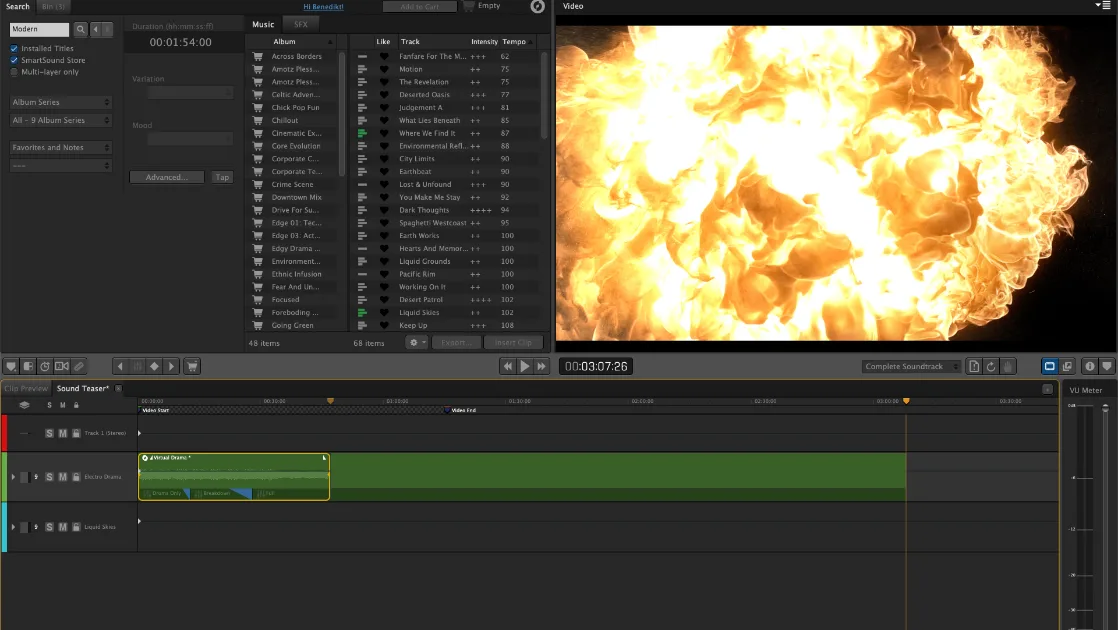
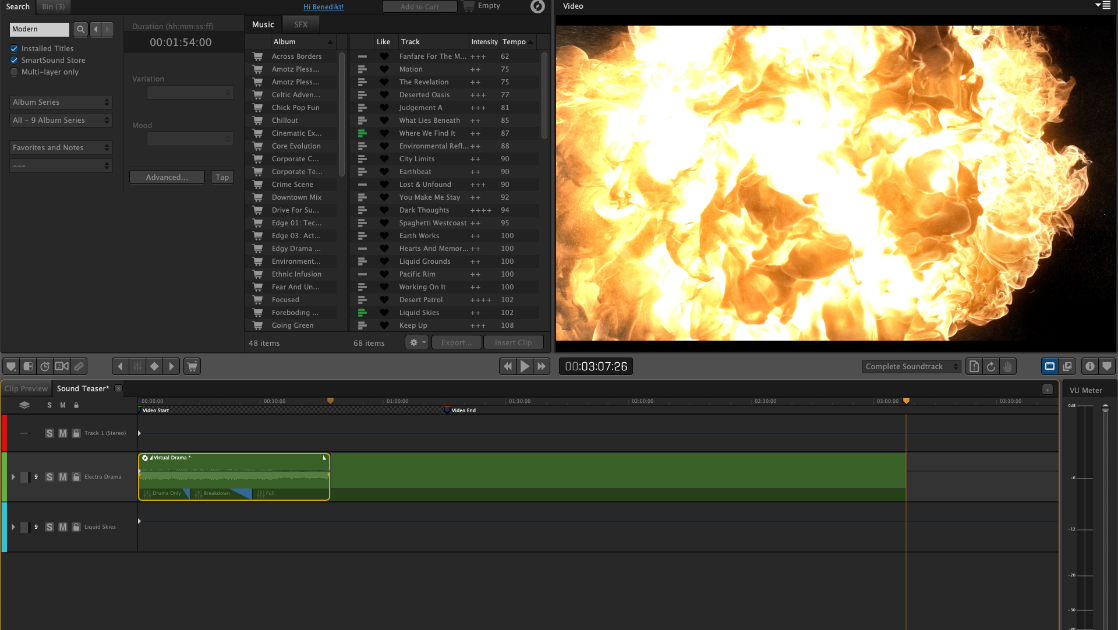
Sonicfire Pro helps video editors adapt SmartSound music to the timing and mood of a scene. Instead of manually looping a stock track or fading it early, you can change its length and choose another arrangement. The integrated search, library and timeline let you find music and place it alongside a video preview.
Custom Length rebuilds a SmartSound track to the chosen duration. Timing Control moves musical accents toward events in the picture, while Mood Mapping uses keyframes to change the instrument mix as a scene develops. You can also add hit sounds or export beat, bar and section markers with the Cut-Video-To-Music workflow.
This is commercial software with a free trial, not a confirmed freeware release. SmartSound music licensing still applies. Publisher support describes third-party editor plugins as legacy and provided as-is; exported audio and drag-and-drop offer an alternative when an editor integration is no longer compatible.
What it offers
- Resize SmartSound tracks to a chosen duration with Custom Length.
- Choose alternate musical arrangements for the selected track length.
- Adjust musical accents with Timing Control and instrument mixes with Mood Mapping keyframes.
- Export beat, bar or section timing information for cutting video to music.
- Browse the SmartSound library, build a soundtrack on the timeline and export customized audio.
Good to know
- Third-party editor plugins are entering legacy status and are supplied as-is; compatibility depends on the host editor.
- Music use remains subject to SmartSound licensing; unlicensed library tracks may play as audio-tagged previews.
Product images
Sources
References used for this listing. Retrieval dates do not indicate hands-on testing.
- Sonicfire Pro | Smartsound ↗Retrieved
- Support | Smartsound ↗Retrieved
- Sonicfire Pro - Download ↗Retrieved
More in multimedia & graphics
View category ↗
1by1 2.17
Play music directly from folders with 1by1, a free Windows audio player with resume, gapless playback and file tools. Formats beyond MP3 need additional decoders.
3DVista Virtual Tour Pro
Build interactive 360° virtual tours from panoramas, videos and 3D models with 3DVista Virtual Tour Pro for Windows. Commercial software with a 30-day trial.

4DDiG Video Repair
Repair corrupted or unplayable videos in batches with the Video Repair tool in 4DDiG File Repair for Windows. A free trial is available; advanced features require a paid license.