
Multimedia & graphics Windows
Sonikr Media Hub
Organize and play your own music on Windows with Sonikr Media Hub. Browse albums, artists and folders, build playlists, and optionally enable remote access.
- Operating system
- Windows 10 and Windows 11
- Architecture
- 64-bit; CPU family not specified by the publisher
- Download package
- EXE installer
Publisher lists 64-bit Windows support. Softonic lists version 1.0.0; the version of the unversioned publisher EXE was not inspected.
Link checked · Download guidance
What is Sonikr Media Hub?
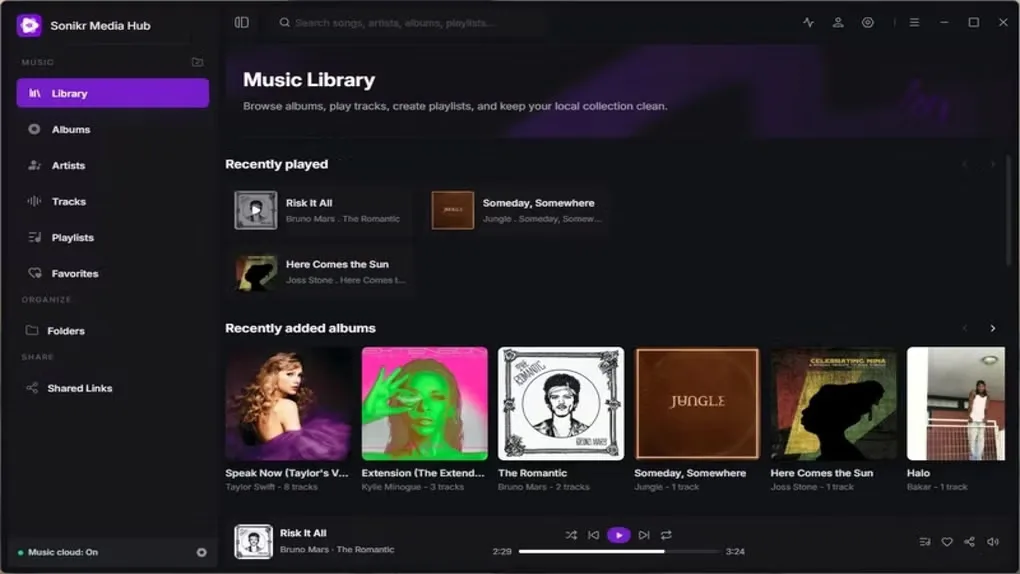
Sonikr Media Hub turns music folders on your computer or connected drives into a searchable personal library. Browse albums, artists and tracks, create playlists, and mark favorites without moving your existing files. Local library browsing and playback work without an account or mandatory cloud uploads.
Optional connected features let you access the library remotely and share selected albums, tracks or playlists using links with expiration times. These features require an account, and remote listening depends on the library computer staying online with Remote Access enabled.
The current product focuses on music. The publisher lists video, podcasts, audiobooks, radio and mobile apps as coming soon, not existing capabilities. Softonic lists version 1.0.0; the publisher download uses an unversioned EXE URL, so that listing does not establish the version inside the linked file.
What it offers
- Build a music library from selected local folders and connected drives while keeping the existing folder structure.
- Browse albums, artists and tracks; search, sort and filter the collection.
- Play local music, create playlists and mark favorites without an account.
- Optionally enable remote access and create expiring links for selected music.
Good to know
- Remote Access and Shared Links require an account; remote access also requires the library computer to remain online.
- Video, podcasts, audiobooks, radio and mobile apps are listed as coming soon, not available features.
Product images
Sources
References used for this listing. Retrieval dates do not indicate hands-on testing.
More in multimedia & graphics
View category ↗
1by1 2.17
Play music directly from folders with 1by1, a free Windows audio player with resume, gapless playback and file tools. Formats beyond MP3 need additional decoders.
3DVista Virtual Tour Pro
Build interactive 360° virtual tours from panoramas, videos and 3D models with 3DVista Virtual Tour Pro for Windows. Commercial software with a 30-day trial.

4DDiG Video Repair
Repair corrupted or unplayable videos in batches with the Video Repair tool in 4DDiG File Repair for Windows. A free trial is available; advanced features require a paid license.