

Multimedia & graphics Windows
SoundCraft for Windows
Record, edit and mix audio and MIDI with SoundCraft, a free, open-source Windows digital audio workstation with separate Edit and Mix windows. The project is still in development.
- Operating system
- Windows 10 and Windows 11, as listed by the publisher
- Architecture
- x64 (64-bit)
- Download package
- MSI installer
This link is the standalone x64 installer. The publisher lists separate x86, ARM64 and portable packages. Compatibility has not been independently tested.
Link checked · Download guidance
What is SoundCraft?
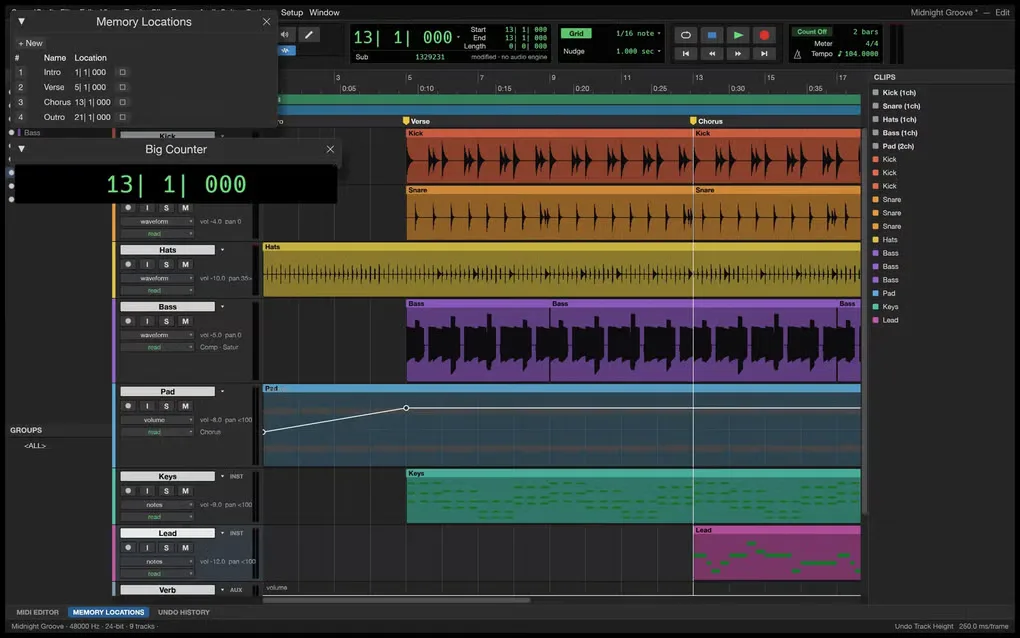
SoundCraft is a digital audio workstation for arranging recordings, editing MIDI parts and mixing a multitrack session. Its separate Edit and Mix windows divide timeline work from channel-strip controls. Editing modes include Shuffle, Slip, Spot and Grid, with comping playlists and memory locations for navigating a session.
The mixer provides ten inserts and ten sends per track, busses, aux inputs and automatic plugin delay compensation. Built-in EQ, dynamics, reverb, delay and synthesizer tools cover processing and instrument parts; external CLAP plugins are also supported. A piano-roll editor adds velocity editing, step input, quantize and transposition for MIDI work.
This entry links to the publisher's standalone version 0.13.1 Windows x64 MSI, rather than the separate ArtCraft Launcher. The publisher lists this package for most Windows 10 and 11 PCs. SoundCraft remains in development, and its repository labels the project pre-alpha: treat it as an early-stage DAW, not an established production-stability guarantee. Standalone users must return for new releases or install the launcher separately for its update workflow.
What it offers
- Arrange multitrack audio and MIDI in a dedicated Edit window with Shuffle, Slip, Spot and Grid modes.
- Mix with ten inserts and ten sends per track, busses, aux inputs and automatic plugin delay compensation.
- Process sound with built-in EQ, dynamics, reverb and delay tools, or load external CLAP plugins.
- Edit MIDI in a piano roll with a velocity lane, step input, quantize and transposition.
- Record live automation passes for volume, pan, mute, sends and plugin parameters.
Good to know
- The publisher marks SoundCraft as in development, and the repository labels it pre-alpha; production stability is not established by this listing.
- The standalone installer does not include the ArtCraft Launcher update workflow; return to the publisher for new versions or install the launcher separately.
Product images
Sources
References used for this listing. Retrieval dates do not indicate hands-on testing.
More in multimedia & graphics
View category ↗
1by1 2.17
Play music directly from folders with 1by1, a free Windows audio player with resume, gapless playback and file tools. Formats beyond MP3 need additional decoders.
3DVista Virtual Tour Pro
Build interactive 360° virtual tours from panoramas, videos and 3D models with 3DVista Virtual Tour Pro for Windows. Commercial software with a 30-day trial.

4DDiG Video Repair
Repair corrupted or unplayable videos in batches with the Video Repair tool in 4DDiG File Repair for Windows. A free trial is available; advanced features require a paid license.