
Multimedia & graphics Windows
Soundfont Midi Player
Play MIDI files with your own soundfonts, adjust individual channels and route a MIDI keyboard through Falcosoft's portable Windows player and synthesizer.
- Operating system
- Publisher lists Windows 9x, XP, 7, 8 and 10
- Architecture
- Standard Windows build; separate x64/Unicode edition available
- Download package
- Portable ZIP archive without soundfont
Selected file is midiplayer_66.zip, not midiplayer_66_x64.zip or the soundfont-bundled edition. Publisher also lists Wine. Windows 11 is a third-party listing, not a publisher-confirmed claim here.
Link checked · Download guidance
What is Soundfont Midi Player?
Soundfont Midi Player combines MIDI playback, routing and a real-time synthesizer in a portable Windows application. It suits listening to a MIDI collection with different instrument sounds or playing a MIDI keyboard through a chosen output device. Bassmidi output lets you use soundfonts without requiring a Sound Blaster card; standard MIDI output ports are also available.
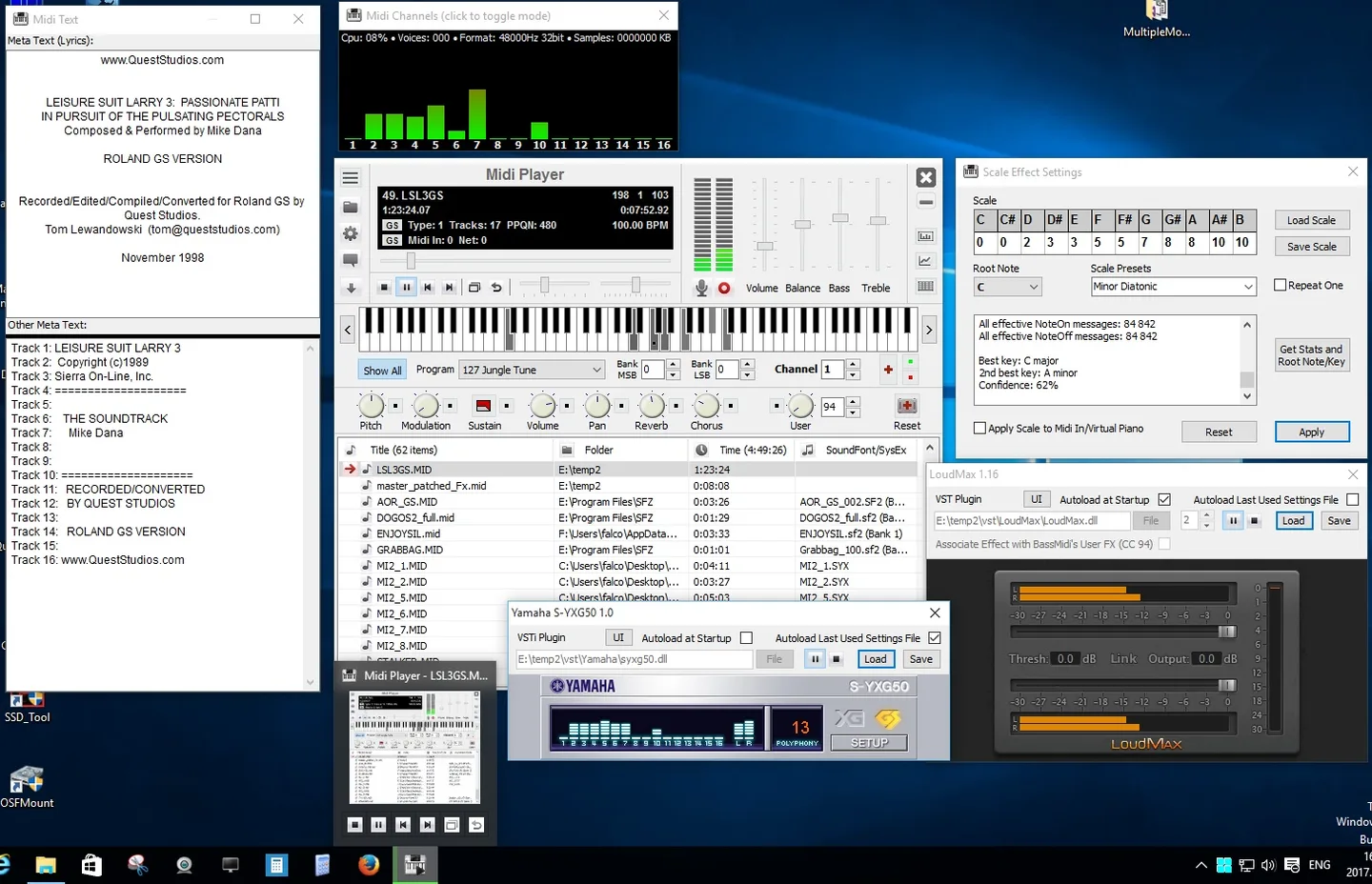
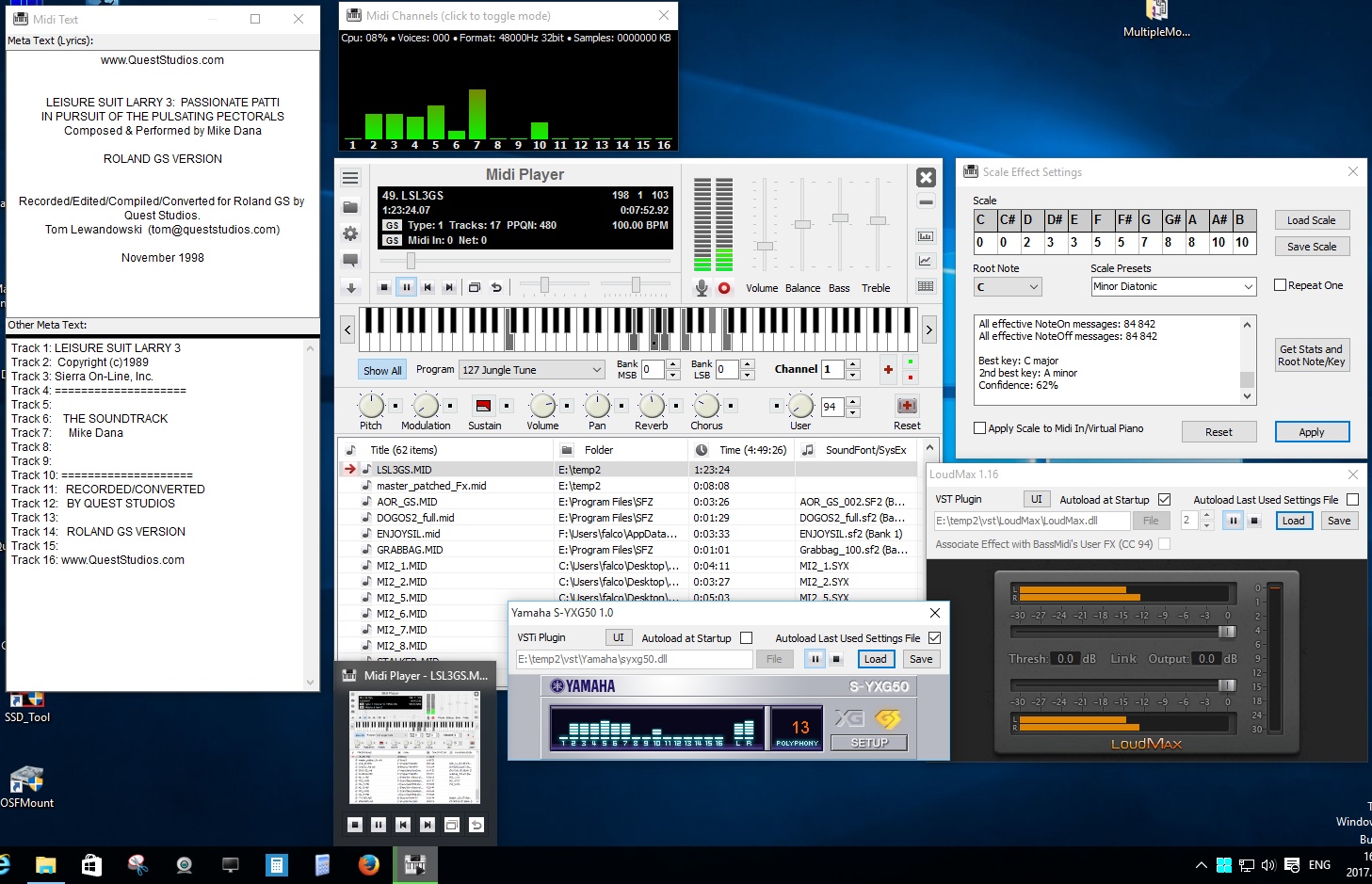
The player provides separate tempo and pitch controls, per-channel instrument and controller changes, mute and solo, a virtual piano, and VST effect and VSTi instrument support. These are channel-based controls: changing an instrument affects the selected MIDI channel, which is not necessarily the same thing as a track.
This download is the publisher's standard version 6.6 ZIP without a soundfont. The publisher also offers a separate 64-bit edition and a preconfigured Bassmidi + Soundfont edition. For Bassmidi playback with the standard package, select Bassmidi as output and choose a soundfont in Device settings; otherwise that output will not produce sound. The application is portable and requires no installation.
It is a player and router rather than a full sequencer. Version 6.6 can read MIDI 2.0 Clip files, but converts their events to MIDI 1.0 with information loss. The publisher explicitly lists Windows 9x, XP, 7, 8 and 10; Windows 11 is listed by Softonic but is not confirmed by the publisher page used here.
What it offers
- Play MIDI through Bassmidi soundfonts or a configurable MIDI output port.
- Change programs, banks and controllers per channel, with mute and solo controls.
- Adjust playback tempo and pitch independently; exclude percussion channels from transposition.
- Play the virtual piano or use an external MIDI input device.
- Use VST effects and VSTi instruments, record audio and inspect events with the MIDI event viewer.
- Read MusicXML, HMI/HMP and MIDI 2.0 Clip files in version 6.6.
Good to know
- The selected ZIP contains no soundfont. Bassmidi output needs a soundfont selected in Device settings before it can produce sound.
- MIDI 2.0 events are converted to MIDI 1.0, so playback does not preserve every MIDI 2.0 detail.
- This is not a full sequencer; channel controls and recording do not replace a complete composition workflow.
- Windows 11 compatibility is not explicitly confirmed on the publisher's product page; the separate x64 edition is described by the publisher as less tested.
Product images
Sources
References used for this listing. Retrieval dates do not indicate hands-on testing.
- Falcosoft - Free Windows software ↗Retrieved
- Midi Player's FAQ/How-to ↗Retrieved
- Soundfont Midi Player - Download ↗Retrieved
More in multimedia & graphics
View category ↗
1by1 2.17
Play music directly from folders with 1by1, a free Windows audio player with resume, gapless playback and file tools. Formats beyond MP3 need additional decoders.
3DVista Virtual Tour Pro
Build interactive 360° virtual tours from panoramas, videos and 3D models with 3DVista Virtual Tour Pro for Windows. Commercial software with a 30-day trial.

4DDiG Video Repair
Repair corrupted or unplayable videos in batches with the Video Repair tool in 4DDiG File Repair for Windows. A free trial is available; advanced features require a paid license.