

Multimedia & graphics Windows
Soundop for Windows
Record, edit and mix audio on Windows with Soundop, combining waveform and spectral editing, multitrack mixing and batch processing in one application.
- Operating system
- Windows 8, Windows 10 and Windows 11
- Architecture
- x64 (64-bit)
- Download package
- EXE installer
Selected download is the 64-bit build; a separate 32-bit installer is offered. A Windows-compatible audio device is required; ASIO is recommended by the publisher.
Link checked · Download guidance
What is Soundop?
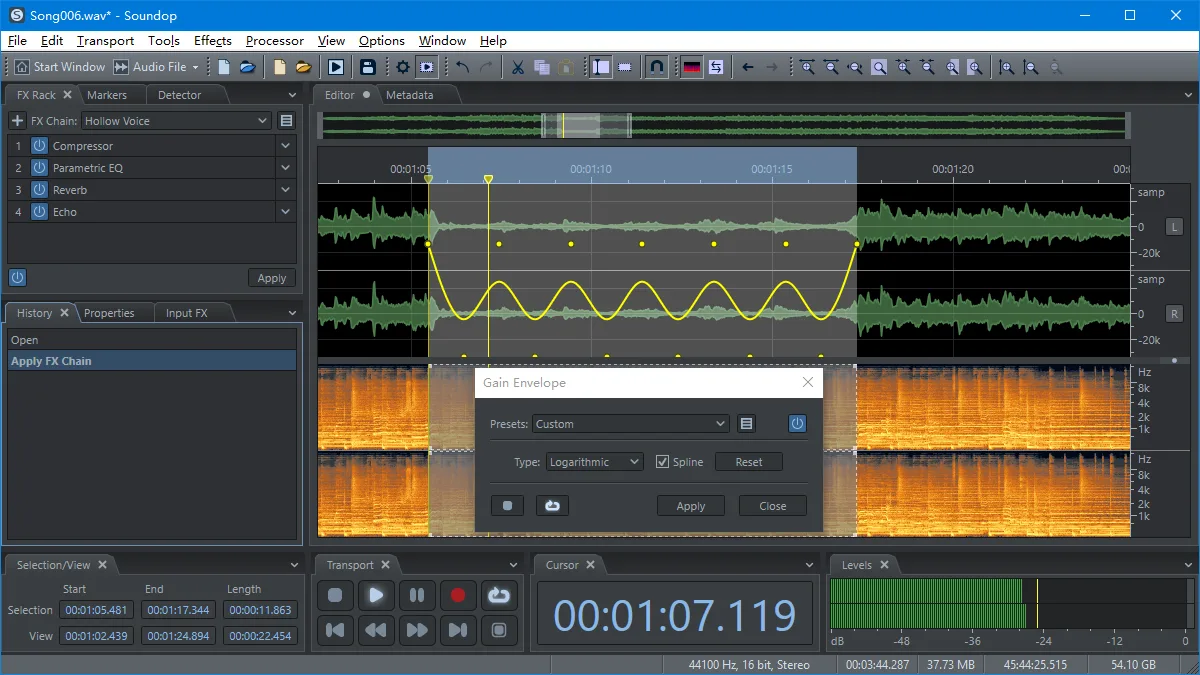
Soundop combines detailed audio-file editing with a multitrack workspace for arranging and mixing recordings. Use waveform and spectral views to work on a time range, channel or frequency range, then move to multitrack projects when you need audio and bus tracks, routing, sends or automation.
Its built-in effects work alongside VST and VST3 plug-ins, with ARA support for editing clip sources. Reusable processors and batch tasks apply editing and processing operations across files. ASIO, WASAPI, MME and DirectSound device support covers recording and playback, while WASAPI loopback can capture system audio.
This entry links to the publisher's 64-bit Windows EXE installer. The publisher lists version 2.4.0.5 dated October 22, 2026; the installer endpoint is not version-specific. The fully functional trial lasts seven days and requires an Internet connection. After it expires, Demo mode remains available, but exported audio is muted for 500 milliseconds every 15 seconds until a purchased license is activated.
What it offers
- Edit audio using waveform and spectral views, including selections by time, frequency range and channel.
- Mix audio and bus tracks with routing, sends, side-chain processing and track or clip effects automation.
- Use built-in effects, VST and VST3 effects, and ARA plug-ins for clip-source editing.
- Record with ASIO, WASAPI, MME or DirectSound; capture system audio through WASAPI loopback.
- Reuse editing sequences with processors and batch tasks, and export formats including WAV, MP3, AAC, OGG and FLAC.
Good to know
- The fully functional trial lasts seven days and requires an Internet connection.
- After the trial, Demo mode mutes exported audio for 500 milliseconds every 15 seconds; removing this restriction requires a purchased and activated license.
Product images
Sources
References used for this listing. Retrieval dates do not indicate hands-on testing.
More in multimedia & graphics
View category ↗
1by1 2.17
Play music directly from folders with 1by1, a free Windows audio player with resume, gapless playback and file tools. Formats beyond MP3 need additional decoders.
3DVista Virtual Tour Pro
Build interactive 360° virtual tours from panoramas, videos and 3D models with 3DVista Virtual Tour Pro for Windows. Commercial software with a 30-day trial.


4DDiG Video Repair
Repair corrupted or unplayable videos in batches with the Video Repair tool in 4DDiG File Repair for Windows. A free trial is available; advanced features require a paid license.