

Multimedia & graphics macOS
SunVox for macOS
Compose electronic music on Mac with SunVox, a free modular synthesizer and tracker that connects sound generators, effects and pattern-based sequences.
- Operating system
- macOS 10.13 or later
- Architecture
- x86_64 (publisher-documented Mac desktop build)
- Download package
- ZIP archive shared with Windows, Linux and Windows CE
The manual locates the Mac application in sunvox/sunvox/macos after extraction. Native Apple Silicon support is not established by its desktop architecture table.
Link checked · Download guidance
What is SunVox?
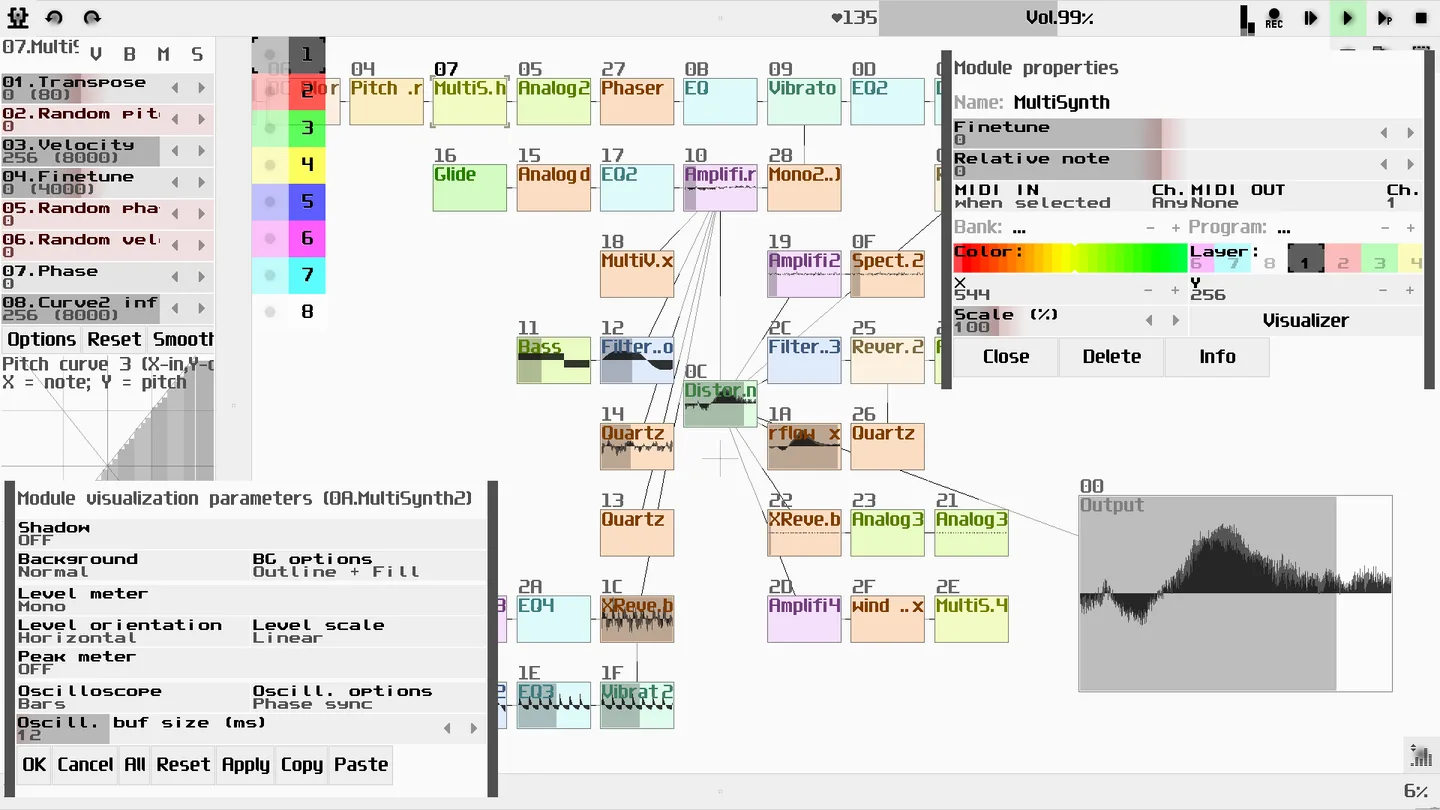
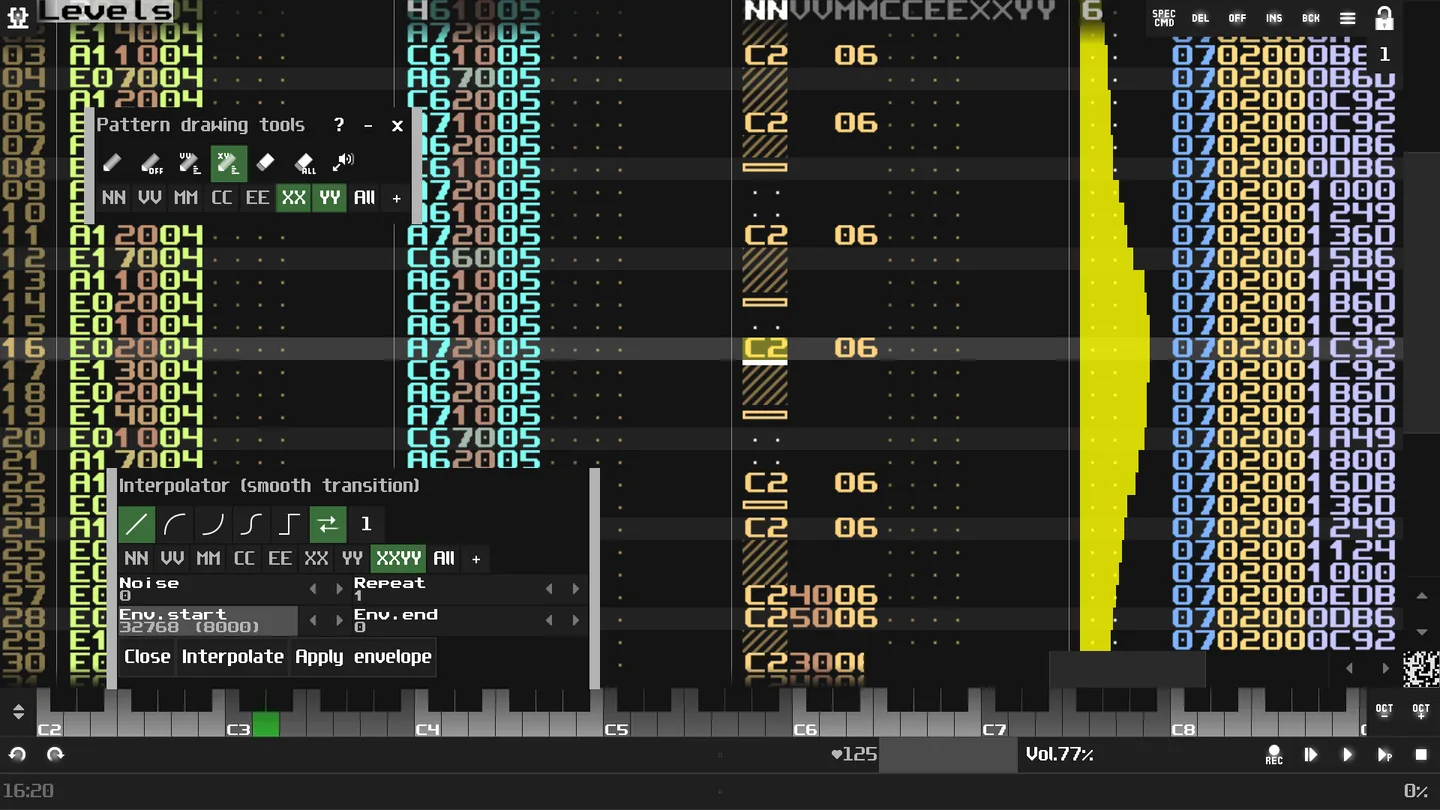
SunVox combines a modular synthesizer with a pattern-based sequencer. Connect its built-in sound generators and effects to design an instrument, enter notes in tracker patterns, and arrange those patterns on a timeline. It suits electronic composition and sound-design experiments where the signal connections are part of the creative process.
The sample tools accept formats including WAV, AIFF, OGG, MP3, FLAC and XI. MIDI input, output, import and export connect the sequencer to other music workflows, while multitrack WAV export provides separate audio output for further work. SunVox stores the project’s synths, effects, samples and patterns together in one file.
The publisher distributes the Mac application in a shared desktop ZIP archive, not a Mac-only installer. Its manual lists macOS 10.13 and x86_64, and directs Mac users to the sunvox/sunvox/macos folder after extraction. The desktop application is distinct from the paid iOS app and its Audio Unit integration; do not assume this free ZIP supplies a Mac AU plug-in.
What it offers
- Connect built-in synthesizers, samplers and effects through a modular routing workspace.
- Compose tracker patterns and arrange them on a timeline.
- Load WAV, AIFF, OGG, MP3, FLAC and XI samples; record samples in real time.
- Use MIDI input, output, import and export, plus XM and MOD import.
- Export multitrack WAV audio and keep project elements in a single SunVox file.
Good to know
- The documented Mac desktop build is x86_64; the publisher’s platform table does not establish a native ARM64 desktop build.
- The free desktop ZIP is not the iOS Audio Unit app. The manual describes additional audio-routing software for sending desktop Mac audio to another application.
Product images
Sources
References used for this listing. Retrieval dates do not indicate hands-on testing.
- WarmPlace.ru. SunVox Modular Music Studio ↗Retrieved
- WarmPlace.ru. SunVox User Manual ↗Retrieved
- SunVox for Mac - Download ↗Retrieved
More in multimedia & graphics
View category ↗
1by1 2.17
Play music directly from folders with 1by1, a free Windows audio player with resume, gapless playback and file tools. Formats beyond MP3 need additional decoders.
3DVista Virtual Tour Pro
Build interactive 360° virtual tours from panoramas, videos and 3D models with 3DVista Virtual Tour Pro for Windows. Commercial software with a 30-day trial.



4DDiG Video Repair
Repair corrupted or unplayable videos in batches with the Video Repair tool in 4DDiG File Repair for Windows. A free trial is available; advanced features require a paid license.