
Multimedia & graphics Windows
Switch Audio File Converter for Windows
Convert audio files between MP3, WAV, FLAC and other formats, batch-process folders and extract sound from video with Switch for Windows. The free edition is for non-commercial use.
- Operating system
- Windows 7–11, as listed by the publisher
- Architecture
- 64-bit Windows supported; installer architecture not specified
- Download package
- EXE installer
Publisher lists 64-bit Windows compatibility, not a native x64 build. Windows 10 S uses a separate Microsoft Store listing.
Link checked · Download guidance
What is Switch Audio File Converter?
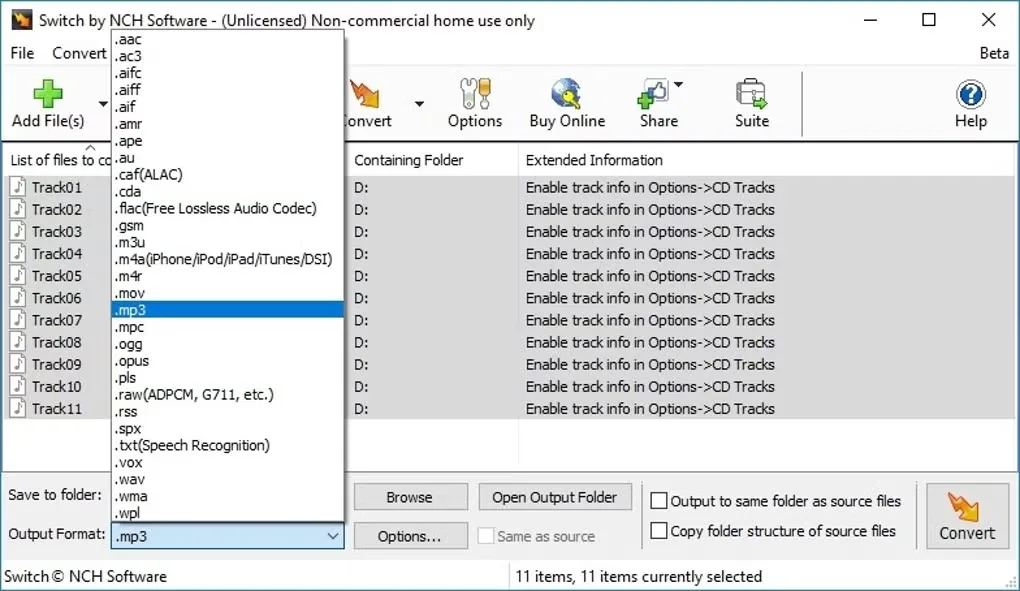
Switch Audio File Converter by NCH Software converts music and recordings into formats suited to another player or workflow. Add individual files or a batch, choose an output format and folder, and adjust encoder settings before conversion. It also extracts audio from video, imports M3U and PLS playlists, and preserves music tags in supported formats.
For repeated conversion jobs, Switch offers automatic volume normalization, track preview and constant or variable bitrate MP3 encoding. These are publisher-described features, not results of an installation or conversion test.
The free version does not expire, but NCH limits it to non-commercial use and the most common audio formats. Do not assume every advertised format or paid-edition feature is included in that edition. Version 14.03 is the Windows release identified in the publisher log; the linked EXE has an unversioned filename, so its internal build was not independently checked.
What it offers
- Batch-convert multiple audio files between supported formats, including MP3, WAV, FLAC, M4A and OGG.
- Extract audio from video and import M3U or PLS playlists.
- Preserve music tags when the selected format supports them.
- Preview tracks and automatically normalize audio during conversion.
- Choose constant or variable bitrate settings for MP3 output.
Good to know
- The free edition is for non-commercial use and includes most common formats, not a guarantee of the entire advertised format range.
- The publisher download uses an unversioned EXE filename; HEAD verification confirms a reachable file, not its internal version or behavior.
Product images
Sources
References used for this listing. Retrieval dates do not indicate hands-on testing.
- Switch Audio File Converter — publisher features, free edition and requirements ↗Retrieved
- Switch Sound File Converter — publisher version log ↗Retrieved
- Will Switch work on 64-bit computers? ↗Retrieved
- Switch Audio File Converter - Download ↗Retrieved
- NCH Software Legal Terms — copyright and developer identity ↗Retrieved
More in multimedia & graphics
View category ↗
1by1 2.17
Play music directly from folders with 1by1, a free Windows audio player with resume, gapless playback and file tools. Formats beyond MP3 need additional decoders.
3DVista Virtual Tour Pro
Build interactive 360° virtual tours from panoramas, videos and 3D models with 3DVista Virtual Tour Pro for Windows. Commercial software with a 30-day trial.

4DDiG Video Repair
Repair corrupted or unplayable videos in batches with the Video Repair tool in 4DDiG File Repair for Windows. A free trial is available; advanced features require a paid license.