
Multimedia & graphics Windows
SynthFont
Play and edit MIDI files with SoundFonts, assign instruments to tracks and render WAV audio with the free SynthFont1 for Windows.
- Operating system
- Windows Vista and later (publisher-listed)
- Architecture
- Exact installer architecture not established
- Download package
- EXE installation package
Publisher lists 32-bit and 64-bit Windows support; this is not proof of the EXE architecture. XP is no longer officially supported. Software was not installed or tested.
Link checked · Download guidance
What is SynthFont?
SynthFont turns MIDI instructions into sound using SoundFonts and other sample-based sound sources. It is useful when you want to change the instruments in a MIDI arrangement, listen to the result or render a WAV file for playback outside a MIDI program. This download is the free SynthFont1 edition, version 1.818, rather than the separate paid SynthFont2.
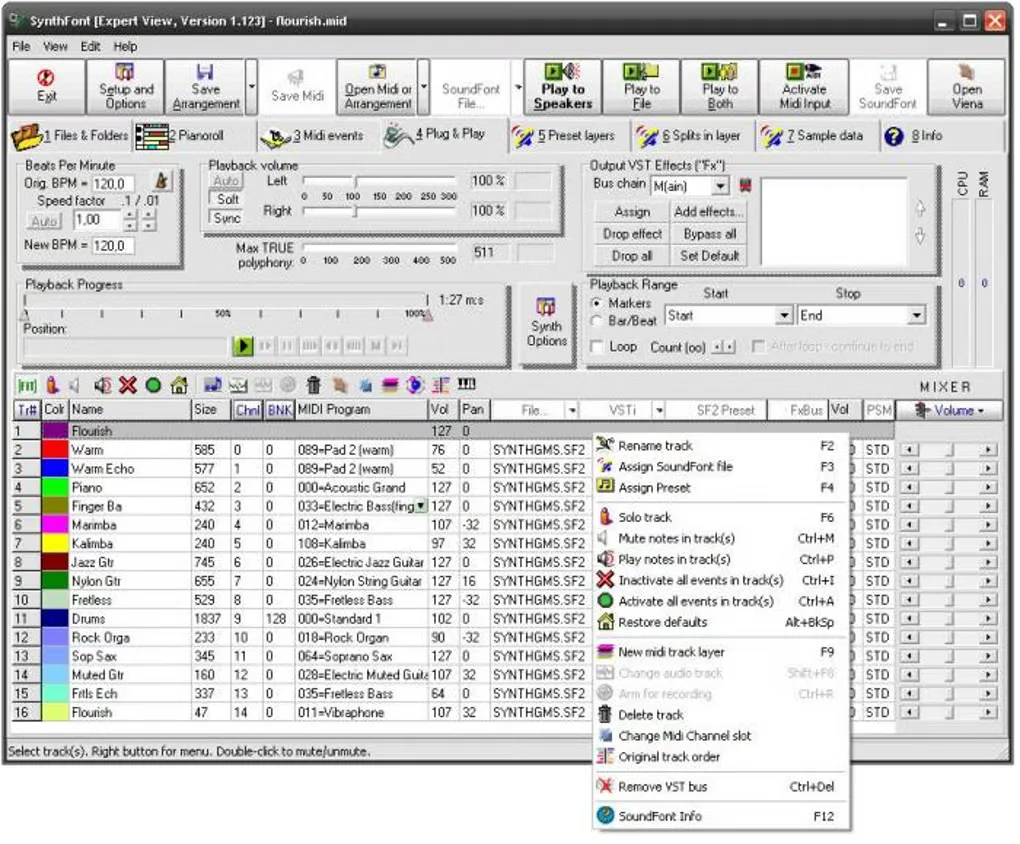
Start by choosing a default SoundFont, preferably a General MIDI bank covering the standard instrument set. You can assign different SoundFonts and presets to individual MIDI channels or tracks, then save those choices in an Arrangement file. The Pianoroll and MIDI events views provide note-level and event-level editing when an instrument change alone is not enough.
The sound depends on the SoundFont or other sound source you select: a MIDI file contains notes and playback instructions, not a finished audio recording. The publisher lists Windows Vista and later as supported and no longer officially supports XP. The gallery image shows an older SynthFont1 interface, not a verified capture of version 1.818.
What it offers
- Play MIDI files with SF2 SoundFonts and other supported sound sources, including DLS and GIGA.
- Assign SoundFonts and presets to MIDI tracks or channels.
- Save instrument assignments and related settings in an Arrangement file.
- Inspect and edit notes in Pianoroll or work with individual MIDI events.
- Render MIDI arrangements to WAV audio without requiring a particular sound card.
Good to know
- MIDI playback and rendering depend on the selected SoundFont or other sound source; MIDI files do not contain recorded audio.
- This download is free SynthFont1, not paid SynthFont2; do not assume SynthFont2-only features are included.
- Windows XP is no longer officially supported by the publisher.
Product images
Sources
References used for this listing. Retrieval dates do not indicate hands-on testing.
More in multimedia & graphics
View category ↗
1by1 2.17
Play music directly from folders with 1by1, a free Windows audio player with resume, gapless playback and file tools. Formats beyond MP3 need additional decoders.
3DVista Virtual Tour Pro
Build interactive 360° virtual tours from panoramas, videos and 3D models with 3DVista Virtual Tour Pro for Windows. Commercial software with a 30-day trial.

4DDiG Video Repair
Repair corrupted or unplayable videos in batches with the Video Repair tool in 4DDiG File Repair for Windows. A free trial is available; advanced features require a paid license.