
Multimedia & graphics Windows
ThunderSoft Free Audio Editor
Record, cut, join and mix audio on Windows with ThunderSoft Free Audio Editor. The personal-use home edition has a publisher-stated two-minute limit.
- Operating system
- Windows 11, 10, 8.1, 8, 7, Vista and XP (publisher-listed)
- Architecture
- Not specified by the publisher
- Download package
- ZIP archive
Publisher lists version 8.0; Softonic lists 7.6.0. The linked archive was checked with HEAD only; package contents and CPU architecture were not inspected.
Link checked · Download guidance
What is ThunderSoft Free Audio Editor?
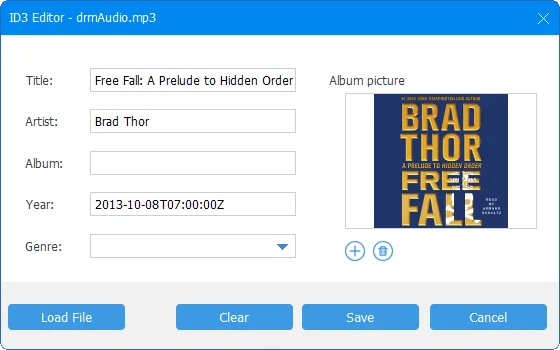
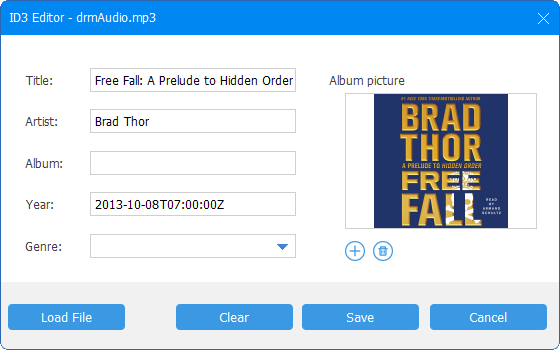
ThunderSoft Free Audio Editor brings recording and common audio edits into a Windows audio toolbox. It can capture computer or microphone sound, cut clips, join audio files, adjust playback speed, change voices and mix audio. Other tools convert audio formats, extract audio from video and edit ID3 metadata, including album pictures. The publisher also lists CD ripping and burning.
The free home edition is for personal use only and carries a two-minute limitation. The publisher does not explain precisely which operations that limit affects, so do not treat this as an unrestricted editor for longer recordings or commercial work.
The publisher product page lists version 8.0, while the Softonic listing still shows 7.6.0. This entry follows the publisher listing and links to its ZIP package; the package version and CPU architecture have not been inspected.
What it offers
- Record audio from the computer or a microphone.
- Cut and join audio files, mix audio, adjust speed and change voices.
- Convert audio formats and extract audio from video files.
- Edit ID3 metadata and album pictures.
- Rip audio CDs and burn audio files to CD.
Good to know
- The home edition is for personal use only and has a publisher-stated two-minute limitation; the publisher does not specify its exact scope.
Product images
Sources
References used for this listing. Retrieval dates do not indicate hands-on testing.
More in multimedia & graphics
View category ↗
1by1 2.17
Play music directly from folders with 1by1, a free Windows audio player with resume, gapless playback and file tools. Formats beyond MP3 need additional decoders.
3DVista Virtual Tour Pro
Build interactive 360° virtual tours from panoramas, videos and 3D models with 3DVista Virtual Tour Pro for Windows. Commercial software with a 30-day trial.

4DDiG Video Repair
Repair corrupted or unplayable videos in batches with the Video Repair tool in 4DDiG File Repair for Windows. A free trial is available; advanced features require a paid license.