
Multimedia & graphics Windows
TMPGEnc Authoring Works for Windows
Create DVD, Blu-ray and AVCHD projects with custom menus in TMPGEnc Authoring Works for Windows. The publisher offers a shared full/trial installer with a restricted 30-day trial.
- Operating system
- Windows 10 / 11 (64-bit editions)
- Architecture
- 64-bit; publisher requires an SSSE3-capable Intel Core i or equivalent CPU
- Download package
- English EXE full/trial all-in-one installer
Publisher requires Internet license validation and .NET 8.0 Desktop Runtime, installed automatically. Virtualized environments are unsupported.
Link checked · Download guidance
What is TMPGEnc Authoring Works?
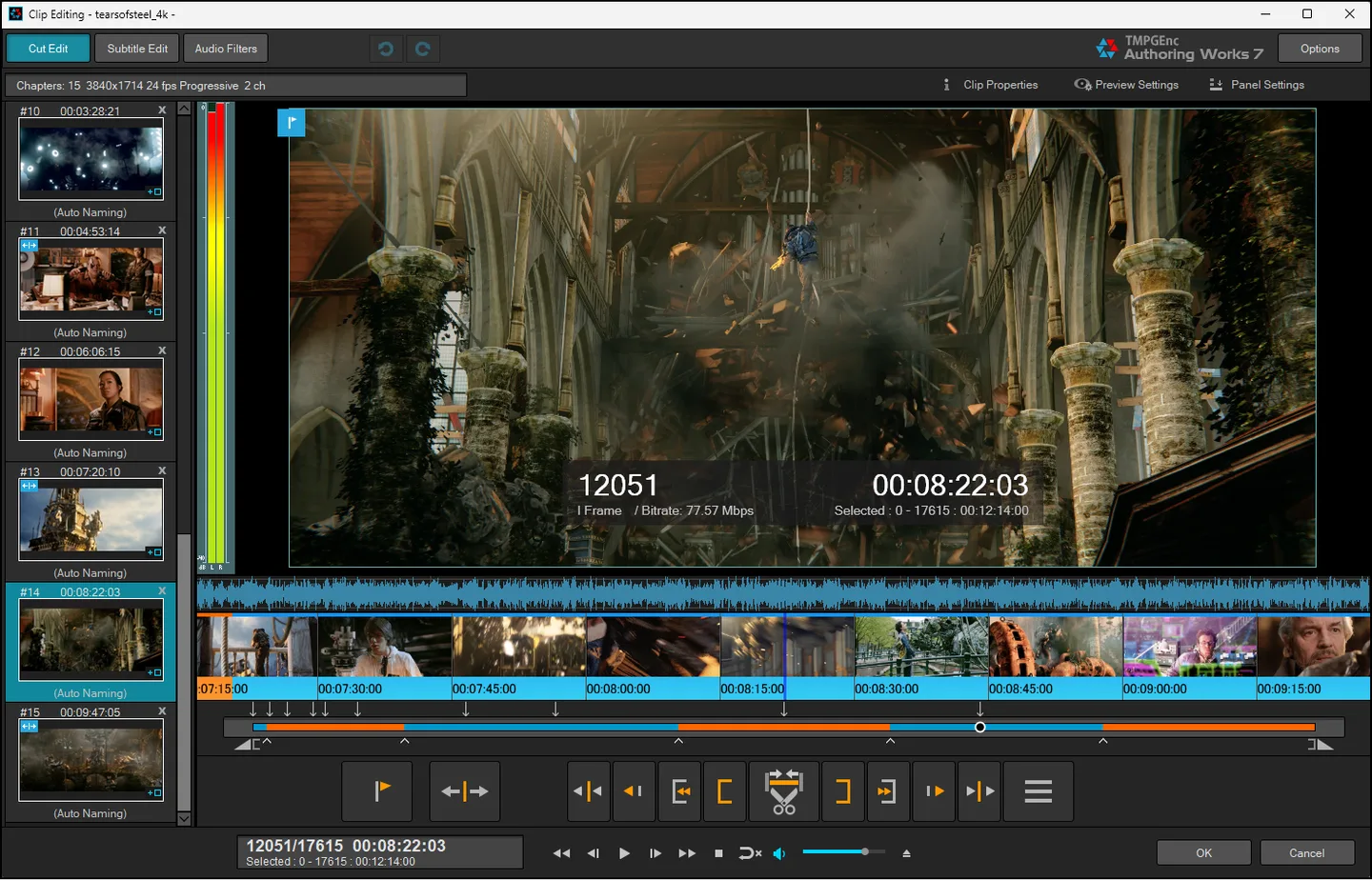
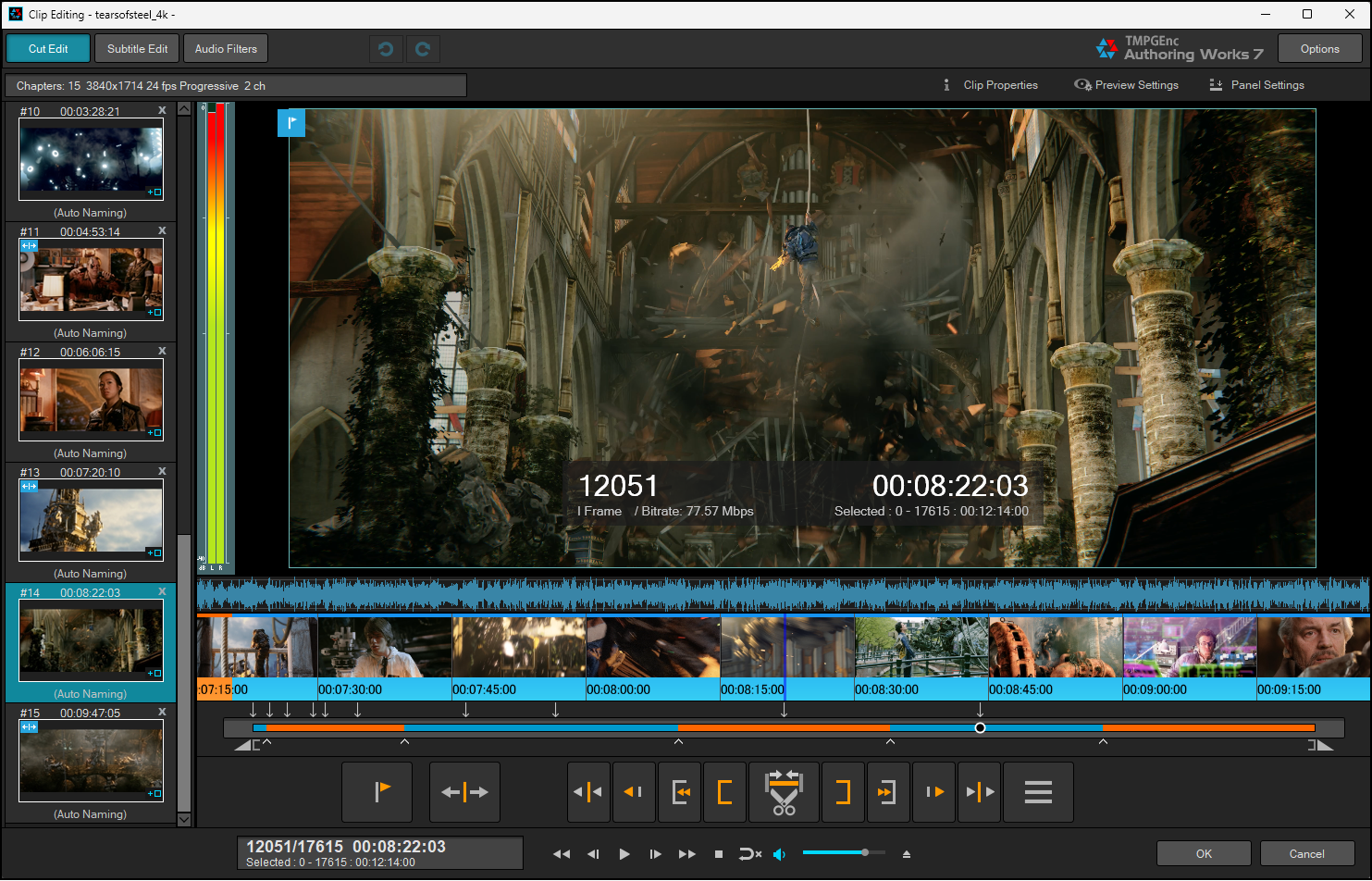
TMPGEnc Authoring Works prepares video for DVD-Video, Blu-ray BDMV and AVCHD authoring. Import your footage, trim clips in the frame-level cut editor, arrange chapters and build navigation with menu templates or a custom layout. Photo slideshows can be included alongside video. The download linked here is the English full/trial all-in-one installer for version 7.1.3.16.
Smart Rendering can leave unchanged video sections unencoded when the source conforms to the selected output standard. Cut points, transitions and other altered sections can require encoding; it is not a promise that every project exports without re-encoding. The application also supports creating DVD/Blu-ray ISO images and burning authored output.
This is commercial software, not unrestricted freeware. The trial runs for 30 days after its first startup, inserts a logo movie track at the start of authored data and cannot import H.265/HEVC files. Windows 10 or 11 in a 64-bit edition is required, and the publisher requires Internet access for license validation. Virtualized environments are not supported.
What it offers
- Author DVD-Video, Blu-ray BDMV and AVCHD projects with template-based or custom menus.
- Trim footage at frame level and set chapters in the cut editor.
- Use Smart Rendering for unchanged sections of video that conforms to the target output standard.
- Create photo slideshows and include them in authored projects.
- Create DVD/Blu-ray ISO images and burn authored output to disc.
Good to know
- The trial lasts 30 days from initial startup, displays a license screen at every startup and inserts a logo movie track at the beginning of authored data.
- H.265/HEVC import is unavailable in the trial.
- Smart Rendering requires source video that conforms to the selected output standard; changed sections can require re-encoding.
- Internet access is required for license validation; virtualized environments are unsupported.
- BDXL media import and writing are not supported.
Product images
Sources
References used for this listing. Retrieval dates do not indicate hands-on testing.
More in multimedia & graphics
View category ↗
1by1 2.17
Play music directly from folders with 1by1, a free Windows audio player with resume, gapless playback and file tools. Formats beyond MP3 need additional decoders.
3DVista Virtual Tour Pro
Build interactive 360° virtual tours from panoramas, videos and 3D models with 3DVista Virtual Tour Pro for Windows. Commercial software with a 30-day trial.

4DDiG Video Repair
Repair corrupted or unplayable videos in batches with the Video Repair tool in 4DDiG File Repair for Windows. A free trial is available; advanced features require a paid license.