

Multimedia & graphics macOS
Topaz Photo AI for macOS
Reduce noise, sharpen and upscale photos with Topaz Photo AI for Mac. This discontinued app offers preview-only trial mode; exporting requires an existing compatible license.
- Operating system
- macOS 12 Monterey through macOS 26; some enhancements require macOS 14+
- Architecture
- Apple Silicon; Intel with AVX instructions, released after 2016
- Download package
- PKG installer (4.0.4)
16GB RAM and 20GB disk space; Intel Macs also need 6GB VRAM and have slow processing/model restrictions. Large upscales may need 24GB+ RAM. Internet activation every 6 months; newer OS compatibility not guaranteed.
Link checked · Download guidance
What is Topaz Photo AI?
Topaz Photo AI is a desktop photo-enhancement app for reducing noise, sharpening soft detail and increasing image resolution. It can process RAW and other supported photographs, work on batches, and run independently or through supported editor plugins. Autopilot suggests enhancements, while manual controls let you adjust the chosen effects and compare the original with the processed preview.
This is the legacy Photo AI product, not its successor Topaz Photo. Topaz Labs no longer develops or sells Photo AI, but still lists its Mac installer. The linked download currently resolves to the 4.0.4 PKG. Trial mode requires a Topaz account and shows enhancement previews without exporting; existing owners need a license covering the version they activate.
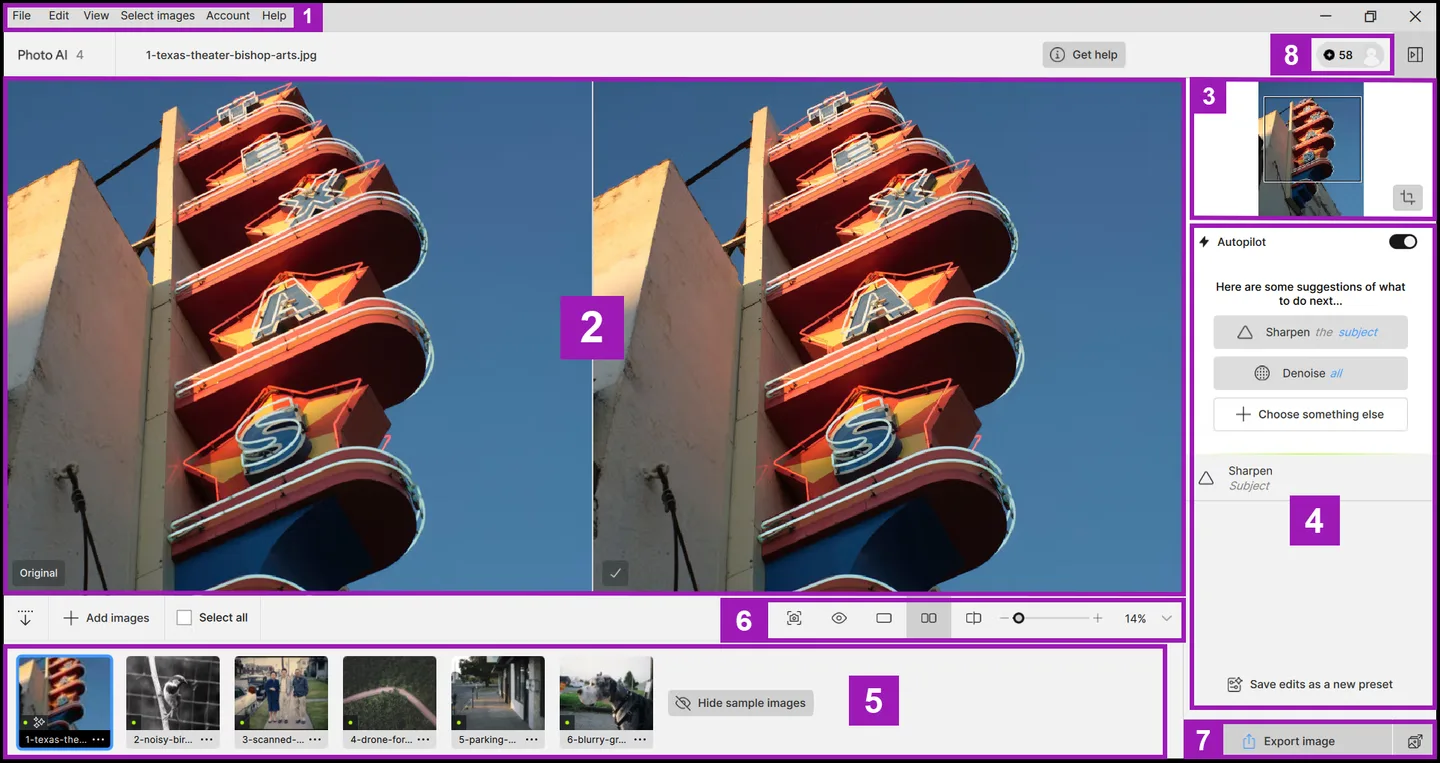
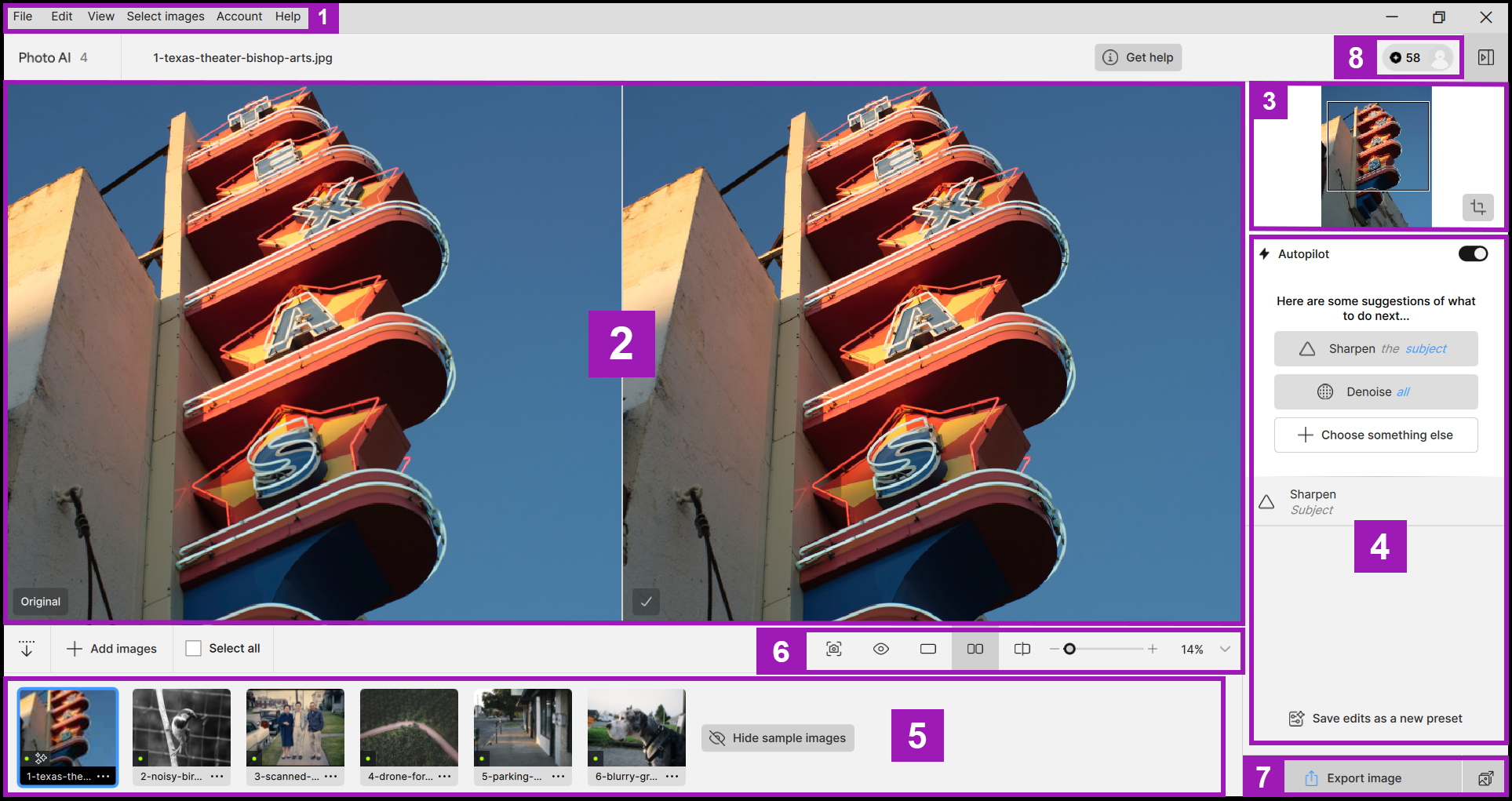
Check the Mac requirements before choosing this legacy installer. The publisher lists macOS 12 or later, 16GB RAM and 20GB disk space, with additional graphics requirements for Intel Macs. Some enhancements require macOS 14 or later, and Intel Macs have performance and model limitations. Topaz states compatibility only through macOS 26; future operating-system changes may break the app. The screenshot is the publisher’s annotated Photo AI 4 interface illustration with Windows window controls, not a Mac installation capture.
What it offers
- Reduce noise in RAW and low-light photographs and sharpen soft images.
- Upscale and resize images, with additional lighting, color, face and text enhancement tools.
- Use Autopilot suggestions or adjust enhancements manually and compare before-and-after previews.
- Manage batches of images or use the app as a plugin in supported photo editors.
Good to know
- Discontinued and no longer sold or developed; Topaz Photo is the successor, and support for legacy apps is increasingly limited.
- Trial mode requires a Topaz account and cannot export. Exporting requires an existing license covering the activated version.
- Requires macOS 12 or later, 16GB RAM and 20GB disk space. Intel Macs need AVX-capable CPUs released after 2016 and 6GB VRAM; processing is expected to be slow.
- Super Focus and Dust & Scratch require macOS 14 or later and do not support Intel Macs with AMD Radeon graphics. Compatibility beyond macOS 26 is not guaranteed.
Product images
Sources
References used for this listing. Retrieval dates do not indicate hands-on testing.
- Topaz Photo AI for AI Image Generator: review, features & use cases ↗Retrieved
- Legacy Applications | Other Apps ↗Retrieved
- Quick Start (Legacy) | Topaz Photo ↗Retrieved
- System Requirements (Legacy) | Topaz Photo ↗Retrieved
- Enhancements (Legacy) | Topaz Photo ↗Retrieved
- Publisher Mac installer — HEAD-only verification ↗Retrieved
More in multimedia & graphics
View category ↗
1by1 2.17
Play music directly from folders with 1by1, a free Windows audio player with resume, gapless playback and file tools. Formats beyond MP3 need additional decoders.
3DVista Virtual Tour Pro
Build interactive 360° virtual tours from panoramas, videos and 3D models with 3DVista Virtual Tour Pro for Windows. Commercial software with a 30-day trial.

4DDiG Video Repair
Repair corrupted or unplayable videos in batches with the Video Repair tool in 4DDiG File Repair for Windows. A free trial is available; advanced features require a paid license.