

Multimedia & graphics Windows
Topaz Video (Topaz Video AI) for Windows
Upscale footage, reduce noise, stabilize shots and create smoother motion with Topaz Video, the Windows desktop app also known as Topaz Video AI.
What is Topaz Video (Topaz Video AI)?
Topaz Video enhances existing footage rather than generating a video from a text prompt. It uses AI models to upscale low-resolution clips, reduce noise and blur, stabilize camera movement and create intermediate frames for smoother playback or slow motion. Topaz Labs also identifies the desktop product by its earlier name, Topaz Video AI.
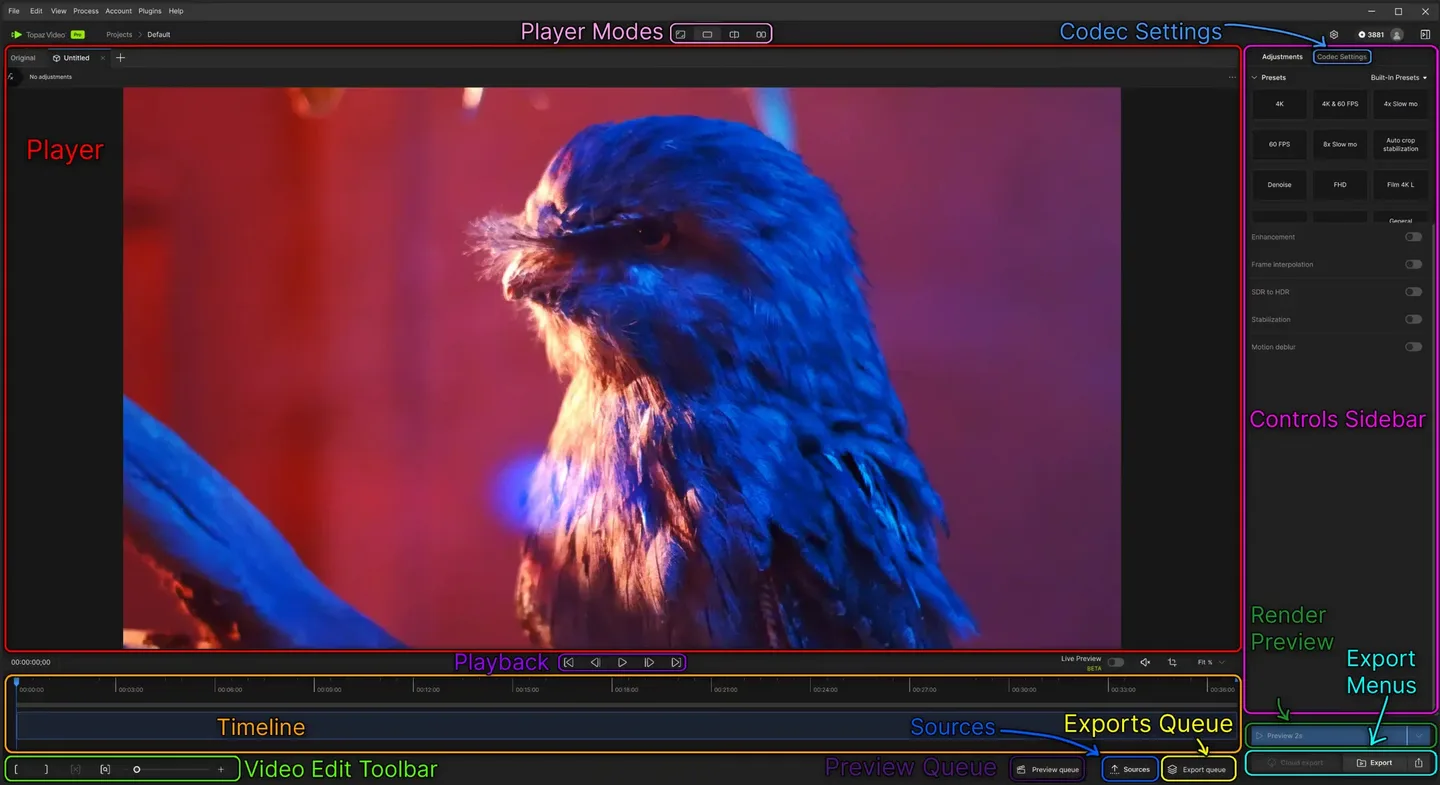
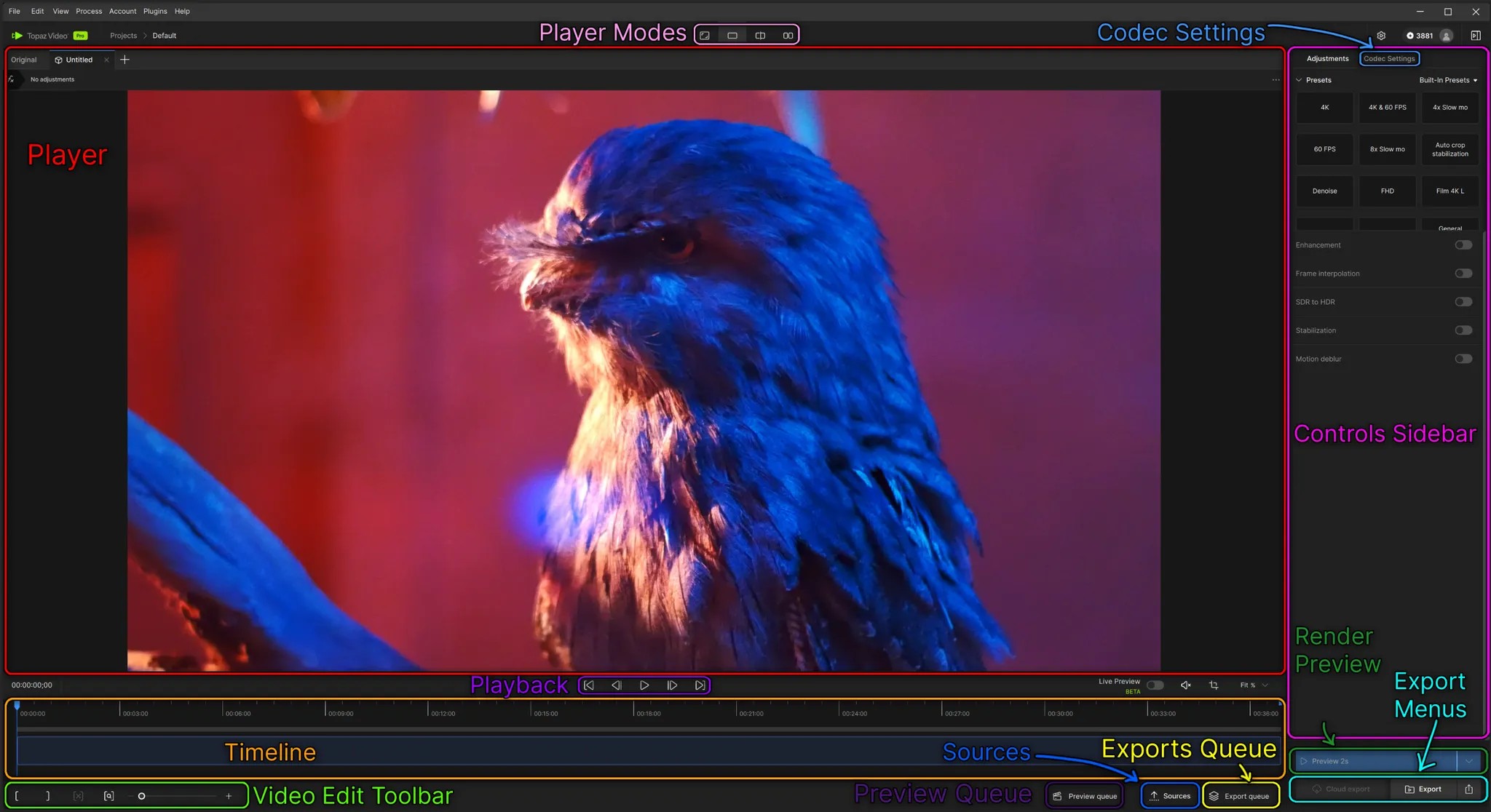
The desktop workflow lets you import a clip, choose enhancement settings, compare previews and select output codec settings before exporting. Local processing runs on your computer’s GPU; optional cloud rendering uses cloud credits. This entry links to the current Topaz Video Windows installer, not the separate browser-based service or a legacy Video AI installer. The screenshot is the publisher’s annotated Windows workspace guide.
Topaz Video is paid subscription software, available separately or within Topaz Studio. Publisher documentation describes a trial with watermarked exports. Check hardware requirements before downloading: the Windows minimum table lists 16 GB RAM and 45 GB internal storage, and warns that integrated graphics can be too slow for practical processing. Internet access is still required for activation, model downloads and updates even when rendering locally.
What it offers
- Upscale and restore low-resolution or archival video, including workflows targeting 4K output.
- Reduce noise and blur, stabilize shaky footage and interpolate frames for smoother motion or slow motion.
- Preview enhancements and choose output encoder, container and audio settings before export.
- Render locally on supported GPU hardware or use optional cloud rendering with cloud credits.
Good to know
- Trial exports carry a watermark; unrestricted exports require a paid subscription.
- Hardware requirements vary by model. The publisher lists 16 GB RAM and 45 GB internal storage as Windows minimums and warns that integrated graphics rarely deliver usable processing speeds.
- Local rendering does not remove internet requirements for activation, model downloads and updates; cloud rendering consumes credits.
- Personal subscriptions have limited commercial-use eligibility for organizations under USD 1 million annual revenue; broader commercial use requires the appropriate plan.
Product images
Sources
References used for this listing. Retrieval dates do not indicate hands-on testing.
- Topaz Video - Cinematic-Grade Video Quality Enhancement Software ↗Retrieved
- Topaz Labs | Downloads ↗Retrieved
- System Requirements | Topaz Video ↗Retrieved
- Quick Start | Topaz Video ↗Retrieved
More in multimedia & graphics
View category ↗
1by1 2.17
Play music directly from folders with 1by1, a free Windows audio player with resume, gapless playback and file tools. Formats beyond MP3 need additional decoders.
3DVista Virtual Tour Pro
Build interactive 360° virtual tours from panoramas, videos and 3D models with 3DVista Virtual Tour Pro for Windows. Commercial software with a 30-day trial.

4DDiG Video Repair
Repair corrupted or unplayable videos in batches with the Video Repair tool in 4DDiG File Repair for Windows. A free trial is available; advanced features require a paid license.