

Multimedia & graphics macOS
Tune Sweeper for macOS
Find duplicate songs, missing artwork and incorrect track details in your Mac Music library. Tune Sweeper offers a scanning trial; applying cleanup requires the paid version.
- Operating system
- macOS 11.5 Big Sur or later
- Architecture
- Intel and Apple Silicon Macs, according to publisher
- Download package
- DMG disk image
Works with the Mac Music app. CPU support is publisher-stated; the downloaded package was not inspected or run.
Link checked · Download guidance
What is Tune Sweeper?
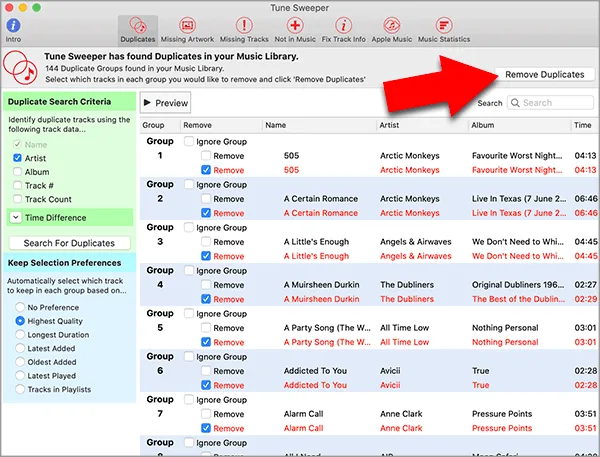
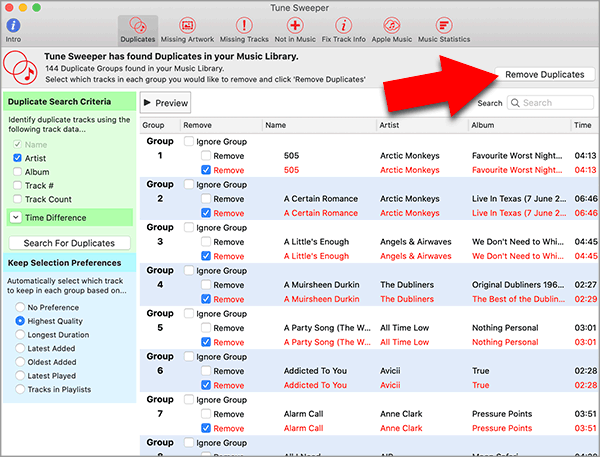
Tune Sweeper helps tidy the library in the Music app on your Mac. It groups duplicate songs so you can choose which copies to remove, either manually or using keep preferences such as highest quality or longest duration. The publisher's Mac guide says removed duplicate files go to the Trash, giving you a chance to check them before permanent deletion.
Other tools find missing artwork, suggest corrections to track information, identify entries whose files are missing and locate music on your computer that is not yet in the library. Metadata suggestions can be reviewed before saving changes to Music.
The free download is a trial, not a free library-cleaning tool: it can show potential cleanup work, but removal and saved changes require activation of the full version. The publisher currently specifies macOS 11.5 Big Sur or later on Intel or Apple Silicon Macs, with the Mac Music app. Back up your library before making changes, as the publisher's license terms require.
What it offers
- Group duplicate songs and choose copies to remove manually or with keep-selection preferences.
- Find missing album artwork and download artwork for your library.
- Review suggested track-information corrections before saving them to Music.
- Find library entries with missing files and music on your computer that is not yet in the library.
Good to know
- The trial previews cleanup results but does not remove duplicates or save changes; a purchased activation code is required.
- Requires macOS 11.5 Big Sur or later and the Mac Music app.
Product images
Sources
References used for this listing. Retrieval dates do not indicate hands-on testing.
- Download Tune Sweeper - Available for Windows and Mac ↗Retrieved
- Windows PC and Mac system Requirements | Tune Sweeper ↗Retrieved
- Thank you for downloading Tune Sweeper for Mac ↗Retrieved
- Delete Duplicates and Fix Song Data in Apple Music App on Mac ↗Retrieved
- Tune Sweeper - Terms and Conditions of Use ↗Retrieved
More in multimedia & graphics
View category ↗
1by1 2.17
Play music directly from folders with 1by1, a free Windows audio player with resume, gapless playback and file tools. Formats beyond MP3 need additional decoders.
3DVista Virtual Tour Pro
Build interactive 360° virtual tours from panoramas, videos and 3D models with 3DVista Virtual Tour Pro for Windows. Commercial software with a 30-day trial.

4DDiG Video Repair
Repair corrupted or unplayable videos in batches with the Video Repair tool in 4DDiG File Repair for Windows. A free trial is available; advanced features require a paid license.