
Multimedia & graphics Windows
TuneLab
Edit singing notes, lyrics, pitch and phonemes in TuneLab, an open-source Windows editor that uses extensions for voice synthesis engines.
- Operating system
- Windows; publisher does not specify a minimum Windows release in the cited installation guide
- Architecture
- x64
- Download package
- EXE installer
Requires the .NET 8 Desktop Runtime (x64). The publisher also offers a separate portable ZIP; non-Windows platforms require building from source.
Link checked · Download guidance
What is TuneLab?
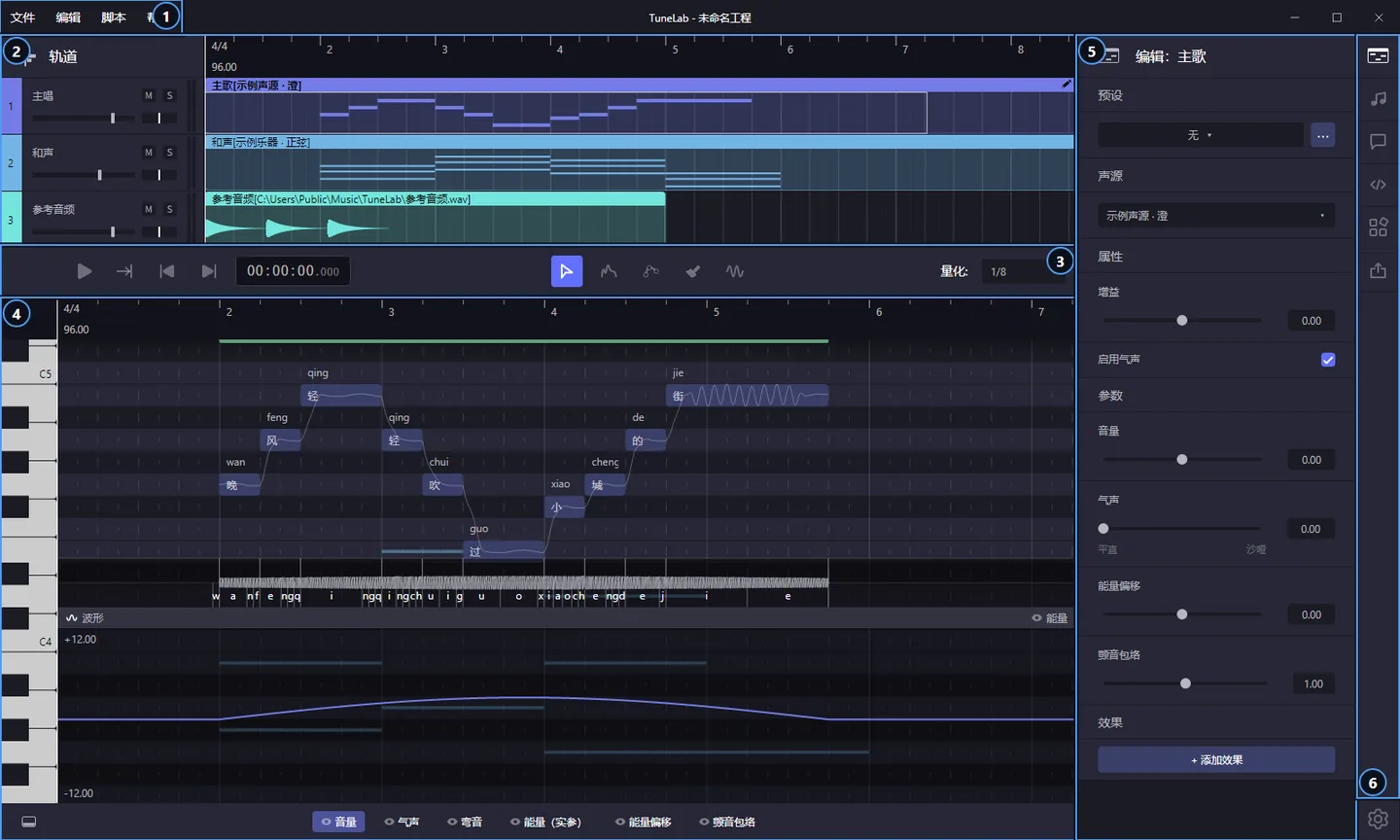
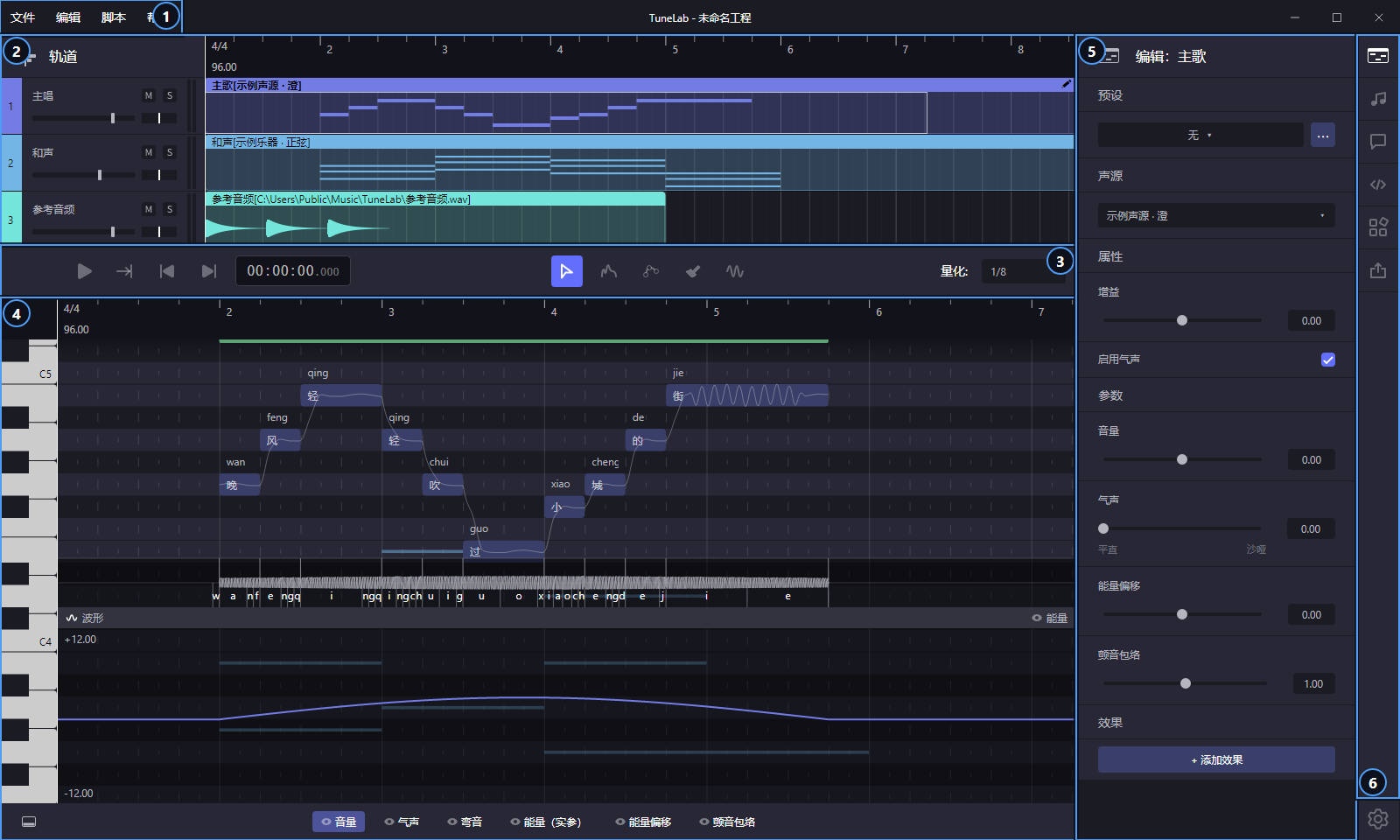
TuneLab is a singing voice synthesis editor for building vocal parts and adjusting how they are performed. Arrange tracks and parts, enter notes and lyrics in the piano roll, then shape pitch, vibrato and phoneme timing. Synthesis engines, additional project formats, instruments and effects are supplied through extensions rather than being one fixed voice system.
A first project starts with an engine extension and a voice source assigned to a part. Open that part to enter notes and lyrics, preview the result and refine its pitch. The export sidebar can write WAV, MP3, FLAC or OGG audio; TuneLab projects use .tlpx by default. Built-in scripting offers another way to make batch edits.
This download is the Windows x64 EXE installer for version 2.1.1. It installs for the current user and requires the x64 .NET 8 Desktop Runtime separately. Editing without an engine does not produce singing, so the editor alone is not a ready-to-sing voice package. The publisher also notes that its binaries are unsigned and its full manual is currently Chinese rather than English.
What it offers
- Arrange tracks and edit vocal notes, lyrics, pitch curves, vibrato and phoneme timing.
- Add synthesis engines, project formats, instruments and effects through extensions.
- Export audio as WAV, MP3, FLAC or OGG from the export sidebar.
- Use built-in scripting for batch project edits.
Good to know
- A synthesis engine extension and a suitable voice source are needed to hear singing; the editor by itself is not a bundled voice package.
- Windows x64 release packages require the .NET 8 Desktop Runtime (x64), which is not included.
- The publisher says the binaries are not code-signed; Windows may display a SmartScreen warning.
- The full user manual is currently Chinese; the publisher says an English translation is not yet available.
Product images
Sources
References used for this listing. Retrieval dates do not indicate hands-on testing.
More in multimedia & graphics
View category ↗
1by1 2.17
Play music directly from folders with 1by1, a free Windows audio player with resume, gapless playback and file tools. Formats beyond MP3 need additional decoders.
3DVista Virtual Tour Pro
Build interactive 360° virtual tours from panoramas, videos and 3D models with 3DVista Virtual Tour Pro for Windows. Commercial software with a 30-day trial.

4DDiG Video Repair
Repair corrupted or unplayable videos in batches with the Video Repair tool in 4DDiG File Repair for Windows. A free trial is available; advanced features require a paid license.