
Multimedia & graphics Windows
UltraMixer
Mix music for parties, mobile DJ sets and dance classes with UltraMixer for 64-bit Windows. Organize playlists, preview tracks and use Auto DJ; four-player and video tools depend on the paid edition.
- Operating system
- Windows (64-bit); exact current Windows-release support not confirmed
- Architecture
- 64-bit
- Download package
- EXE installer
Publisher says 64-bit only since 6.3.0. Its legacy requirements article lists Windows releases through Windows 10; Windows 11 support is not confirmed by that source.
Link checked · Download guidance
What is UltraMixer?
UltraMixer combines music-library management with DJ playback for parties, mobile events and dance classes. Its FileArchive lets you organize songs into folders and playlists and edit ID3 tags and BPM values. Prepare tracks in a waitlist, preview the next song through headphones, and blend between two players or let Auto DJ handle background playback. Playlist import and export and mix recording are also listed by the publisher.
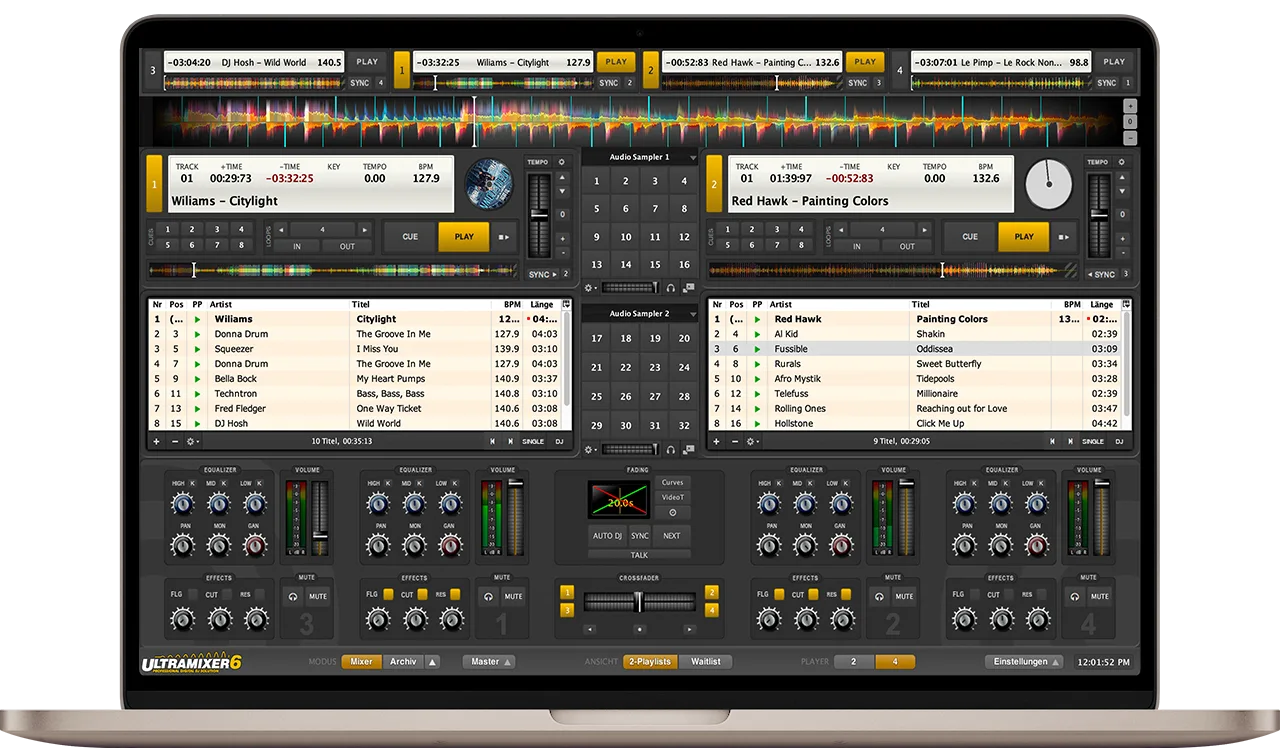
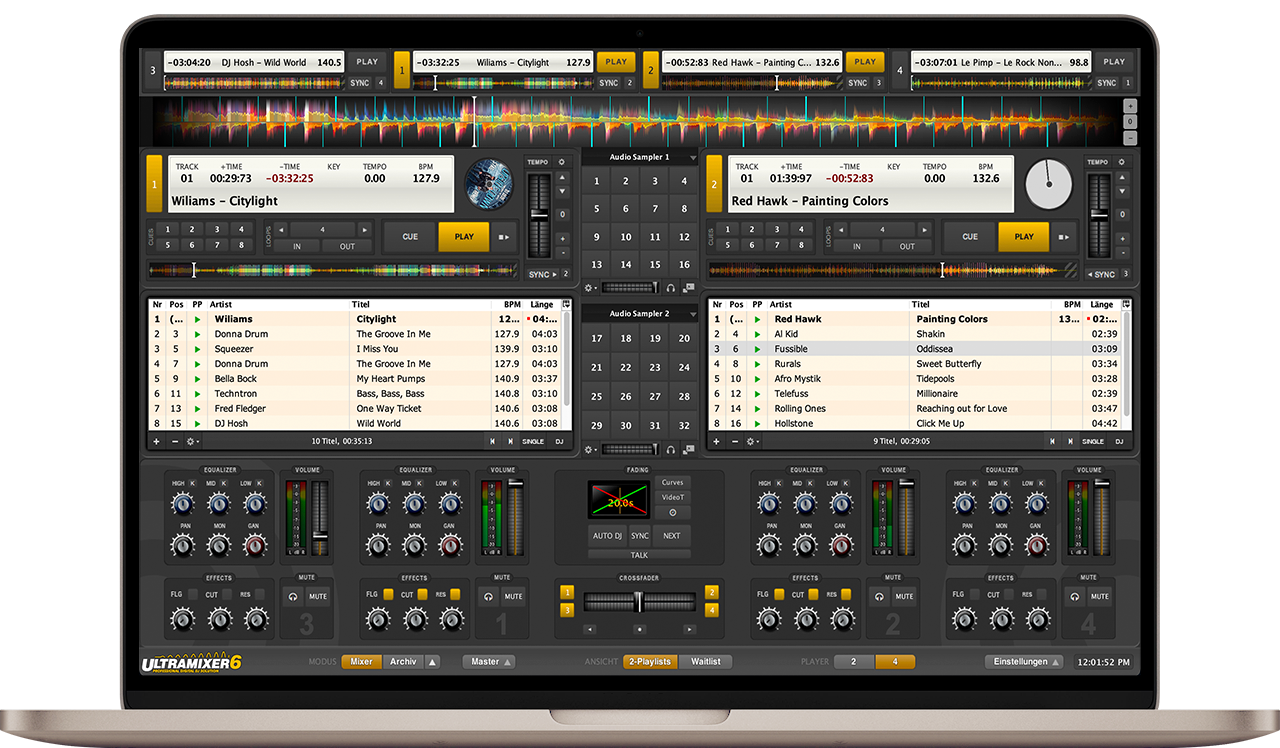
Choose the edition around the job rather than assuming every advertised tool comes with Home. Home has two-player mixing; Basic and Pro Entertain add four-player mode. Pro Entertain is the edition listed for MIDI controllers, video and karaoke playback, slideshows and multi-channel sound cards. The publisher illustration below shows the UltraMixer 6 mixer layout, not a tested Windows installation or confirmation of the exact delivered build.
The Windows download is a commercial demo/trial, with full editions sold separately. The checked publisher endpoint currently redirects to a 64-bit EXE named for version 6.4.11. The public changelog observed stops at 6.4.10, so no release date is assigned here. The requirements article still names older Windows releases through Windows 10; it does not confirm Windows 11 support for the current download.
What it offers
- Organize songs, playlists, ID3 tags and BPM values in FileArchive.
- Prepare a waitlist, preview tracks and mix between two players.
- Use Auto DJ for background playback and record music mixes.
- Import playlists from iTunes, Apple Music or M3U files; export M3U playlists or CSV setlists.
- Choose Basic or Pro Entertain for four-player mode; Pro Entertain adds MIDI-controller and video/karaoke tools.
Good to know
- Commercial demo/trial download; full editions require purchase and features differ by edition.
- Current downloads require a 64-bit system. The legacy requirements page does not explicitly establish current Windows 11 compatibility.
- The checked Windows filename identifies 6.4.11, but the observed public changelog stops at 6.4.10; the delivered build was not installed or tested.
Product images
Sources
References used for this listing. Retrieval dates do not indicate hands-on testing.
- UltraMixer - Download ↗Retrieved
- Downloads - UltraMixer ↗Retrieved
- Features - UltraMixer ↗Retrieved
- 01. System Requirements - UltraMixer ↗Retrieved
- UltraMixer Changelog - UltraMixer ↗Retrieved
More in multimedia & graphics
View category ↗
1by1 2.17
Play music directly from folders with 1by1, a free Windows audio player with resume, gapless playback and file tools. Formats beyond MP3 need additional decoders.
3DVista Virtual Tour Pro
Build interactive 360° virtual tours from panoramas, videos and 3D models with 3DVista Virtual Tour Pro for Windows. Commercial software with a 30-day trial.

4DDiG Video Repair
Repair corrupted or unplayable videos in batches with the Video Repair tool in 4DDiG File Repair for Windows. A free trial is available; advanced features require a paid license.