

Multimedia & graphics Windows
VanityFilter for Windows
Retouch skin in recorded video with VanityFilter for Windows. Preview per-face masks, adjust smoothing and export H.264 or ProRes locally; a paid license is required.
- Operating system
- Windows 10 version 1809 or later; Windows 11
- Architecture
- 64-bit
- Download package
- EXE installer
Models and codecs are included. Skin processing uses the CPU; supported NVIDIA hardware is optional for H.264 encoding. Internet access is required for activation and periodic license checks.
Link checked · Download guidance
What is VanityFilter?
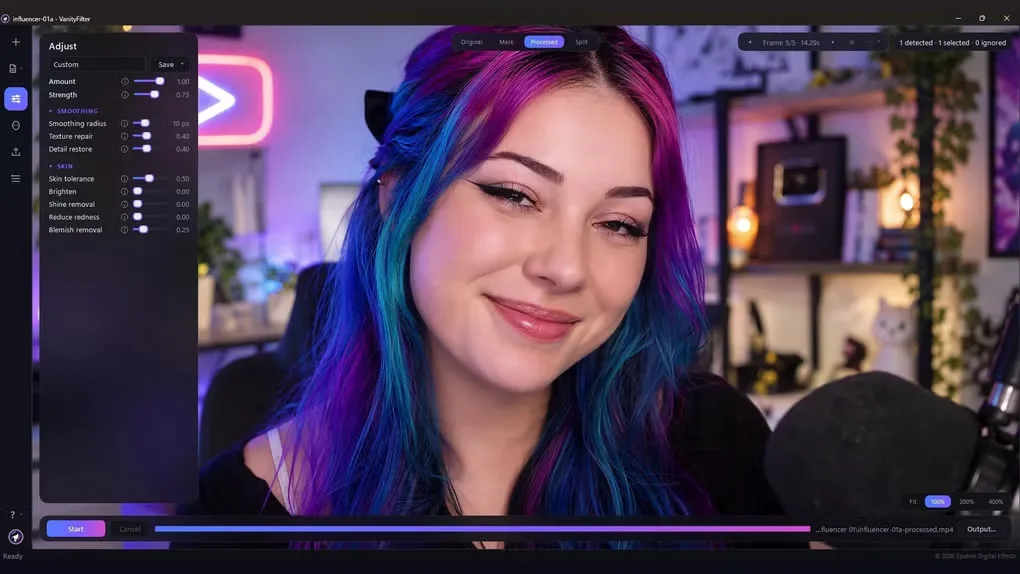
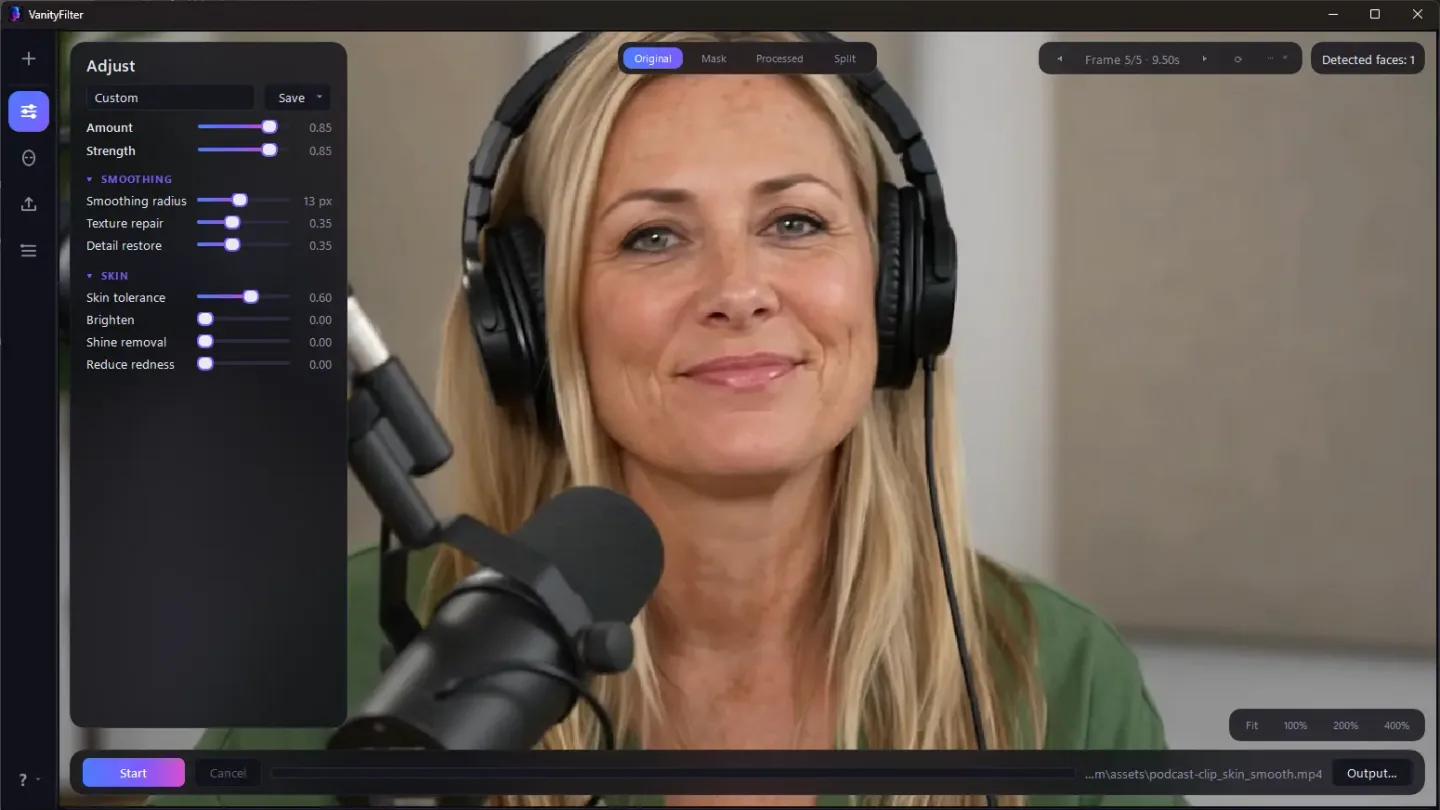
VanityFilter is a standalone video skin-retouching application for interviews, podcasts and other recorded footage. It detects up to five faces per frame and builds separate skin masks, with controls for smoothing, texture repair, detail restoration, shine and redness. Original, Mask, Processed and Split views let you inspect the treatment before exporting. Video processing stays on your computer rather than uploading footage to a cloud service.
The Windows edition accepts MP4, MOV, AVI and MKV files and exports H.264 MP4 or ProRes 422 HQ MOV, with source audio re-encoded for the output format. A grayscale mask export can be used for compositing in an editor such as Premiere Pro or DaVinci Resolve. Batch processing and an included command-line tool suit applying a saved look to multiple clips. Skin processing uses the CPU; a supported NVIDIA GPU can accelerate H.264 encoding.
This is paid software, including its 30-day demo option. Version 3.2.0 requires online activation with purchase-email verification and a successful license check at least every 30 days for continued exports. One license covers one user on two active computers shared across Windows and macOS. Variable-frame-rate footage can drift against its audio because exports use constant frame rate; convert that footage first. Very small or obscured faces may be missed, so inspect masks on difficult shots. Screenshots show the source-listed interface and an explicitly labeled older 2.0 interface, not an independently installed or tested copy of 3.2.0.
What it offers
- Detect up to five faces per frame and adjust separate skin masks while protecting facial features.
- Compare Original, Mask, Processed and Split previews while tuning skin smoothing, texture, shine and redness.
- Import MP4, MOV, AVI and MKV on Windows; export H.264 MP4 or ProRes 422 HQ MOV with audio.
- Export a grayscale mask matte for compositing in another video editor.
- Process multiple clips with the desktop queue or included command-line tool, keeping video processing local.
Good to know
- A paid license is required; the 30-day demo is also paid. Online activation includes purchase-email verification, and new exports require a successful license check at least every 30 days.
- Variable-frame-rate sources can drift against their audio in constant-frame-rate exports; convert them to constant frame rate before processing.
- Very small or heavily covered faces may be skipped; full profiles and lost facial tracking can limit protection around ears.
Product images
Sources
References used for this listing. Retrieval dates do not indicate hands-on testing.
More in multimedia & graphics
View category ↗
1by1 2.17
Play music directly from folders with 1by1, a free Windows audio player with resume, gapless playback and file tools. Formats beyond MP3 need additional decoders.
3DVista Virtual Tour Pro
Build interactive 360° virtual tours from panoramas, videos and 3D models with 3DVista Virtual Tour Pro for Windows. Commercial software with a 30-day trial.


4DDiG Video Repair
Repair corrupted or unplayable videos in batches with the Video Repair tool in 4DDiG File Repair for Windows. A free trial is available; advanced features require a paid license.