

Multimedia & graphics Windows
VCV Rack for Windows
Build virtual Eurorack synthesizer patches with VCV Rack Free for Windows. Connect modules, explore modular synthesis and control hardware through MIDI in a standalone application.
- Operating system
- Windows 7 or later, as listed by the publisher
- Architecture
- Intel/AMD x64 with SSE4.2 support
- Download package
- EXE installer (Rack Free)
Publisher lists 1 GB RAM and 1 GB disk space, and a dedicated Nvidia/AMD graphics card from 2013 or later with a recent driver. This is the Windows x64 package.
Link checked · Download guidance
What is VCV Rack?
VCV Rack turns modular synthesis into a virtual Eurorack workspace. Connect modules with patch cables to build sounds, process live audio or compose generative rhythms and melodies. Polyphonic cables, module presets and patch recall let you return to a setup without repatching physical hardware.
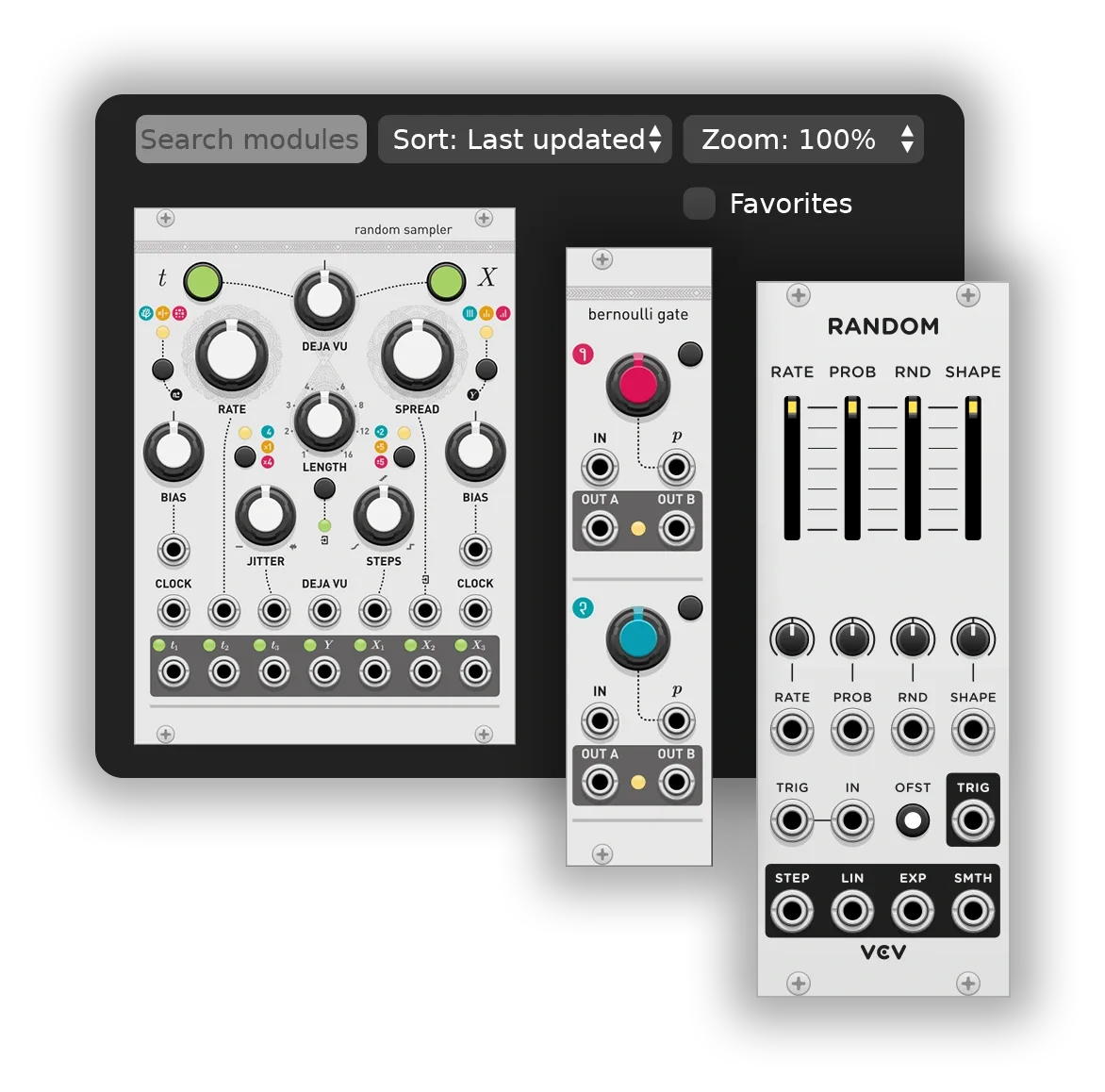
The module browser provides search, sorting, favorites and zoom controls for exploring your collection. You can save and share selections of modules rather than only whole patches. Audio and control-voltage input/output, plus polyphonic MIDI input/output, provide connections to external equipment.
This entry links to Rack Free 2.6.6, the standalone Windows x64 edition. Running Rack as a DAW plugin requires the separate Rack Pro edition; hosting VST plugins inside Rack requires the separately purchased VCV Host add-on. The publisher recommends a dedicated graphics card and warns that integrated graphics can substantially increase CPU usage.
What it offers
- Create virtual Eurorack patches for sound design, live audio processing and generative composition.
- Use polyphonic cables, module presets and patch recall to manage synthesizer setups.
- Search, sort, favorite and zoom modules in the module browser.
- Save, share, edit and move selections of modules.
- Connect external equipment through audio or control-voltage input/output and polyphonic MIDI input/output.
Good to know
- Rack Free runs standalone; using Rack as a DAW plugin requires Rack Pro.
- Hosting VST plugins inside Rack requires the separately purchased VCV Host add-on.
- Integrated graphics are not recommended by the publisher and may significantly increase CPU usage.
Product images
Sources
References used for this listing. Retrieval dates do not indicate hands-on testing.
More in multimedia & graphics
View category ↗
1by1 2.17
Play music directly from folders with 1by1, a free Windows audio player with resume, gapless playback and file tools. Formats beyond MP3 need additional decoders.
3DVista Virtual Tour Pro
Build interactive 360° virtual tours from panoramas, videos and 3D models with 3DVista Virtual Tour Pro for Windows. Commercial software with a 30-day trial.

4DDiG Video Repair
Repair corrupted or unplayable videos in batches with the Video Repair tool in 4DDiG File Repair for Windows. A free trial is available; advanced features require a paid license.