
Multimedia & graphics Windows
Vextractor
Convert scanned drawings, maps and logos into editable vector files with Vextractor for Windows. Includes raster cleanup and a vector editor; the download is a 64-bit demo.
- Operating system
- Windows XP/2003/Vista/7/8/8.1/10 (publisher-listed)
- Architecture
- x64 (64-bit)
- Download package
- EXE demo installer
Separate Win32 package available. Publisher does not list Windows 11; compatibility was not tested.
Link checked · Download guidance
What is Vextractor?
Vextractor turns raster images into vector data for further editing in CAD, GIS or illustration software. It can convert scanned drawings and logos to formats such as DXF, SVG and EPS, while its GIS outputs include Shape and MapInfo MID/MIF. Use it when you need editable lines and curves rather than a bitmap placed inside a drawing.
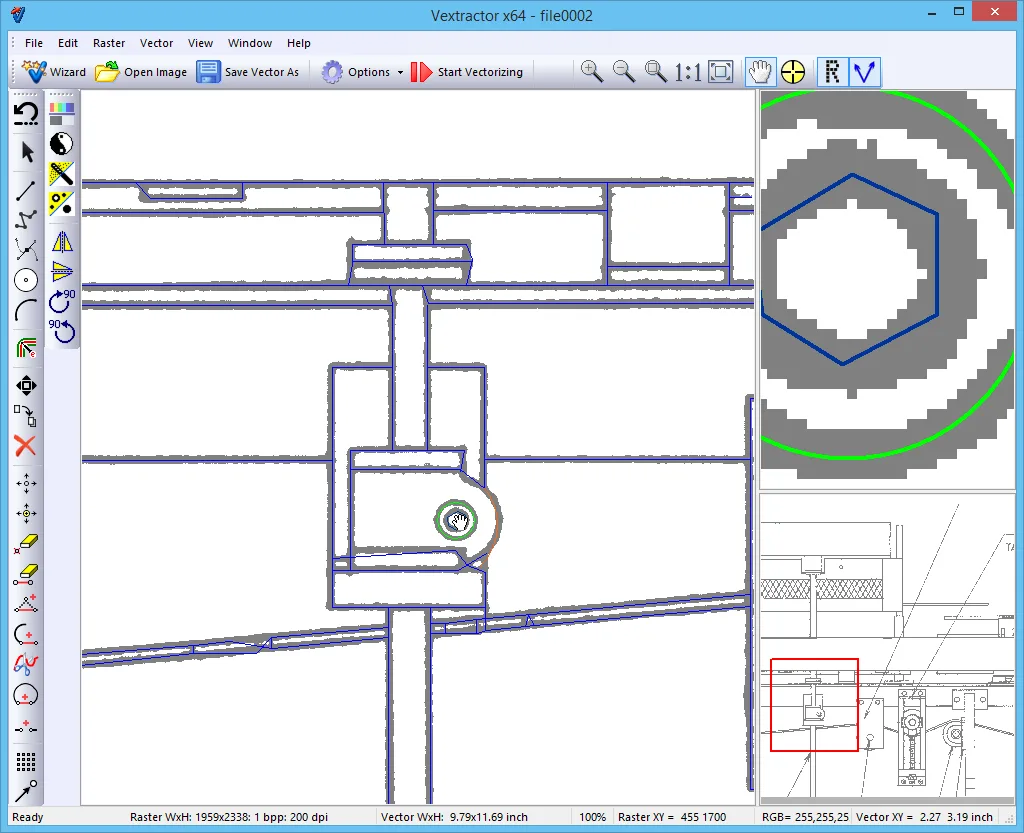
The publisher’s drawing workflow starts with a raster image, applies cleanup filters, runs vectorization and saves the resulting vectors. A built-in vector editor lets you correct those results before passing them to another application. Median filtering, removal of isolated spots and recognition of circles, arcs and orthogonal lines are aimed at preparing and tracing technical drawings.
Automatic tracing is not exact reconstruction: the publisher warns that poor source quality can make a scan unsuitable for vectorization or further editing. Check the converted geometry against the original. This entry links to the Vextractor 7.20 x64 demo; the full version requires a paid license. The publisher lists Windows versions through Windows 10 and does not establish Windows 11 compatibility.
What it offers
- Convert raster drawings, maps and logos to vector formats including DXF, SVG, EPS and AI.
- Prepare source images with median, despeckle and isolated-spot removal filters.
- Correct traced geometry using the built-in vector editor.
- Recognize circles, arcs and orthogonal lines in technical drawings.
- Export GIS data to Shape and MapInfo MID/MIF, with coordinate referencing support.
Good to know
- Automatic vectorization can require manual correction; the publisher says poor-quality scans may be unsuitable for conversion.
- The linked x64 package is a demo, not the paid full version. Trial duration and demo restrictions are not established by the retained source pages.
- Publisher compatibility information stops at Windows 10; Windows 11 support is not confirmed.
Product images
Sources
References used for this listing. Retrieval dates do not indicate hands-on testing.
- Raster to Vector Conversion Software Vextractor ↗Retrieved
- Download Vectorizer - Raster to Vector Conversion Software. ↗Retrieved
- VextraSoft - Drawing Raster to Vector Conversion Tutorial. ↗Retrieved
- Vextractor end-user license agreement ↗Retrieved
- Buy Vextractor - Raster to Vector Conversion Software ↗Retrieved
More in multimedia & graphics
View category ↗
1by1 2.17
Play music directly from folders with 1by1, a free Windows audio player with resume, gapless playback and file tools. Formats beyond MP3 need additional decoders.
3DVista Virtual Tour Pro
Build interactive 360° virtual tours from panoramas, videos and 3D models with 3DVista Virtual Tour Pro for Windows. Commercial software with a 30-day trial.

4DDiG Video Repair
Repair corrupted or unplayable videos in batches with the Video Repair tool in 4DDiG File Repair for Windows. A free trial is available; advanced features require a paid license.