
Multimedia & graphics Windows
Video Thumbnails Maker
Create video contact sheets, select frames manually and make animated previews with Video Thumbnails Maker for Windows. This entry links to the publisher’s 64-bit ZIP package.
- Operating system
- Windows; exact supported versions not confirmed
- Architecture
- x64 download; separate x86 package available
- Download package
- ZIP setup package
Requires Microsoft .NET Framework 4.8+. The publisher recommends x64 for 64-bit Windows. Screenshots are illustrative source images, not verified captures of version 28 or this x64 package.
Link checked · Download guidance
What is Video Thumbnails Maker?
Video Thumbnails Maker turns video files into thumbnail sheets, individual screenshots and animated previews. It is aimed at cataloging a video collection or showing what a clip contains without presenting only a single cover image. Batch processing, manual frame selection and configurable tile layouts let you choose between a repeatable overview and a deliberately selected set of scenes.
Time stamps, technical-information overlays, backgrounds and saved .vtm settings help keep sheets consistent across a collection. The bundled Pictures Thumbnails Viewer can open a related video at the moment represented by a thumbnail, but that interaction requires VTX picture files rather than an ordinary exported image.
The publisher catalog lists version 28.0.0.0 and separate 32-bit and 64-bit Windows packages; the direct link here selects the 64-bit ZIP. Microsoft .NET Framework 4.8 or later is required. Exact Windows-version support and publisher licensing or paid-feature boundaries were not established from the consulted official pages. Softonic’s Free label should not be read as proof that every feature is unrestricted.
What it offers
- Process multiple video files into thumbnail sheets or separate frame images.
- Select shots manually and customize tile layouts, backgrounds, time stamps and technical-information overlays.
- Create animated previews in MP4, WebP, WebM, OGV or GIF formats.
- Save and reuse .vtm options, or invoke processing through the command-line interface.
- Use VTX sheets with Pictures Thumbnails Viewer to jump to the corresponding moment in the related video.
Good to know
- Microsoft .NET Framework 4.8 or later is required; exact supported Windows versions were not confirmed from the consulted publisher pages.
- The publisher states a maximum animation length of two minutes.
- Jumping from a thumbnail to its video moment requires VTX picture files.
- Publisher licensing terms and paid-feature restrictions were not confirmed; Softonic labels the application Free.
Choose a contact sheet, separate captures or animation
Use a thumbnail sheet when several moments need to be visible together, or save tiles separately when individual captures are the desired output. Manual shot selection is useful when the chosen scenes matter more than an automatically arranged overview. The publisher also supports animated sheets and continuous animations, with a stated two-minute animation limit.
For interactive browsing in Pictures Thumbnails Viewer, generate VTX picture files. A standard picture export and a VTX sheet do not provide the same video-launch behavior.
Which Windows download this page links to
The selected download is the publisher’s VideoThumbnailsMaker_64bit_Setup.zip, listed under version 28.0.0.0. The same publisher catalog offers a separate 32-bit package; these are architecture choices for one application, not separate products.
Version 28 adds an output-folder option called One Level Down and the /separate command-line flag for saving frame captures separately. The source screenshots illustrate the interface but do not establish the appearance of that release. No installation or application runtime testing was performed for this entry.
Product images
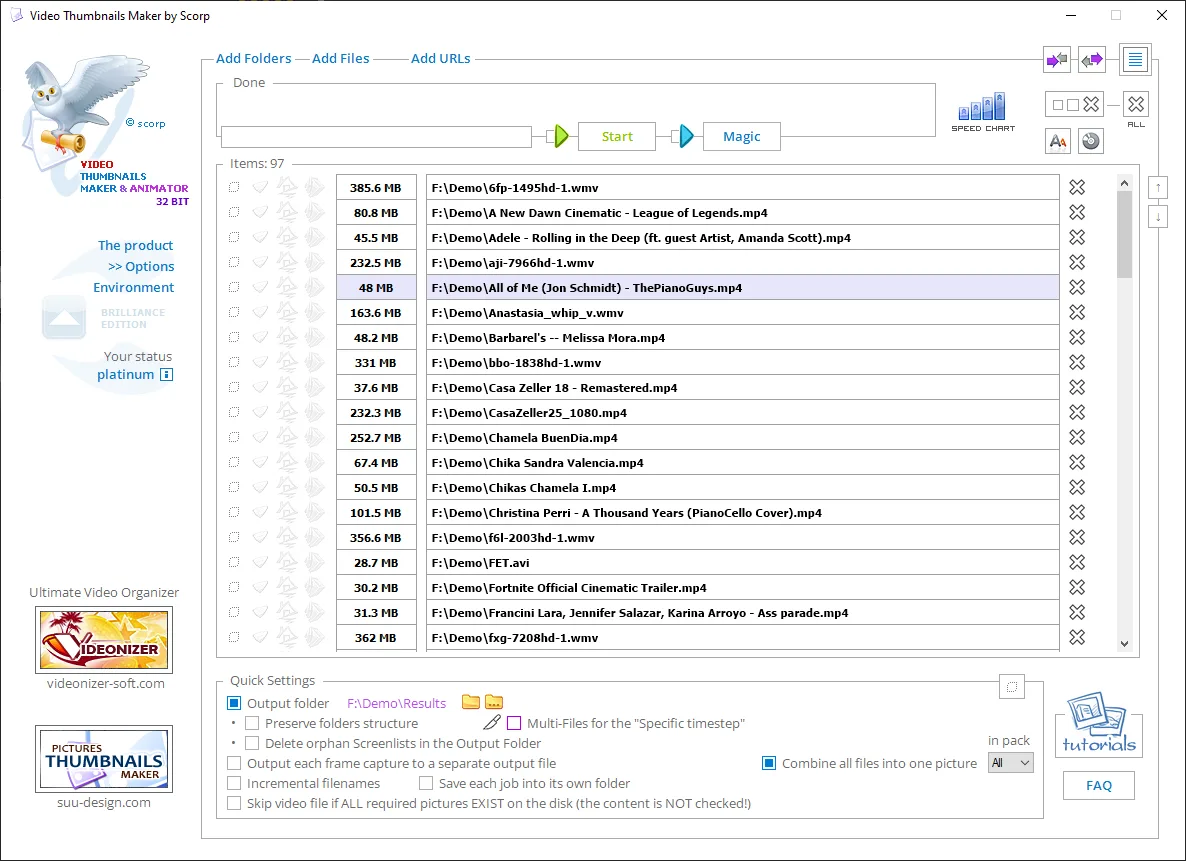
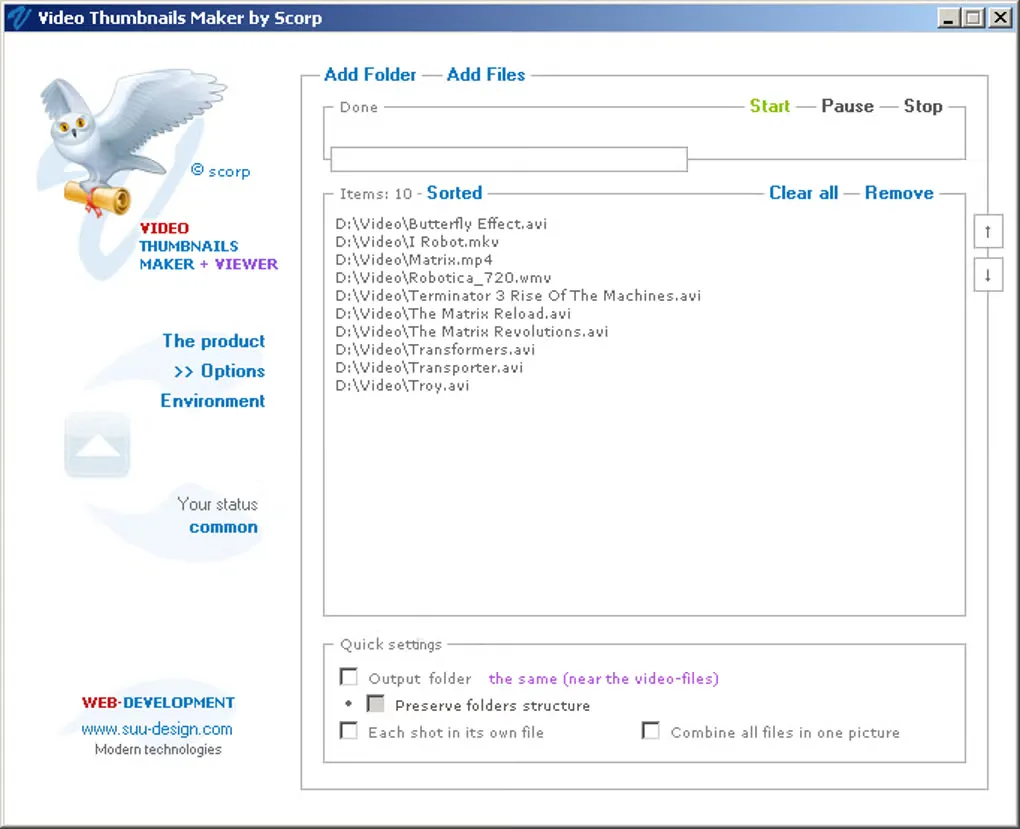
Sources
References used for this listing. Retrieval dates do not indicate hands-on testing.
More in multimedia & graphics
View category ↗
1by1 2.17
Play music directly from folders with 1by1, a free Windows audio player with resume, gapless playback and file tools. Formats beyond MP3 need additional decoders.
3DVista Virtual Tour Pro
Build interactive 360° virtual tours from panoramas, videos and 3D models with 3DVista Virtual Tour Pro for Windows. Commercial software with a 30-day trial.

4DDiG Video Repair
Repair corrupted or unplayable videos in batches with the Video Repair tool in 4DDiG File Repair for Windows. A free trial is available; advanced features require a paid license.