
Multimedia & graphics Windows
VideOCR
Extract burned-in subtitles from videos into SRT files with VideOCR for Windows, using local PaddleOCR or optional Google Lens recognition.
- Operating system
- Windows
- Architecture
- x64 (64-bit)
- Download package
- EXE setup installer — CPU build
Publisher provides separate CUDA GPU builds. A precise minimum Windows version is not established by the cited publisher documentation.
Link checked · Download guidance
What is VideOCR?
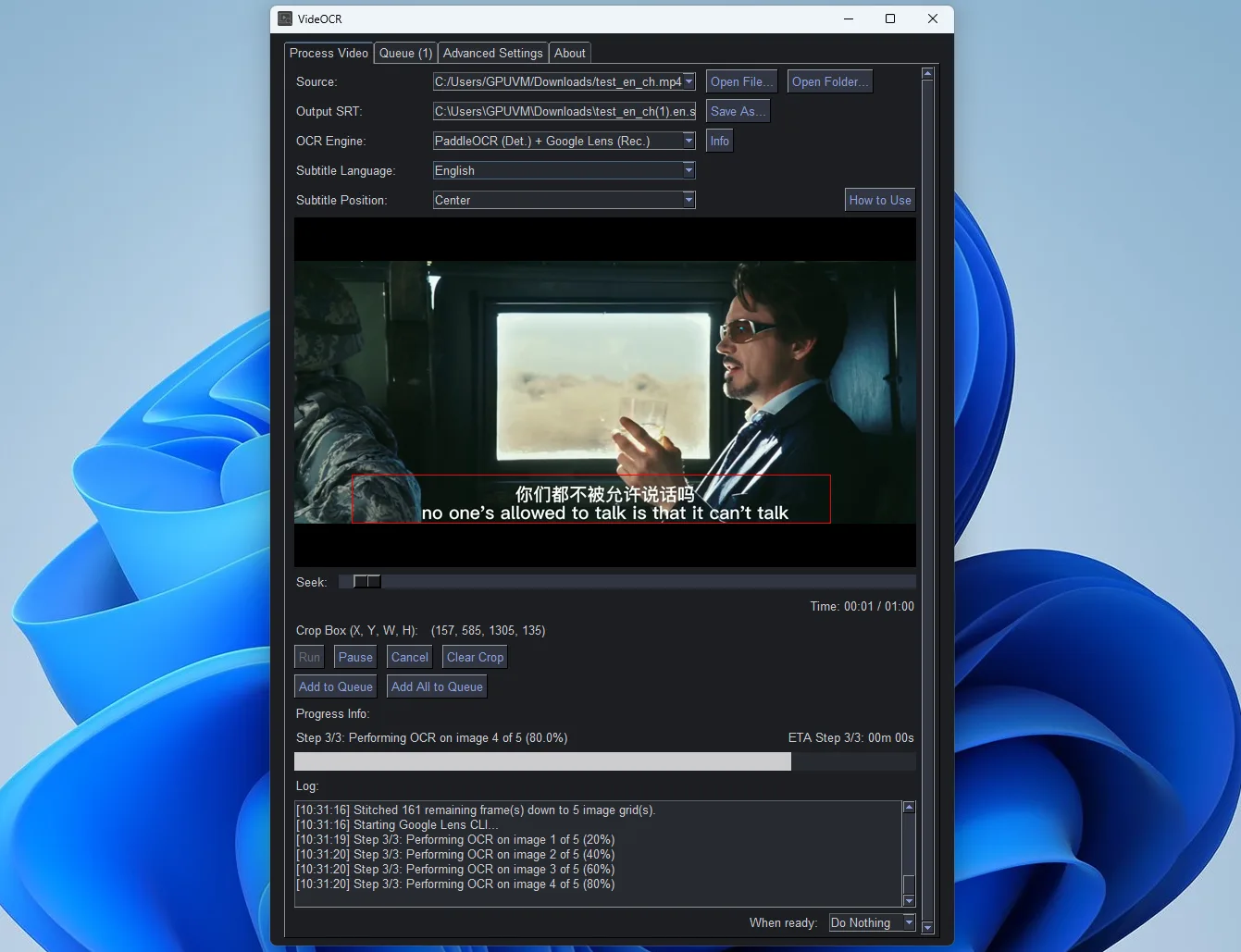
VideOCR turns subtitles embedded in video frames into a separate SRT file. Open a video, find a frame with subtitles, and draw a crop box around the text before starting OCR. The timeline and preview help select the subtitle region; a queue supports processing multiple videos. This is text recognition from visible subtitles, not speech transcription.
Choose PaddleOCR for local detection and recognition, or use the hybrid Google Lens mode, which keeps detection local and sends recognition work to the cloud. Language support depends on the chosen engine. Advanced settings expose crop, timing and recognition controls, and the project also offers a separate command-line edition.
The linked download is the publisher’s version 1.6.0 CPU installer for 64-bit Windows. GPU installers are separate packages matched to supported NVIDIA hardware. Local OCR can be slow on a CPU; Google Lens recognition requires an active internet connection, so that mode is not an offline alternative.
What it offers
- Recognize burned-in subtitle text and save a separate SRT subtitle file.
- Preview and seek through video, then draw a crop box around the subtitle region.
- Choose local PaddleOCR or hybrid PaddleOCR detection with Google Lens recognition.
- Queue multiple videos and adjust OCR and timing options in advanced settings.
Good to know
- Local PaddleOCR processing can be slow on a CPU; GPU acceleration uses separate packages and compatible hardware.
- Google Lens mode requires an active internet connection and performs text recognition in the cloud.
- Supported recognition languages depend on the OCR engine selected.
Product images
Sources
References used for this listing. Retrieval dates do not indicate hands-on testing.
More in multimedia & graphics
View category ↗
1by1 2.17
Play music directly from folders with 1by1, a free Windows audio player with resume, gapless playback and file tools. Formats beyond MP3 need additional decoders.
3DVista Virtual Tour Pro
Build interactive 360° virtual tours from panoramas, videos and 3D models with 3DVista Virtual Tour Pro for Windows. Commercial software with a 30-day trial.


4DDiG Video Repair
Repair corrupted or unplayable videos in batches with the Video Repair tool in 4DDiG File Repair for Windows. A free trial is available; advanced features require a paid license.