

Multimedia & graphics Windows
VideoProc Converter AI for Windows
Convert and compress video, upscale footage with AI, and record your screen with VideoProc Converter AI for Windows. The free trial has export limits; full use requires a paid license.
- Operating system
- Windows 7, 8/8.1, 10 and 11, as listed by the publisher
- Architecture
- 64-bit
- Download package
- EXE installer
This link is the 64-bit package; a separate 32-bit installer exists. AI tools have additional GPU/API requirements and list at least 2GB RAM and 1GB disk space.
Link checked · Download guidance
What is VideoProc Converter AI?
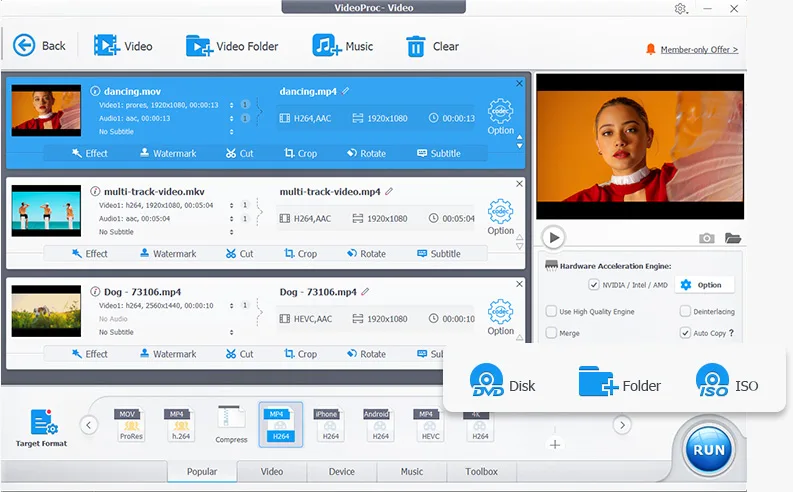
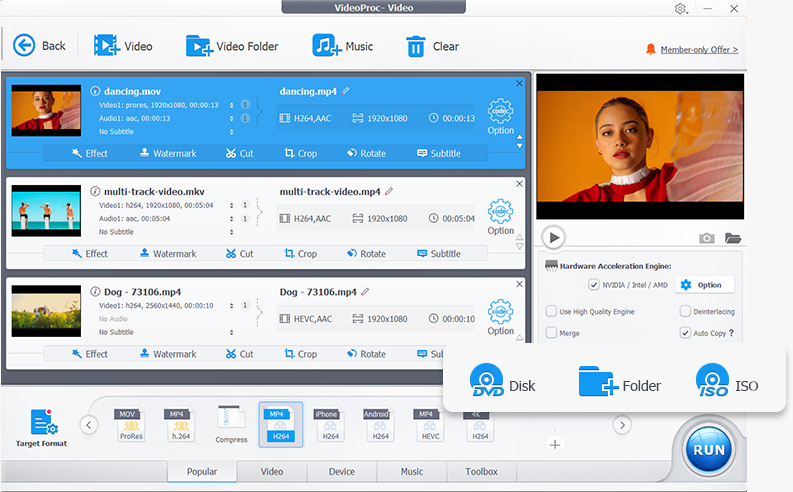
VideoProc Converter AI combines video conversion, compression and AI enhancement in a Windows desktop application. Use it to prepare camera footage for a different device, reduce a file for sharing, extract audio or convert DVD content. It supports formats such as MP4, MOV and MKV, with controls for resolution, frame rate and bitrate. Basic editing tools cover cutting, cropping, merging and subtitles.
Its AI tools include video upscaling, frame interpolation and stabilization, alongside image enhancement and audio noise removal. Screen and webcam recording are also included. Hardware acceleration is available on supported Intel, NVIDIA and AMD hardware, but AI tools have their own graphics API and resource requirements: basic conversion compatibility does not establish compatibility with every AI model.
This is commercial software with a free trial, not an unrestricted free converter. The publisher lists files under five minutes for trial conversion and compression, five watermark-free exports for several AI tools, and watermarked screen recordings on Windows. Check those limits and the AI hardware requirements before choosing it for a longer project. The linked download is the publisher's 64-bit Windows EXE; a separate 32-bit download is available from the publisher.
What it offers
- Convert video and audio, extract audio from video, and convert DVD content to supported formats.
- Compress videos with target-size, bitrate, resolution and frame-rate controls.
- Cut, crop, merge and rotate clips, and add subtitles.
- Use AI video upscaling, frame interpolation and stabilization, plus image enhancement and audio noise removal.
- Record a Windows screen or webcam, including picture-in-picture capture.
Good to know
- The free trial lists files under five minutes for conversion and compression; several AI tools are limited to five watermark-free exports, and Windows screen recordings carry a watermark.
- AI tools require more resources than basic conversion and have model-specific GPU and API requirements; frame interpolation requires a GPU with Vulkan 1.2 or later.
Product images
Sources
References used for this listing. Retrieval dates do not indicate hands-on testing.
More in multimedia & graphics
View category ↗
1by1 2.17
Play music directly from folders with 1by1, a free Windows audio player with resume, gapless playback and file tools. Formats beyond MP3 need additional decoders.
3DVista Virtual Tour Pro
Build interactive 360° virtual tours from panoramas, videos and 3D models with 3DVista Virtual Tour Pro for Windows. Commercial software with a 30-day trial.

4DDiG Video Repair
Repair corrupted or unplayable videos in batches with the Video Repair tool in 4DDiG File Repair for Windows. A free trial is available; advanced features require a paid license.