
Multimedia & graphics macOS
VirtualDJ for macOS
Mix audio and video, organize tracks and use stems for live remixes with VirtualDJ for Mac. Free computer-only, non-professional use; controllers and paid gigs need an appropriate license.
- Operating system
- Publisher lists macOS 12, 13, 14, 15 and 26
- Architecture
- Package architecture not independently verified; publisher recommends Apple Silicon M1 or better
- Download package
- PKG installer
Publisher recommends macOS 13 or newer and at least 8 GB RAM. Stems 2.0/fluid grid specify macOS 14.4+, Apple Silicon M1+ and 16 GB RAM. Older macOS versions require legacy builds.
Link checked · Download guidance
What is VirtualDJ?
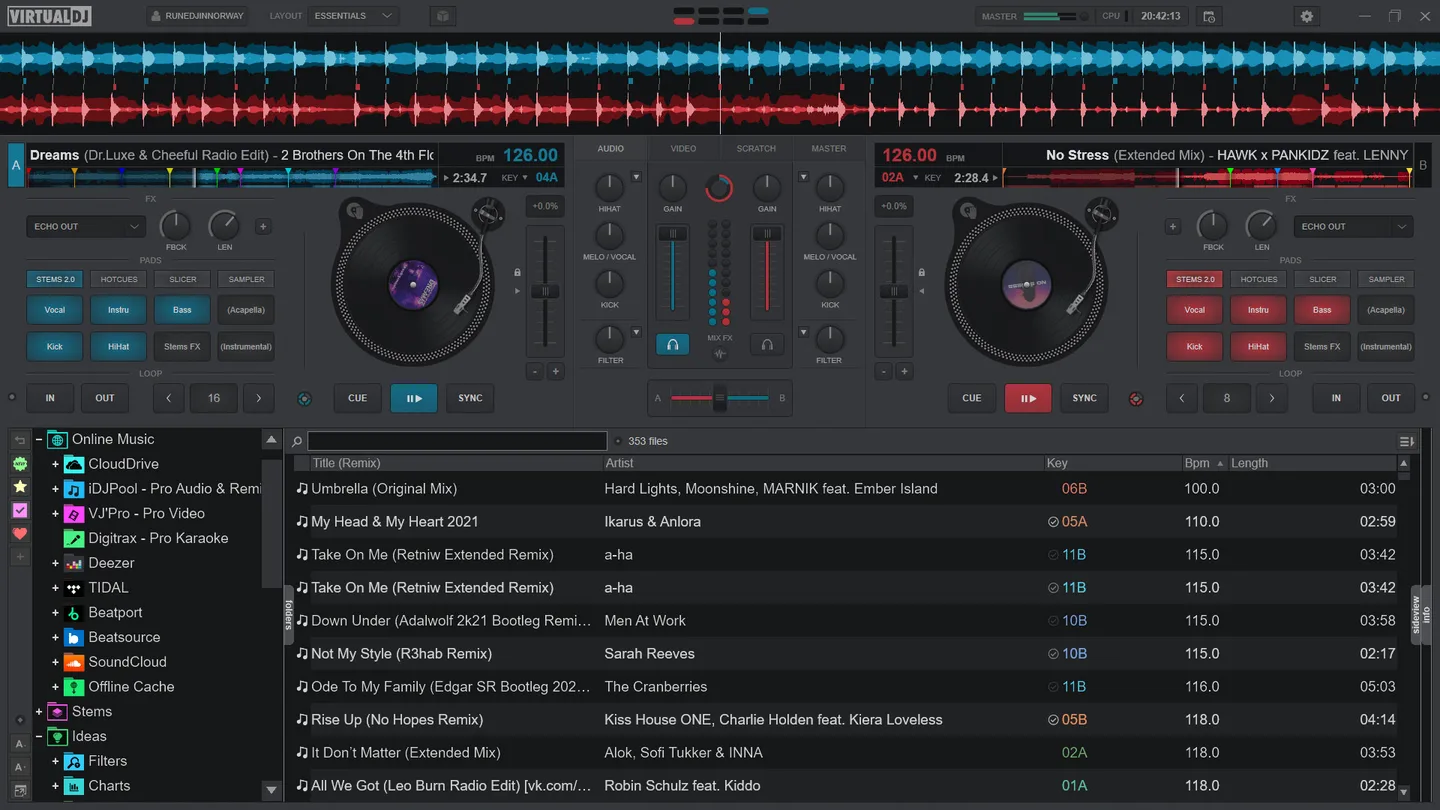
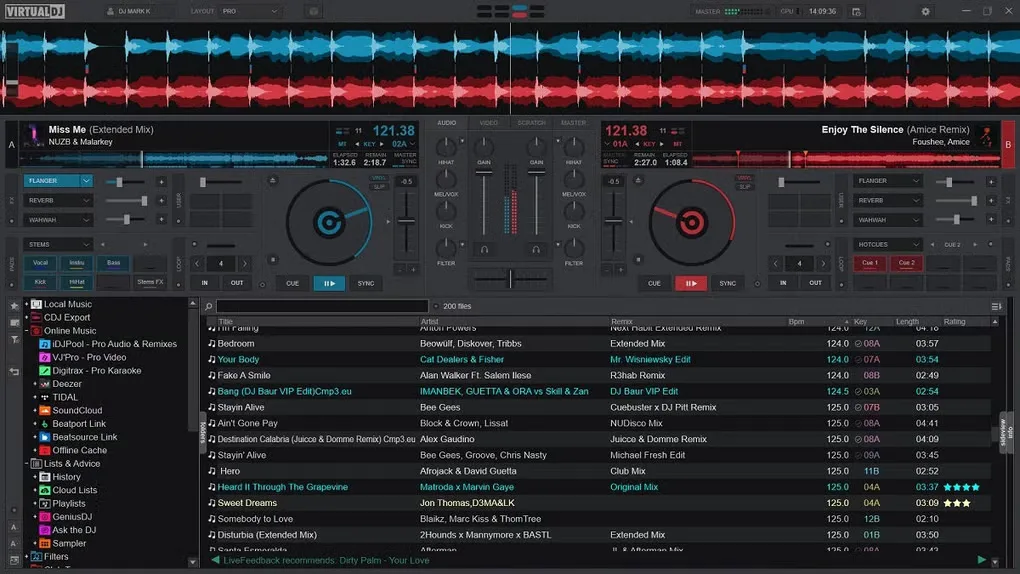
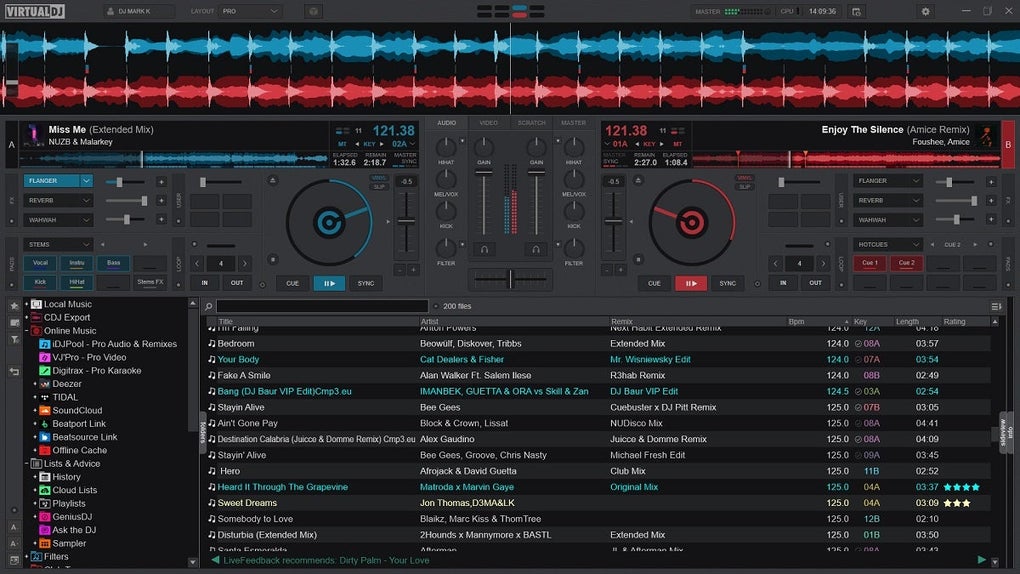
VirtualDJ turns your Mac into a multi-deck DJ mixer for practicing transitions, preparing playlists and performing sets. On-screen decks combine waveforms, cue points, loops, EQ, filters and effects, so you can start mixing without a controller. Its library browser helps organize tracks with folders, lists and search.
Real-time stems separate elements such as vocals and instruments for mashups and transitions. The software also offers video mixing, karaoke playback, sampling and mix recording. Some advanced AI features are reserved for Pro users, and the publisher specifies higher Mac requirements for stems 2.0 and fluid grid.
The free option is for non-professional use without professional DJ equipment. A Home license supports eligible entry-level controllers but keeps audio and video branding; earning money with VirtualDJ requires Pro. The linked publisher package is VirtualDJ 2026 build 9729. Use the dedicated requirements page rather than older compatibility labels: it lists macOS 12 through 15 and macOS 26, with macOS 14.4 or newer, Apple Silicon and 16 GB RAM specified for stems 2.0 and fluid grid.
What it offers
- Mix on multiple decks using waveforms, hot cues, loops, sync, EQ and filters.
- Separate vocals, instruments and percussion with real-time stems for remixes.
- Organize a track library with search, folders, filters and lists.
- Mix video, play karaoke and use audio/video effects and samples.
- Record audio or video mixes with the built-in recording tools.
Good to know
- Free use excludes professional work and professional DJ equipment; earning money with the software requires a Pro license.
- Home licensing is limited to eligible entry-level controllers and retains video-logo and audio-drop branding; some advanced AI features require Pro.
- Stems 2.0 and fluid grid have higher requirements: macOS 14.4 or newer, Apple Silicon M1 or better and 16 GB RAM.
Product images
Sources
References used for this listing. Retrieval dates do not indicate hands-on testing.
- VirtualDJ - The #1 Most Popular DJ Software ↗Retrieved
- VirtualDJ - Features ↗Retrieved
- VirtualDJ - Price and Licenses ↗Retrieved
- VirtualDJ - Download VirtualDJ ↗Retrieved
- VirtualDJ - VDJPedia - Minimum system requirements ↗Retrieved
- VirtualDJ - Screenshots ↗Retrieved
- Homebrew cask metadata — VirtualDJ ↗Retrieved
- VirtualDJ for Mac - Download ↗Retrieved
More in multimedia & graphics
View category ↗
1by1 2.17
Play music directly from folders with 1by1, a free Windows audio player with resume, gapless playback and file tools. Formats beyond MP3 need additional decoders.
3DVista Virtual Tour Pro
Build interactive 360° virtual tours from panoramas, videos and 3D models with 3DVista Virtual Tour Pro for Windows. Commercial software with a 30-day trial.

4DDiG Video Repair
Repair corrupted or unplayable videos in batches with the Video Repair tool in 4DDiG File Repair for Windows. A free trial is available; advanced features require a paid license.