

Multimedia & graphics Windows
Vov Music Player for Windows
Play local audio files or a network stream with Vov Music Player, a free Windows player with tray controls, shuffle, an equalizer and synchronized lyrics.
- Operating system
- Windows 11, 10, 8/8.1, 7 and Vista
- Architecture
- 32-bit and 64-bit Windows supported; executable architecture not independently inspected
- Download package
- EXE installer; separate portable edition offered by publisher
Compatibility is publisher-listed, not locally tested. The direct installer link is not version-pinned.
Link checked · Download guidance
What is Vov Music Player?
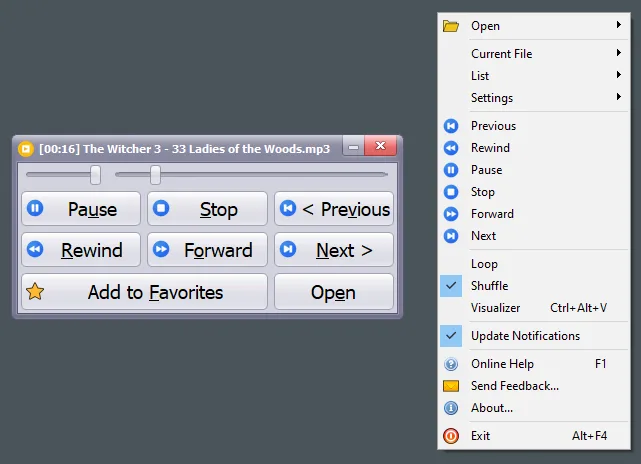
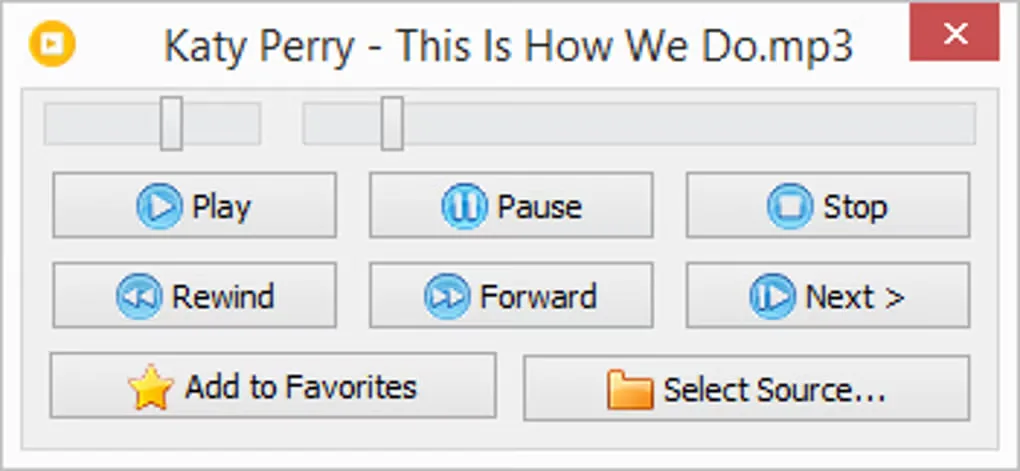
Vov Music Player plays music from a selected folder or individual files, with playback controls available from its window and system tray menu. It supports formats including FLAC, MP3, OGG, OPUS, M4A, WAV and MIDI. Sequential playback, shuffle and favorites suit listening to an existing music collection without keeping a large player window open.
The player includes an equalizer, pitch and tempo adjustments, DSP effects and a visualizer. It can track how often tracks are started or completed, display synchronized lyrics and open an online audio stream from a supplied URL. These are publisher-described features, not results of an installation or listening test.
The linked EXE is the Windows installer. Vovsoft offers a separate portable edition for running the player from a chosen folder or removable drive; the installer download is not that portable package.
What it offers
- Play local folders or individual audio files, including FLAC, MP3, OGG, OPUS, M4A, WAV and MIDI.
- Control playback through the system tray menu; choose sequential or random playback and save favorites.
- Adjust sound with an equalizer, pitch and tempo controls, and DSP effects such as echo and flanger.
- Display synchronized lyrics and a visualizer, and track per-song playback statistics.
- Open a network audio stream by entering its URL.
Good to know
- This download is the installer; the portable edition is a separate package.
Product images
Sources
References used for this listing. Retrieval dates do not indicate hands-on testing.
- Vov Music Player for PC | Lightweight audio player ↗Retrieved
- Vov Music Player - Download ↗Retrieved
- Vov Music Player Version History - Vovsoft ↗Retrieved
- Vov Music Player — publisher PAD metadata ↗Retrieved
- Difference between Installer and Portable Editions - Vovsoft ↗Retrieved
- Vov Music Player EULA - Vovsoft ↗Retrieved
More in multimedia & graphics
View category ↗
1by1 2.17
Play music directly from folders with 1by1, a free Windows audio player with resume, gapless playback and file tools. Formats beyond MP3 need additional decoders.
3DVista Virtual Tour Pro
Build interactive 360° virtual tours from panoramas, videos and 3D models with 3DVista Virtual Tour Pro for Windows. Commercial software with a 30-day trial.

4DDiG Video Repair
Repair corrupted or unplayable videos in batches with the Video Repair tool in 4DDiG File Repair for Windows. A free trial is available; advanced features require a paid license.