
Multimedia & graphics Windows
TSR Watermark Image
Add text, logos and other visible watermarks to batches of photos on Windows. The trial adds an unregistered notice; paid editions unlock additional features.
Version 3.7.2.3 · Direct publisher file
Link checked · Download guidance
What is TSR Watermark Image?
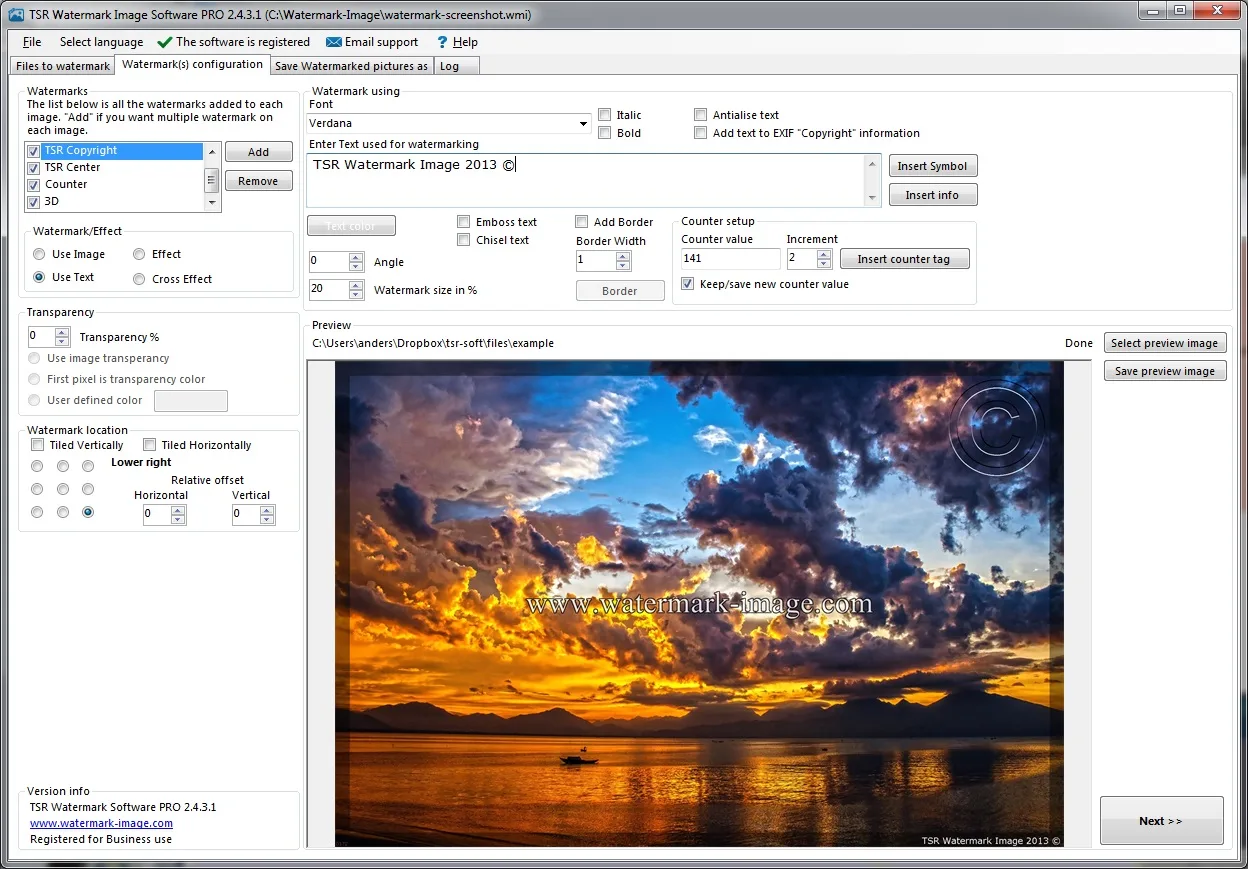
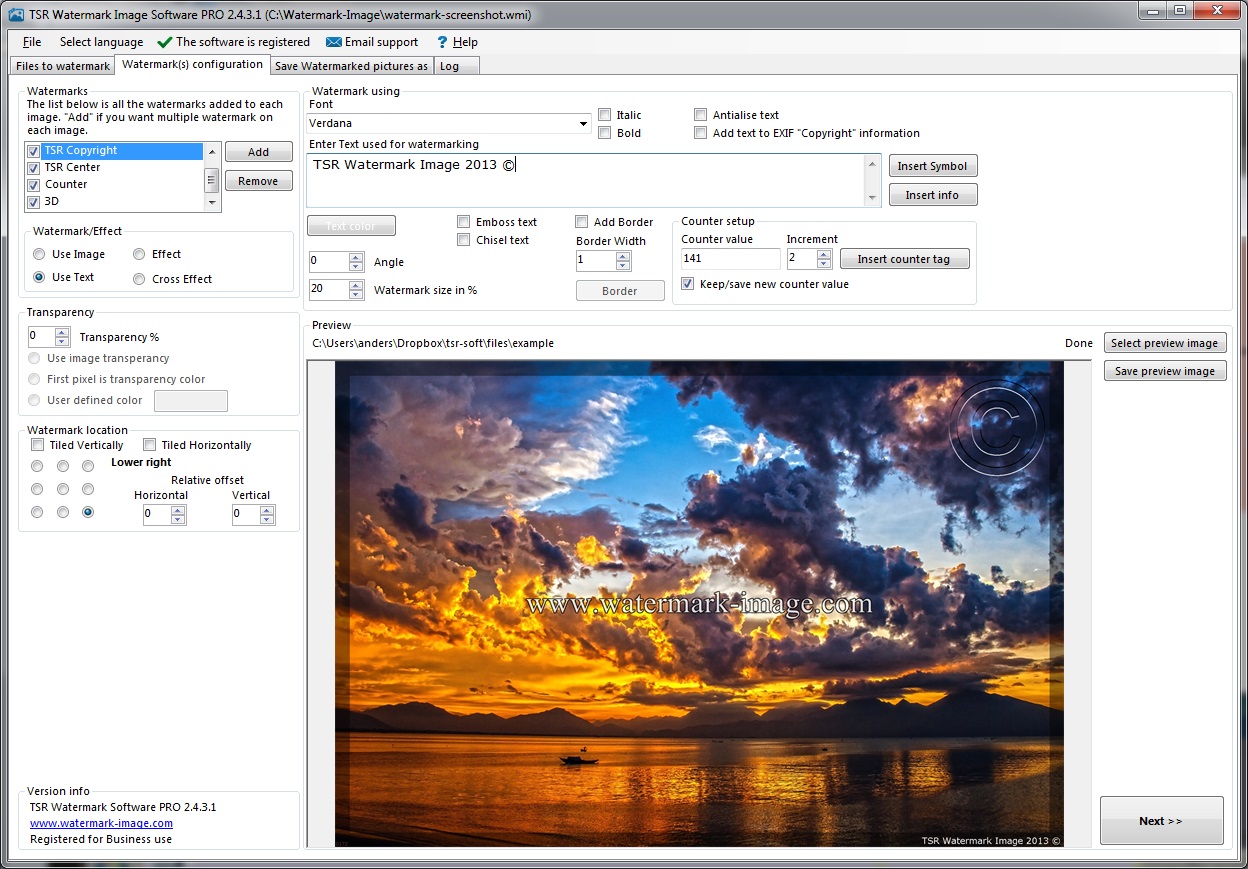
TSR Watermark Image applies visible watermarks to batches of photos, making it useful when a photographer or business needs a consistent credit or logo across a set of images. The publisher lists text, image and 3D watermarks, plus borders, crosses and special effects. Its workflow separates selecting files, configuring watermarks and choosing where to save the processed pictures. The gallery screenshot shows an older registered PRO interface, not a capture of the current download.
Check the edition before preparing a large batch. The publisher’s comparison table says trial output includes “Unregistered TSR Watermark Image”; metadata copying is a paid Professional feature, while WordPress and FTP uploads require Professional + Share or Secure Share. Secure FTP is listed only for Secure Share. Although the homepage title and Softonic listing use free-software wording, the publisher currently presents a trial alongside paid editions, so this entry does not promise unrestricted free use. A visible watermark identifies an image but does not guarantee that others cannot copy or remove it.
What it offers
- Apply text, image and 3D watermarks to photos.
- Process multiple photos with batch watermarking.
- Add borders, crosses and special effects.
- Copy EXIF, XMP, IPTC and other supported metadata with paid Professional editions.
- Upload to WordPress or FTP with Professional + Share or Secure Share; Secure FTP is exclusive to Secure Share.
Good to know
- Trial output adds “Unregistered TSR Watermark Image”; do not treat the trial as unrestricted free output.
- Metadata copying and upload options depend on the paid edition; they are not all included in the trial.
- Specific supported Windows builds and installer architecture were not established from the retained source evidence. No installation or Windows 11 compatibility test was performed.
Product images
Sources
References used for this listing. Retrieval dates do not indicate hands-on testing.
More in multimedia & graphics
View category ↗
1by1 2.17
Play music directly from folders with 1by1, a free Windows audio player with resume, gapless playback and file tools. Formats beyond MP3 need additional decoders.
3DVista Virtual Tour Pro
Build interactive 360° virtual tours from panoramas, videos and 3D models with 3DVista Virtual Tour Pro for Windows. Commercial software with a 30-day trial.

4DDiG Video Repair
Repair corrupted or unplayable videos in batches with the Video Repair tool in 4DDiG File Repair for Windows. A free trial is available; advanced features require a paid license.