

Multimedia & graphics macOS
Woobla Music Remover for macOS
Remove background music from video on your Mac while keeping dialogue and sound effects. Woobla Music Remover processes files locally and requires a paid license with periodic online renewal.
- Operating system
- macOS 13 or later
- Architecture
- Apple silicon (ARM64)
- Download package
- DMG disk image
8 GB RAM minimum; 16 GB recommended. A separate Intel Mac DMG is available on the publisher's product page. Online activation and periodic license renewal are required.
Link checked · Download guidance
What is Woobla Music Remover?
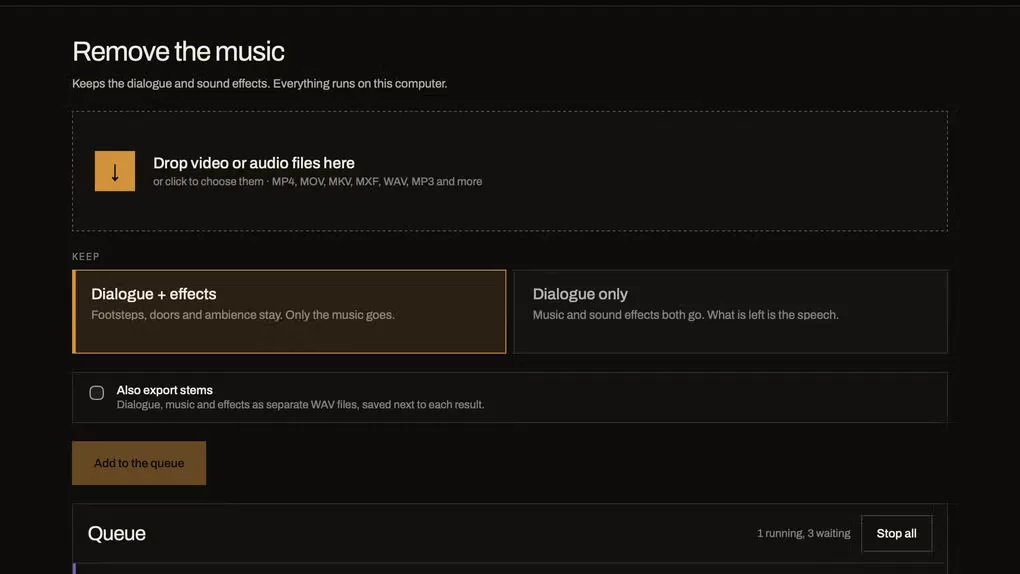
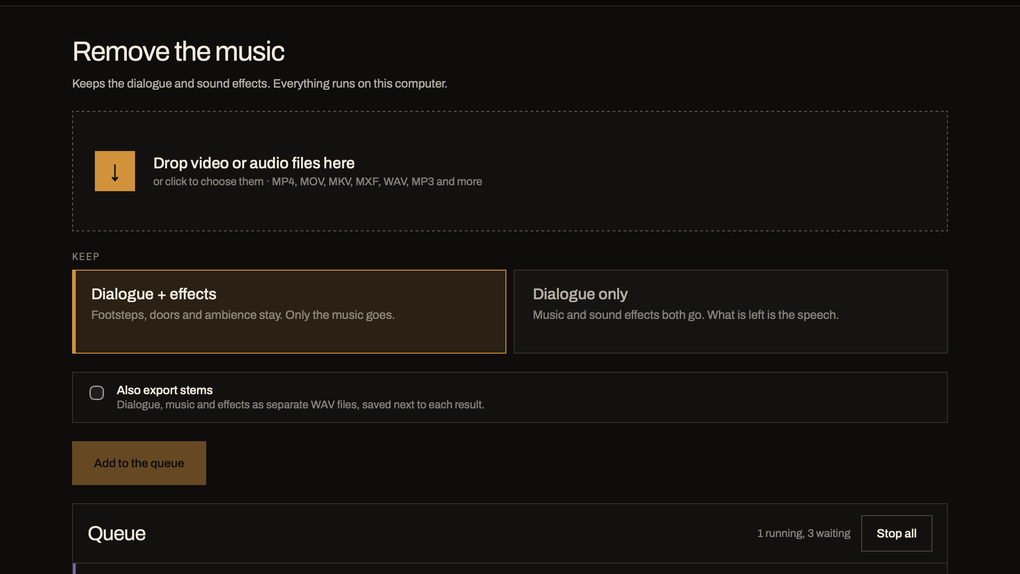
Woobla Music Remover separates a video's soundtrack into dialogue, music and effects so you can remove the music without discarding the rest of the scene's sound. Choose dialogue with effects for footage that needs its ambience, or dialogue only when you want speech alone. You can also export separate WAV stems for further editing.
The publisher says processing stays on your computer, with no video or audio uploads. The video picture is copied without re-encoding, and stereo and 5.1 layouts are supported. Long files are processed in resumable chunks; a command-line tool and local MCP server are included for automation. These are publisher-described capabilities, not results from an independent application test.
This link is the Apple silicon DMG for macOS 13 or later. Intel Macs use a separate installer linked from the official product page. The paid license covers two computers and includes 1.x updates. Online activation is required, and its renewable offline lease lasts up to 30 days. Some music can remain after separation, and removing a soundtrack does not grant copyright clearance.
What it offers
- Choose dialogue with sound effects or dialogue-only output when removing background music.
- Export separate dialogue, music and effects WAV stems for editing.
- Process files locally without uploading the source media, according to the publisher.
- Copy the video picture without re-encoding and retain stereo or 5.1 audio layouts.
- Resume long files from completed chunks, or automate processing with the included wmr command-line tool and local MCP server.
Good to know
- Use requires a paid license and online activation. The offline lease lasts up to 30 days between renewals; one license covers two computers.
- Music separation is not guaranteed to be complete: the publisher notes that a quiet trace can remain. Removing music does not clear copyright rights.
- Requires macOS 13 or later and at least 8 GB RAM; 16 GB is recommended. The selected DMG is for Apple silicon, not Intel Macs.
Product images
Sources
References used for this listing. Retrieval dates do not indicate hands-on testing.
More in multimedia & graphics
View category ↗
1by1 2.17
Play music directly from folders with 1by1, a free Windows audio player with resume, gapless playback and file tools. Formats beyond MP3 need additional decoders.
3DVista Virtual Tour Pro
Build interactive 360° virtual tours from panoramas, videos and 3D models with 3DVista Virtual Tour Pro for Windows. Commercial software with a 30-day trial.

4DDiG Video Repair
Repair corrupted or unplayable videos in batches with the Video Repair tool in 4DDiG File Repair for Windows. A free trial is available; advanced features require a paid license.