

Multimedia & graphics Windows
X-Wave MP3 Cutter Joiner for Windows
Cut, join and normalize MP3 and WAV audio with X-Wave MP3 Cutter Joiner, a Windows editor offered as a commercial trial.
- Operating system
- Windows XP, Windows Vista and Windows 7 (publisher-listed)
- Architecture
- Not specified in the cited publisher documentation
- Download package
- EXE installer
Windows 10/11 support is unconfirmed. Historical version 3.0 documentation does not establish the version of the currently linked installer.
Link checked · Download guidance
What is X-Wave MP3 Cutter Joiner?
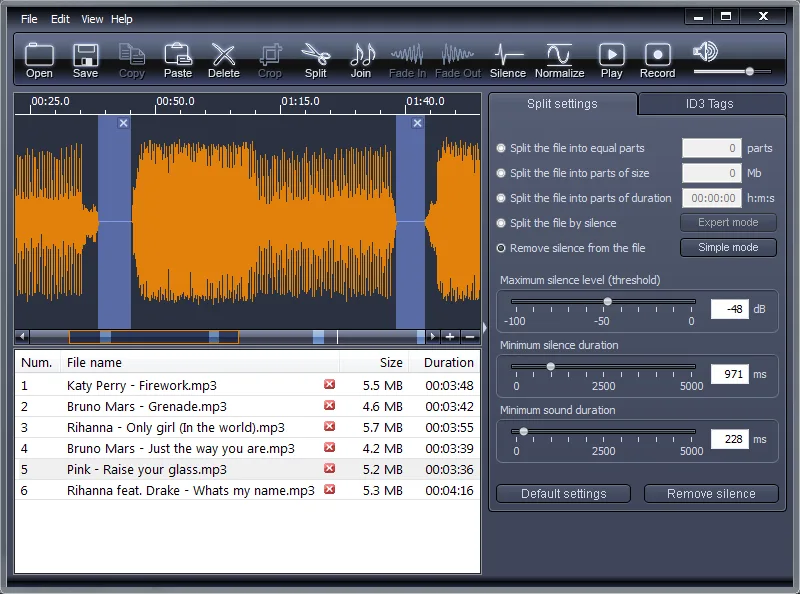
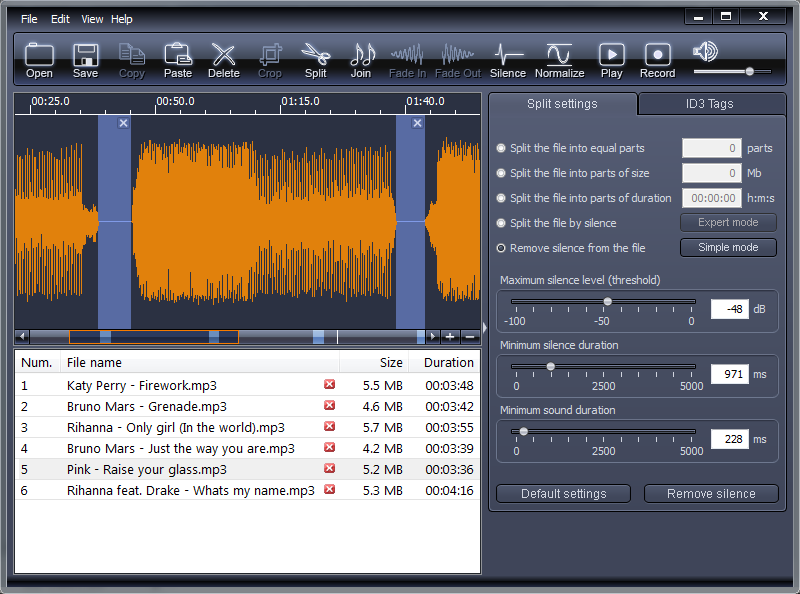
X-Wave MP3 Cutter Joiner combines waveform editing with tools for splitting and combining audio. It suits extracting a section of a recording, dividing a long file into shorter tracks or joining several files in a chosen order. The publisher describes MP3 editing without conversion to WAV and back, avoiding re-encoding for those edits. WAV files are also supported.
Splitting options include equal parts, a target size or duration, silence detection and an accompanying CUE file. Copy, paste, delete and crop tools handle manual edits; volume normalization, recording and ID3 tag editing are included in the same application.
This is a commercial product with a trial download, not a freeware edition. Its publisher explicitly lists Windows XP, Vista and 7, but the available documentation does not establish Windows 10 or 11 compatibility. The release history documents version 3.0 from March 2, 2011; it does not identify the version of the currently linked, unversioned installer.
What it offers
- Split audio into equal parts or by target file size, duration, silence or CUE track information.
- Join multiple audio files in a chosen order and edit with copy, paste, delete and crop tools.
- Edit MP3 audio without conversion to WAV and back, according to the publisher; WAV editing is also supported.
- Normalize volume levels or adjust the volume of a track or selected fragment.
- Record audio and edit ID3 tags within the application.
Good to know
- The download is a trial of a commercial product; the cited homepage does not specify the trial duration or exact trial restrictions.
- Publisher documentation lists Windows XP, Vista and 7 only; Windows 10/11 compatibility is unconfirmed.
- The linked installer has no version in its filename, and its version and architecture were not verified from the package.
Product images
Sources
References used for this listing. Retrieval dates do not indicate hands-on testing.
More in multimedia & graphics
View category ↗
1by1 2.17
Play music directly from folders with 1by1, a free Windows audio player with resume, gapless playback and file tools. Formats beyond MP3 need additional decoders.
3DVista Virtual Tour Pro
Build interactive 360° virtual tours from panoramas, videos and 3D models with 3DVista Virtual Tour Pro for Windows. Commercial software with a 30-day trial.

4DDiG Video Repair
Repair corrupted or unplayable videos in batches with the Video Repair tool in 4DDiG File Repair for Windows. A free trial is available; advanced features require a paid license.