

Multimedia & graphics Windows
XMPlay for Windows
Play music files, tracker modules and internet audio streams with XMPlay, a free Windows audio player supplied as a ZIP that needs no installation.
Version 4.1 · Direct publisher file
Link checked · Download guidance
What is XMPlay?
XMPlay is a Windows audio player for listening to music files, internet streams and tracker modules such as XM, IT, S3M and MOD. It also handles familiar audio formats including MP3, OGG and WAV, supports playlists and can play supported files from ZIP and GZIP archives. A track library with folder monitoring helps organize a collection, while customizable global shortcuts let you control playback from other applications.
Playback options include gapless output, crossfading, a nine-band equalizer and ReplayGain support. Skins change the interface, and plugins extend audio formats, archive handling and output options. FLAC support is offered through a separate plugin; MP3 and OGG disk encoding uses external encoders rather than a self-contained converter.
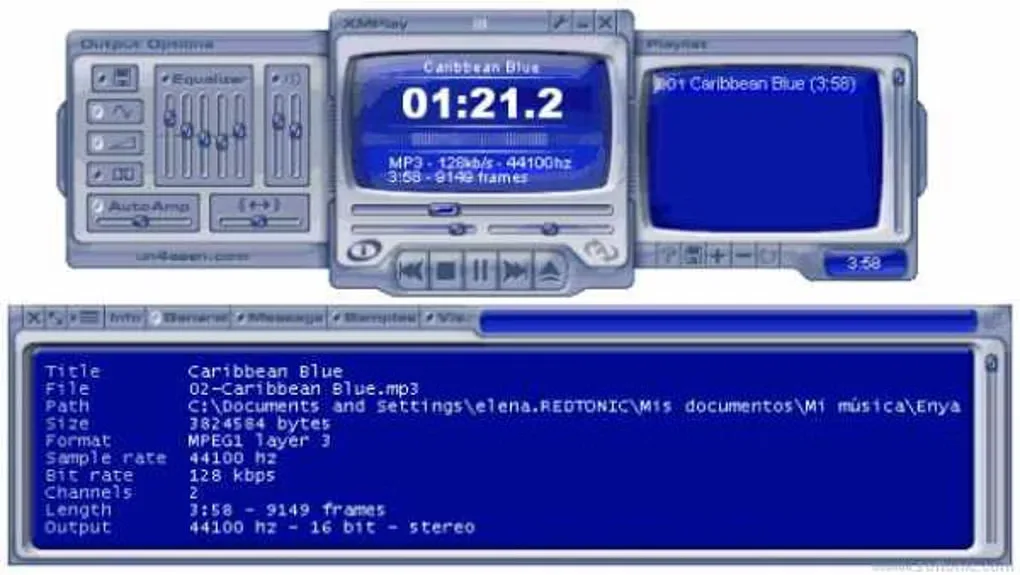
The publisher supplies version 4.1 as a ZIP archive: extract it to a folder to use it without an installer. Its product page lists Windows 95 through Windows 11, but some built-in format support depends on the Windows version. The gallery screenshot shows a historical XMPlay interface, not a verified capture of version 4.1.
What it offers
- Play MP3, OGG, WAV and tracker modules including XM, IT, S3M and MOD.
- Open supported playlists and play audio from ZIP and GZIP archives, including nested archives.
- Listen to internet audio streams, including Shoutcast, Icecast and HLS.
- Use gapless playback, crossfading, a nine-band equalizer and ReplayGain support.
- Manage a track library with folder monitoring and assign customizable global hotkeys.
- Change skins and add plugins for more formats or output options.
Good to know
- FLAC playback requires a separate input plugin; the MIDI plugin also needs soundfonts that are not included.
- Writing MP3 or OGG files requires external encoders; built-in disk writing produces WAV files.
- Some native format support depends on Windows: WMA is standard from Vista, AAC/MP4 from Windows 7 or updated Vista, and AC3 from Windows 8.
Product images
Sources
References used for this listing. Retrieval dates do not indicate hands-on testing.
More in multimedia & graphics
View category ↗
1by1 2.17
Play music directly from folders with 1by1, a free Windows audio player with resume, gapless playback and file tools. Formats beyond MP3 need additional decoders.
3DVista Virtual Tour Pro
Build interactive 360° virtual tours from panoramas, videos and 3D models with 3DVista Virtual Tour Pro for Windows. Commercial software with a 30-day trial.

4DDiG Video Repair
Repair corrupted or unplayable videos in batches with the Video Repair tool in 4DDiG File Repair for Windows. A free trial is available; advanced features require a paid license.