

Multimedia & graphics Windows
XnConvert for Windows
Convert, resize and edit groups of images with XnConvert for Windows. Reuse action presets for batch jobs; private and educational use is free, while company use requires a license.
- Operating system
- Windows 10 and Windows 11
- Architecture
- x64 (64-bit)
- Download package
- EXE setup installer
This link selects the publisher's 64-bit setup package. ZIP, older Windows and 32-bit packages are separate.
Link checked · Download guidance
What is XnConvert?
XnConvert applies a sequence of edits to multiple images, combining format conversion with operations such as resizing, cropping, rotation and watermarking. It is useful for preparing a folder of pictures with consistent dimensions or applying the same adjustments across a photo collection. Saved presets let you reuse a batch workflow instead of configuring each operation again.
The publisher lists more than 80 operations, including metadata editing, brightness and color adjustments, sharpening and other filters. Watch folders can apply a chosen set of edits to new or updated images automatically. Format support is broader for reading than writing: the publisher lists more than 500 supported input formats and about 70 output formats, so not every format it opens is available as an export choice.
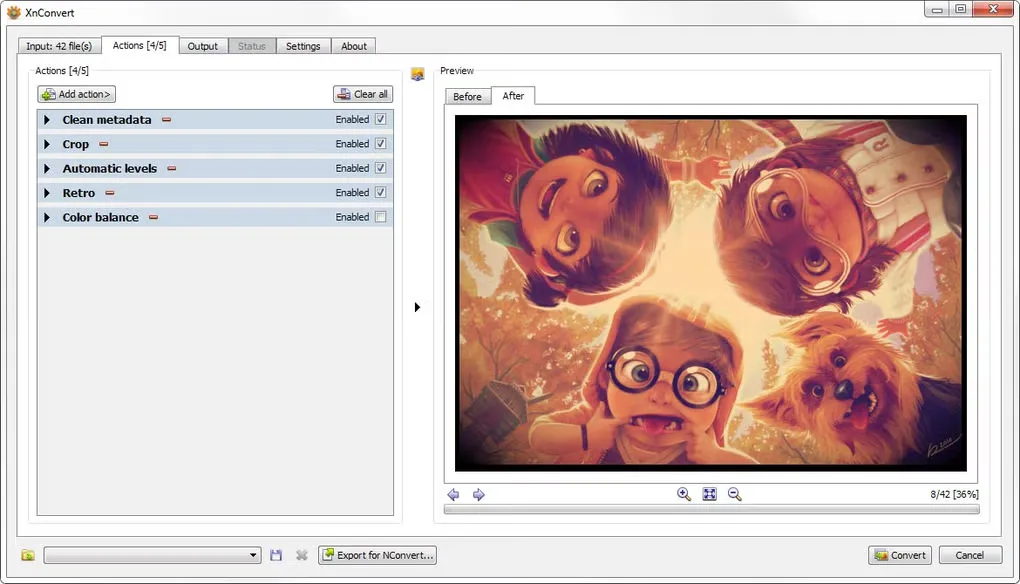
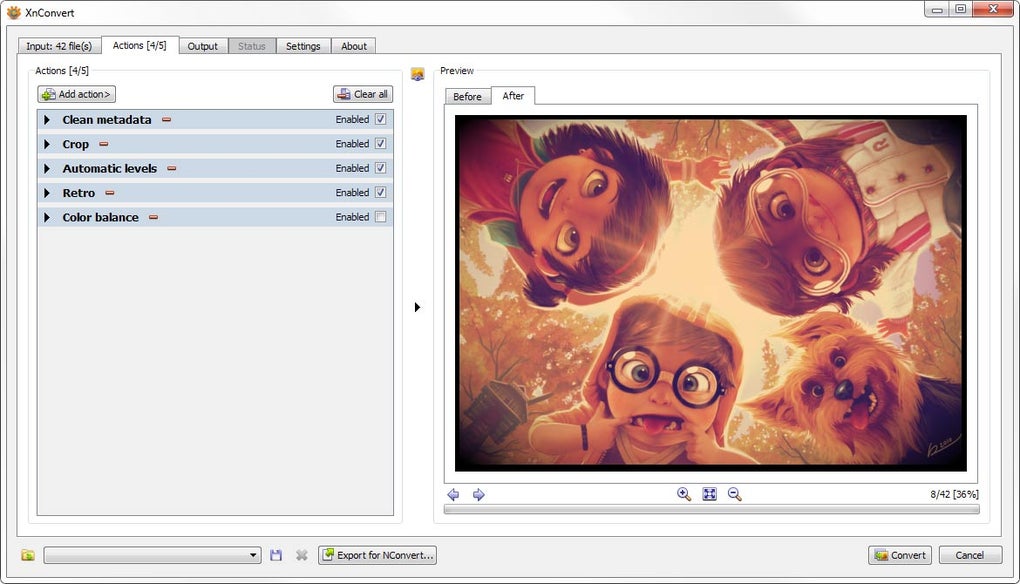
This entry links to the publisher's Windows 10/11 64-bit EXE setup package, listed as version 1.118.0 at retrieval. Older Windows and 32-bit packages are separate downloads. XnConvert is freeware for private or educational use, including nonprofit organizations; the publisher's download section requires a purchased license for company use. The gallery image shows the Windows Actions interface and is illustrative, not proof of the current version's exact appearance.
What it offers
- Convert multiple images between supported input and output formats in one batch.
- Combine resizing, cropping, rotation, watermarking and other operations in an action sequence.
- Adjust brightness, contrast and saturation, apply filters, and edit metadata.
- Save and reuse presets for recurring batch conversion jobs.
- Watch folders for new or updated images and automatically apply a custom set of edits.
Good to know
- Company use requires a purchased license; the freeware terms cover private or educational use, including nonprofit organizations.
- Reading and writing support differ: more than 500 input formats are supported, but output is limited to about 70 formats.
- The linked 64-bit setup package targets Windows 10/11; the publisher lists older Windows and 32-bit builds separately.
Product images
Sources
References used for this listing. Retrieval dates do not indicate hands-on testing.
More in multimedia & graphics
View category ↗
1by1 2.17
Play music directly from folders with 1by1, a free Windows audio player with resume, gapless playback and file tools. Formats beyond MP3 need additional decoders.
3DVista Virtual Tour Pro
Build interactive 360° virtual tours from panoramas, videos and 3D models with 3DVista Virtual Tour Pro for Windows. Commercial software with a 30-day trial.

4DDiG Video Repair
Repair corrupted or unplayable videos in batches with the Video Repair tool in 4DDiG File Repair for Windows. A free trial is available; advanced features require a paid license.